| Author |
 Replies: 23 / Views: 778 Replies: 23 / Views: 778 |
|
Valued Member
United States
79 Posts |
|
|
|
I am from Plano Texas
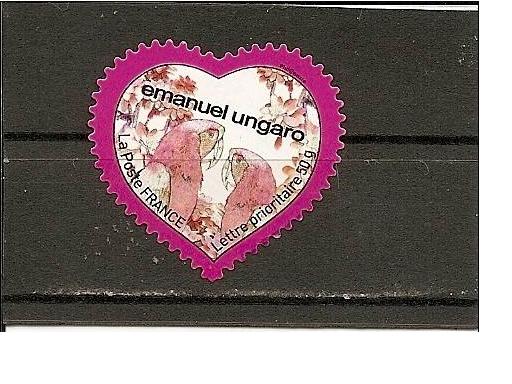
My area of interest is Odd shape stamps and anything beautiful ;)
|
|
Send note to Staff
|
|
|
|
|
Pillar Of The Community
United Kingdom
1356 Posts |
|
|
Valued Member
United States
79 Posts |
|
|
Pillar Of The Community
United States
2480 Posts |
|
|
Pillar Of The Community
USA
867 Posts |
|
|
Valued Member
United States
79 Posts |
|
|
Here goes.. my recent aquisition A souvenir sheet received from spain 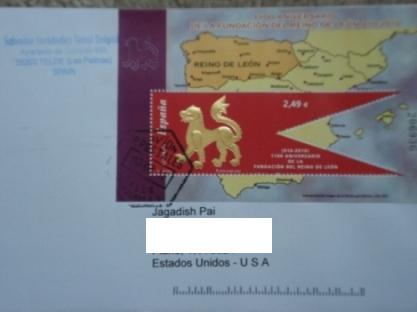 i guess its both odd shaped and beautiful ;) |
Send note to Staff 
|
| Edited by jagsp - 09/19/2010 10:16 pm |
|
|
Pillar Of The Community
United States
5894 Posts |
|
|
Pillar Of The Community

Canada
3963 Posts |
|
|
 Welcome jagsp Beautiful souvenir sheet. Can't wait to see some others. Dianne |
|
Send note to Staff
|
Don't grumble that the roses have thorns, be thankful that the thorns have roses |
|
|
Valued Member
United States
79 Posts |
|
|
its boring sometimes.. the forum application dosent allow me to upload anything which is more than 100 Kb in size. Got to sit and resize all my pics !  |
|
Send note to Staff
|
| Edited by jagsp - 09/20/2010 11:48 pm |
|
|
Valued Member
United States
79 Posts |
|
|
Pillar Of The Community
USA
9748 Posts |
|
|
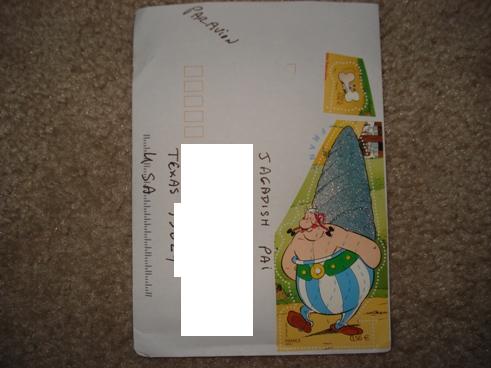
It looks like Obilix !! |
|
Send note to Staff
|
APS 070059 Life Member International Society of Guatemala Collectors I.S.G.C. #853 |
|
|
Pillar Of The Community
United States
2480 Posts |
|
|
Quote:
its boring sometimes.. the forum application dosent allow me to upload anything which is more than 100 Kb in size. Got to sit and resize all my pics !
As I learned from Edwin, you can eliminate that problem if you sign up for an account on a media hosting site like ImageShack ( http://imageshack.us/), upload your images to that sight, and then include the link to the image in your post. |
|
Send note to Staff
|
|
|
Valued Member
United States
79 Posts |
|
|
@tomiseksj thanks for that piece of info. it helps. but I was thinking it will be easy for people to just see the pic here rather than go through the pain of clicking on links and waiting for the pic to load. ps:i myself dont have even a pint of patience   |
|
Send note to Staff
|
| Edited by jagsp - 09/21/2010 10:56 am |
|
|
Pillar Of The Community
United States
2480 Posts |
|
|
When you go to post a new topic or reply to one, you should see a link related to uploading images. Follow that link's instructions at step 3 and your image(s) will automatically be uploaded and displayed in your post. But remember that if you delete the image from the hosting site, it will no longer be available in the post. See my post in the trading section to see how your hosted images will appear. EDIT: Here are those instructions: Quote:Having an image appear in your post: 1. If you upload an image through the forum you will see code in your post that looks similar to this: Note: If you have an outside image host go straight to step 3. Image: [img ]images/icon_paperclip.gif [/img] 2006313194819_Image_Name.JPG75.32 KB 2. Remove everything except the url of the image. The code in bold. Image: [img]images/ icon_paperclip.gif [/img] Image_Name.JPG75.32 KB 3. Now you should have only the URL of the image. Highlight the URL with your cursor and click on the icon above the post box. This will surround the URL with [img] [/img] tags. Your image should now appear in your post when you submit it. Note: There is no need to try to create a "click to enlarge" link. The forum software will do it automagically. |
|
Send note to Staff
|
| Edited by tomiseksj - 09/21/2010 4:10 pm |
|
|
Pillar Of The Community
United States
576 Posts |
|
|
Welcome. Now we have, at least two odd-ball(ooops) 0dd-shape collectors. |
|
Send note to Staff
|
|
|
Valued Member
United States
79 Posts |
|
|
Replies: 23 / Views: 778 |
|




 Posted 09/19/2010 2:08 pm