Conker, I'll get to the renaming in a minute.
Firstly, we have a problem,
I am a world wide collector, and need a naming system, that can provide slots for
"varieties" and other required information (pricing trends etc) in my database hiearchy.
My original naming system, just mirrored Stanley Gibbons,
My image database then looked like a stamp album, very nice.
eg
SG0458 (1970) T0252 05c grasslands congress [1m4].jpg
SG0459 (1970) T0253 05c captain cook bicentenary [0m3].jpg
SG0459 (1970) T0253 05c captain cook bicentenary [5m0].jpg
However, I realised I had a problem with detecting varieties.
If, say, I was sorting 1932 Australian stamps, I needed a quick reference to the "oddballs"
(eg perf varieties) that was easily recognised when I opened the database.
Up till then I had varities in a different folder.
That was easily rectified by joining ALL the folders, and re naming the file with preceding year
eg
1970SG0458 (1970) T0252 05c grasslands congress [1m4].jpg
1970SG0459 (1970) T0253 05c captain cook bicentenary [0m3].jpg
1970SG0459 (1970) T0253 05c captain cook bicentenary [5m0].jpg
NOW all I had to do with a new 1970 stamp image, was to name it "1970"
and it will slot immediately into the sub set.
(ie no typing except for 1970, 4 keystrokes)
As you see that's fine for the 4 digit precursor, but not 8
My 8 digit is only for Romania where I know issue dates.
For the rest of the world, I have to use 4, otherwise stamps fall out of sequence. (Ugh!)
RE-NAMING.
Fairly simple, ( 4 keystrokes IIRC) I use ACDSee as my image viewer, and it renames
I select the (say 200 stamp images) Hit F3, type in 1970 *, and enter
Done in a fraction of a second.
This is the end result....
My database now has stamps in order with varieties included, and word documents included.
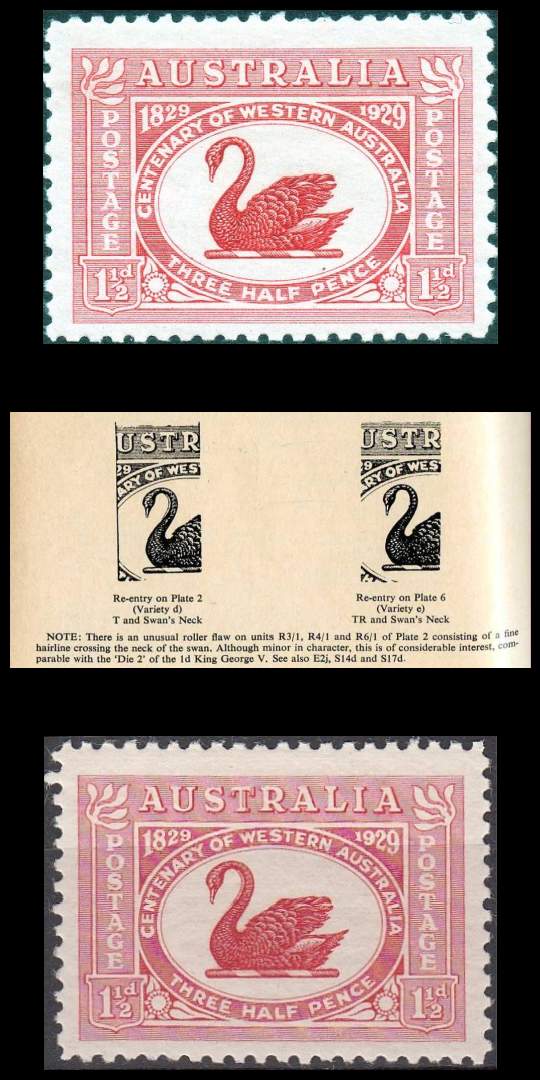
Example Australia 1929
there are 2 stamps issued in 1929
I have 14 images and documents concerning the original stamps, the varieties and notes.
My Database (windows explorer) in DETAILS VIEW

My Database in IMAGE View





 Posted 02/13/2012 8:43 pm


