Yes, I was able to open the sample. Just have to learn how to use it. Will probably have questions later. Was gone all day, so did not have a chance to look at it further today.
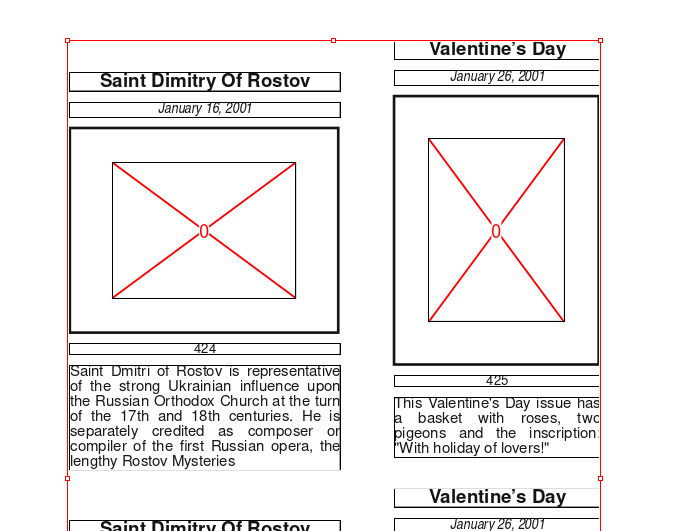
This version gives you the ability to generate a muti-row, multi-column set layout in one run, like this:
Video demo:
HkNMp6XM434
Also, in the past, the script could only be used with v1.4.x of Scribus, as the v1.5.x releases had some showstopping bugs. It appears as if most of those have been fixed as of Scribus v1.5.4. I haven't fully tested it since I don't use Scribus that much, but feel free to give it a try.
Any luck with Scribus 1.5.4? I couldn't remember exactly what the bug was that was causing problems. Something with the font spacing or textbox grow/shrink that was throwing off the math. And hyphenation, IIRC.
I just installed Scribus 1.5.4 on my laptop earlier this week in order to hack up a bunch of Mystic pages. I'll have to do some testing tomorrow and see what happens.
As an added bonus to my life, my 17 year old son got a summer job at a stamp and coin store. So, I'm sure I'll be busy making lots of pages this summer!
I just found your lovely tool today and I keep getting the following error. What am I doing wrong?
Traceback (most recent call last): File "<string>", line 8, in <module> File "D:\Stamp Page Creation Stuff\PostmasterGS Album Generator\pytSAPG_v1_4_5.py", line 7164, in <module> funcImportSettings() File "D:\Stamp Page Creation Stuff\PostmasterGS Album Generator\pytSAPG_v1_4_5.py", line 705, in funcImportSettings funcImportBatch() File "D:\Stamp Page Creation Stuff\PostmasterGS Album Generator\pytSAPG_v1_4_5.py", line 1017, in funcImportBatch funcGenerateSetFrameIndivText() File "D:\Stamp Page Creation Stuff\PostmasterGS Album Generator\pytSAPG_v1_4_5.py", line 4350, in funcGenerateSetFrameIndivText funcFacePlacementXFrameIndivText() File "D:\Stamp Page Creation Stuff\PostmasterGS Album Generator\pytSAPG_v1_4_5.py", line 5361, in funcFacePlacementXFrameIndivText scribus.setText(lstFace[f], shpFr) UnicodeDecodeError: 'utf8' codec can't decode byte 0xbd in position 0: invalid start byte
Sorry you're having trouble with it. This is fixable, I'll just need to track down exactly what caused the error and release a bug fix.
That error is an unusual one. A Unicode Decode Error is usually caused by some character in the text that is encoded incorrectly by the software. Often, this is a character that isn't found in English, such as an accented character, Cyrillic, Arabic, etc.
Since the error is being generated from the software's attempt to place the Face Value box, was there a face value in one of the entries for which you were trying to generate boxes that had a non-English letter in it?
Well I got a little closer but then I got this one.
--------------------------- Script error --------------------------- <qt><p>If you are running an official script report it at <a href="http://bugs.scribus.net">bugs.scribus.net</a> please.</p><pre>Traceback (most recent call last): File "<string>", line 8, in <module> File "D:\Stamp Page Creation Stuff\PostmasterGS Album Generator\pytSAPG_v1_4_5.py", line 7164, in <module> funcImportSettings() File "D:\Stamp Page Creation Stuff\PostmasterGS Album Generator\pytSAPG_v1_4_5.py", line 705, in funcImportSettings funcImportBatch() File "D:\Stamp Page Creation Stuff\PostmasterGS Album Generator\pytSAPG_v1_4_5.py", line 1064, in funcImportBatch funcSetMultiYPosition() File "D:\Stamp Page Creation Stuff\PostmasterGS Album Generator\pytSAPG_v1_4_5.py", line 7121, in funcSetMultiYPosition strSetGroupTop = scribus.getProperty(lstGroupName, "yPos") TypeError: Argument must be page item name, or PyCObject instance </pre><p>This message is in your clipboard too. Use Ctrl+V to paste it into bug tracker.</p></qt> --------------------------- OK ---------------------------
I just tried 1.4.5 with Scribus 1.5.4 and everything seems to work fine, except for photos. I give it a path the photo, but it doesn't add it to the text file it generates.
Disclaimer: While a tremendous amount of effort goes into ensuring the accuracy of the information contained in this site, Stamp Community assumes no liability for errors. Copyright 2005 - 2026 Stamp Community Family - All rights reserved worldwide. Use of any images or content on this website without prior written permission of Stamp Community or the original lender is strictly prohibited. Privacy Policy / Terms of UseAdvertise Here





 Posted 06/12/2017 9:24 pm



 , "yPos")