| Author |
 Replies: 30 / Views: 3,826 Replies: 30 / Views: 3,826 |
|
|
|
Pillar Of The Community
United States
2230 Posts |
|
|
Mike,
Nice #63! That's always been one of my favorite stamps. I can see the ink texture/depth in your scan. |
Send note to Staff 
|
|
|
Pillar Of The Community
United States
1614 Posts |
|
|
Thanks but it looks nothing like the one I posted before and after trying to rescan it 6 or 7 different ways, I'm giving up for the evening. I did find the original thread I posted in but the pic linked to my old website and somehow that pic didn't make it to the new site. Even those ink dots on his face looked like mountains in the other scan.
JR - I usually use photobucket for regular pics but large ones like the 63 are hosted on my own site. It's faster just to upload and get the link from Photobucket than self hosting but Photobucket has size limits and the 63 is over 5 megs at full size. If you click on the pic in the thread, it gets even bigger. Disappointed the detail I had before isn't showing now though. |
|
Send note to Staff
|
|
|
Pillar Of The Community
United States
2230 Posts |
|
|
Mike33, Despite your #63 scan not coming out to your expectations, I'm impressed, and you may have inspired me to go back to an Epson scanner. |
|
Send note to Staff
|
|
|
Rest in Peace
United States
4052 Posts |
|
|
I've settled into the following protocol:
For individual stamps & other small targets, I scan at 1200 or 2400 dpi.
For postcards & small covers, I scan at 300 dpi.
I leave the image quality at 80 (default).
I set the sharpen algorithm to 99 (faster than keying 100).
I download the new 600-wide image, and discard the old monster.
I like the results.
Cheers,
/s/ ikeyPikey |
|
Send note to Staff
|
|
|
Pillar Of The Community
United States
6469 Posts |
|
|
I'm a big fan of Epson scanners myself. Comparing the two Norse American stamps on the previous page, look at all of the surface texture and detail in the Epson image. The DSLR picture loses all of that. Surface texture and depth of detail is one particular area where no scanners can touch the Epsons, in my opinion. Certain stamps take on almost a 3D look and you can see the ink built up on the paper in layers. |
|
Send note to Staff
|
|
|
|
Moderator

United States
5107 Posts |
|
|
My HP All-in-one does an OK job. Here's my favorite stamp, scanned at 2400 dpi, then reduced with the Free Image Optimizer to fit 800 dpi across. I had to reduce the image quality to 40% to get it to fit, but I still think it looks OK. 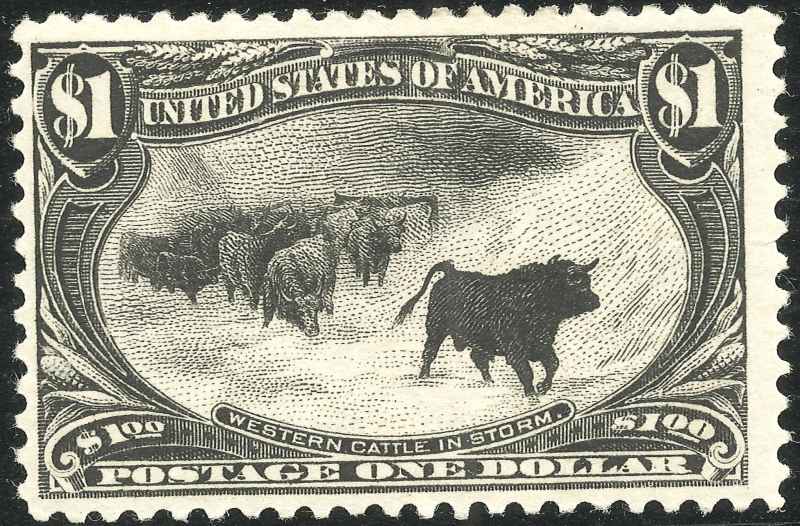 |
|
Send note to Staff
|
|
|
Pillar Of The Community
Germany
1714 Posts |
|
|
"do you use the optimizer to get them to under 100k? In other words, what do you do with the image after you take the photo in order to post it here?"
A program such as the free IRFANVIEW will do the optimizer stuff automatically. Load the photo or scan into Irfanview...resize it if needed to around 800 x 600 and save as .JPG and the program will ask if you want to set a file size in a pop-up window. Tick the box, set it to 98.00 kb and save your scan/photo to desktop or wherever and it is ready for here. The program will save all .jpg's at that "quality" every time unless you untick the box again. |
|
Send note to Staff
|
|
|
Valued Member
187 Posts |
|
|
Ok I used Irfanview and set it to 800x600, saved as JPEG, but did not get a dialogue box. However it seemed to work anyway: 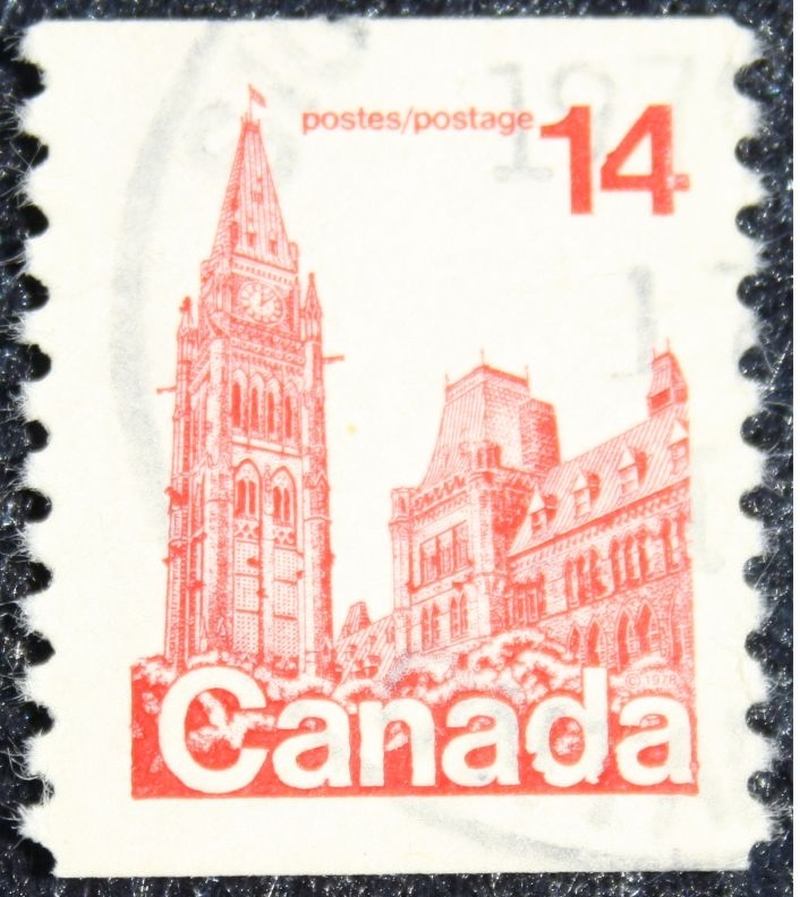 Thanks! |
|
Send note to Staff
|
|
|
Rest in Peace
United States
4052 Posts |
|
|
Pillar Of The Community
Germany
1714 Posts |
|
|
" ... did not get a dialogue box." I always get this when saving... as you can see on the right side there is the SAVE options with the SET FILE SIZE box ticked and set to 98 kb. I set it to 98kb as compression isn't that fine an art and the end size can be a kb above or below... so 98 makes sure it is acceptable to be uploaded on SCF. Cannot think why you are unable to access these options  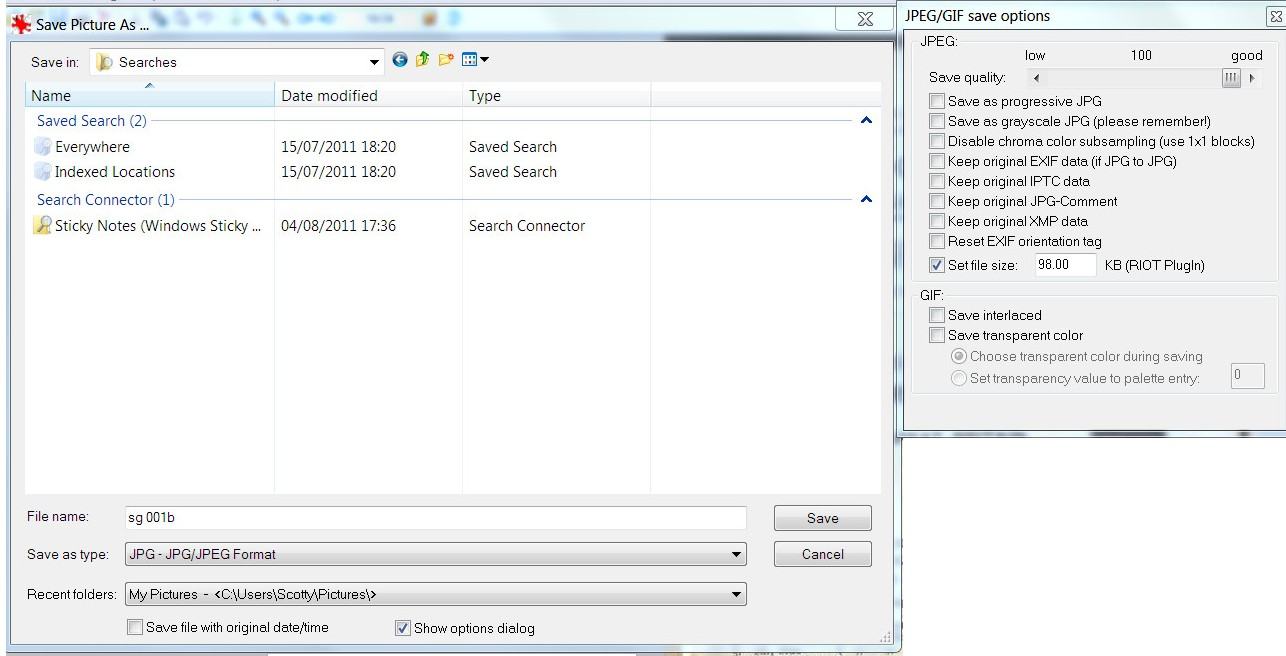 edit... AHA!! maybe you are using an older version so download the latest version which will have the RIOT plug-in. |
|
Send note to Staff
|
| Edited by scotzm - 05/14/2014 6:25 pm |
|
|
Moderator
United States
5107 Posts |
|
|
Come to think of it, mine never works when I try that. Maybe I don't have the RIOT plugin? |
|
Send note to Staff
|
|
|
Pillar Of The Community
1448 Posts |
|
|
 Scan @ 1200 with Epson V600 Upload to Picasa Embed image in SCF Works for me   |
|
Send note to Staff
|
|
|
|
Pillar Of The Community
Germany
1714 Posts |
|
|
Works a treat...yes... but JR1960 wants to upload to SCF without going via other places. So, as Partime has already seen, if using Irfanview he needs to install the RIOT plug-in which I believe is on the Irfanview website as a download. |
|
Send note to Staff
|
|
|
Valued Member
187 Posts |
|
|
Ok, got it. For some reason when I did it again the dialogue box did show up. |
|
Send note to Staff
|
|
|
Pillar Of The Community
United States
2230 Posts |
|
|
Replies: 30 / Views: 3,826 |
|




 Posted 05/13/2014 9:08 pm