Stamp Community Family of Web Sites
Thousands of stamps, consistently graded, competitively priced and hundreds of in-depth blog posts to read


Stamp Community Forum
 
Username:
Password:
Save Password
Forgot your Password?

This page may contain links that result in small commissions to keep this free site up and running.

Welcome Guest! Registering and/or logging in will remove the anchor (bottom) ads. It's Free!

New Colour Recognition Process..?

 
To participate in the forum you must log in or register.
Author Previous TopicReplies: 10 / Views: 3,322Next Topic  
Rest in Peace
7742 Posts
Posted 10/31/2014   08:56 am  Show Profile Bookmark this topic Add wert to your friends list Get a Link to this Message
Hi guys...You know me by now that I am not happy that we as collectors don't have proper colour identification when it comes to stamp colours...He is something I have been playing with...tell me if I am wasting my time or this may have a future in colour identification for us...?

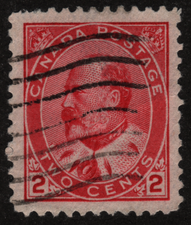
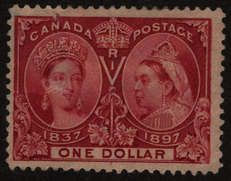
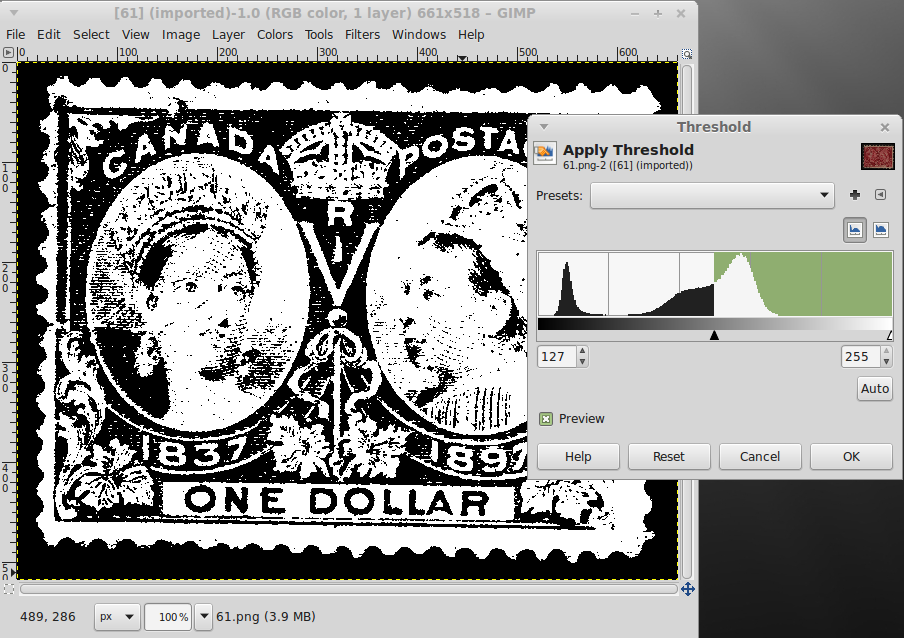
I have used my image manipulation software on 3 different stamp..2 are classified as CARMINE and the last is classified as lake..I choose Scott numbers 88...92...and 61
Now 88 and 92 are CARMINE and the 61 is a LAKE colour...They are all close in colour.


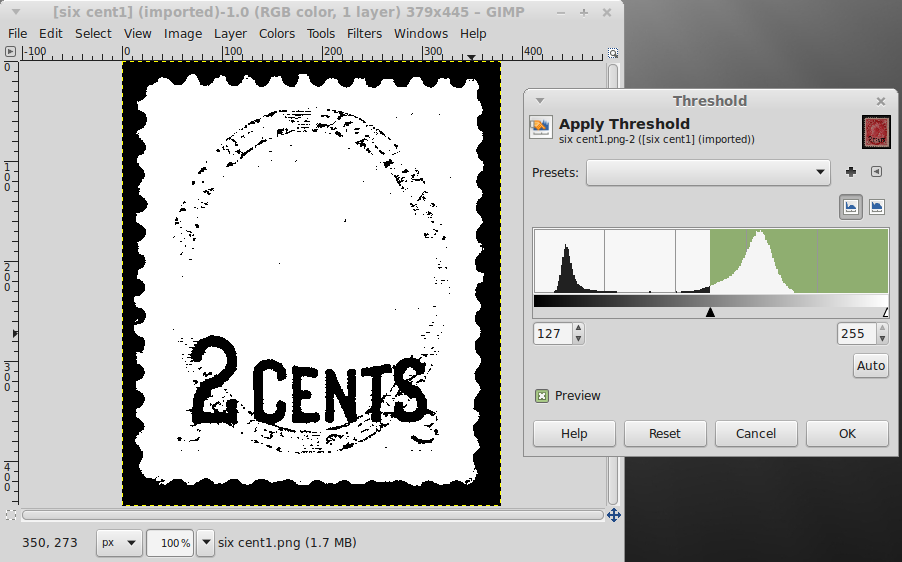
Below is first of all the Scott #88..Look at the Threshold chart on the right.


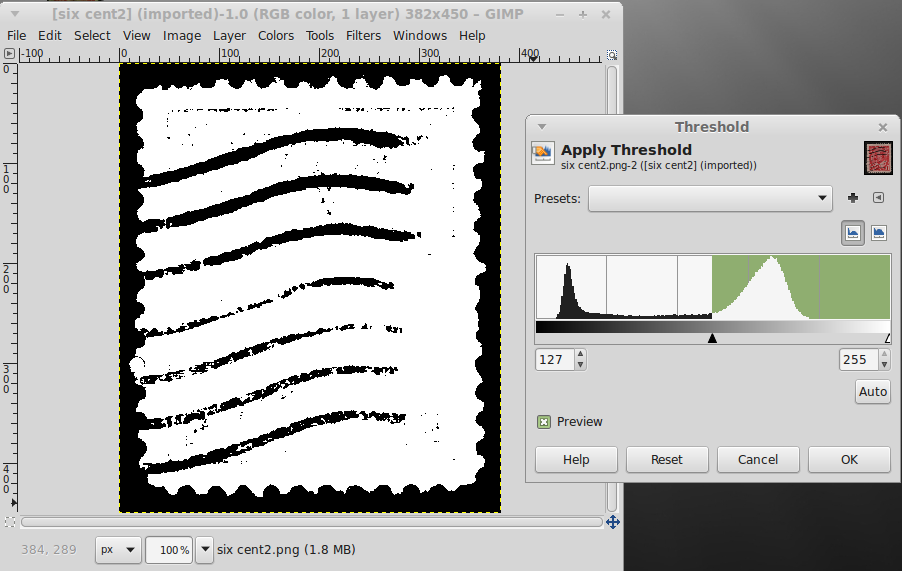
Now the Scott # 92 which is also carmine and look at the right hand chart.


These 2 carmine stamps are pretty much equal given time, wear and tear and sunlight...Now look at the Scott # 61 at the side chart...Even though to some people with bad eyes they might look very close to the carmine stamps...BUT..The chart tells a different story.


Now, if anyone scans there stamps and , they may be able to identify close colours if they keep a colour record chart...Does this technique have any merit...Any ideas..?
Robert
Send note to Staff

Moderator
Learn More...
United States
12330 Posts
Posted 10/31/2014   10:50 am  Show Profile Bookmark this reply Add 51studebaker to your friends list  Get a Link to this Reply
My good friend Robert,
Put the software aside for a moment. The problem you are trying to resolve occurs well before the application software becomes involved. You need to understand the digitization of the image first. Was the image from a scanner or a camera? Let's say it came from your scanner.

What occurred between the face of the stamp and what pops up on your monitor? First, your scanner collected what IT thinks are the proper colors. There are many, many factors which can cause your scanner to read the color. He biggest is light; color is a function of light waves. The scanner tries to be consistent with the light source (the bubs/LEDS) but no two are perfectly alike. The bulbs might be a bit older and loss some intensity; this will subtlety change how your scanner 'sees' the color shade. The user may or may not have the scanner lid closed; your scanner will try to account for this the ambient light and this will change the color shade. So even if everyone in the world used the same scanner model, these things may still be not result in the same image shades. And of course the truth is that there are many, many scanners in the world that folks use.

But let's assume that that each scanner is exactly the same model, the bulbs are exactly the same, the users all scan exactly the same. Now what? Well, each scanner has a driver; this is the piece of software that tells the scanner how to interface and work with the specific computer it is hooked to. So while you and I have the same scanner, you are using a Linux driver while I am using a Windows driver. Even if they have the same algorithm in the drive code, there are enough difference to yield different results. But wait, there are different versions of the same driver! So even if we both use the same scanner and Linux but you have newer version of the driver then I do, the result could end up being different.

And finally we get to putting the image on your PC. If the image was saved it absolutely needs to be done in a format that does not compresses the image at all. In other words, if your scanner saved the image to your computer as a jpg, it has already applied compression which interprets many of the pixels and has manipulated them. You can never, put faith into a save , compressed format and think that it is an accurate depiction of the real life stamp shading.

And of course we have not even yet started to talk about the application software you are using, which applies even ore interpretation.

What scanners and computers do is give very good looking results for photos and images and typical usage. This is perfectly fine for the vast majority of folks who use scanned images to communicate. Scanning your family vacation photos, pets, or to sell something on ebay are fine uses. But you are trying to get into a very scientific area where the computer does things like thresholds. It doesn't matter what you app does at this level, it is already full of so many variables that it is hopeless to think it can be used as a standard.
Don
Send note to Staff  Go to Top of Page
Pillar Of The Community
Canada
1394 Posts
Posted 10/31/2014   11:03 am  Show Profile Bookmark this reply Add BlackJag to your friends list  Get a Link to this Reply
I know absolutely nothing on this subject, but have a question for wert.

I've assumed that your area being tested is not the entire stamp due to the two primary colours involved - black and red.

If you move the location being tested a 1/4 of an inch in any direction, does the result change or always remain the same? And lets assume that the colour being tested appears to be exactly the same as the original test location.

If it changes, then it won't work.
Send note to Staff  Go to Top of Page
Rest in Peace
7742 Posts
Posted 10/31/2014   12:12 pm  Show Profile Bookmark this reply Add wert to your friends list  Get a Link to this Reply
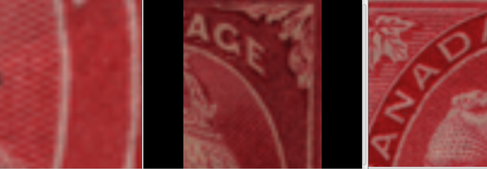
Ok BlackJag...Here is 3 samples removing the BLACK from the analysis...See for yourself... and Don, dont yell at me...haha
Robert


HERE IS RESULTS FROM SCOTT # 88


HERE IS RESULTS FROM SCOTT # 92


HERE IS RESULTS FROM SCOTT # 61


Well...What do you think.??
And I know Don is probably correct...
Send note to Staff  Go to Top of Page
Pillar Of The Community
United States
725 Posts
Posted 10/31/2014   12:24 pm  Show Profile Bookmark this reply Add watermark to your friends list  Get a Link to this Reply
I agree with Don. But there is another environmental factor to consider. Some if not all stamp inks are subject to environmental hazards. I have seen stamps on the same sheet exposed to different degrees of UV light for varying amounts of time change to different colors. There is also foxing than can affect color ex. "Muddy Water" variety that occurs on Scott numbers 85 and 86. Also oxidation of colors can occur. Fading is another. Stamp color at best is subjective. I gave up collecting precise colors and just group shades. There are so many factors that influence colors that grouping by shade is much easier.
Send note to Staff  Go to Top of Page
Pillar Of The Community
United States
787 Posts
Posted 10/31/2014   12:36 pm  Show Profile Bookmark this reply Add eligies to your friends list  Get a Link to this Reply
going out a limb here but take heart wert. I think that the idea is sound and I think 51studebaker has a good point .. BUT, as long as the comparisons are produced from the same media, scans vs scan, photo vs photo, (and not scan vs photo)there is a constant and the software can compare legitimately the differences. as long as the comparisons remain from a constant source the results should be compatible and not apples to oranges. jmo
Send note to Staff  Go to Top of Page
Moderator
Learn More...
United States
12330 Posts
Posted 10/31/2014   12:55 pm  Show Profile Bookmark this reply Add 51studebaker to your friends list  Get a Link to this Reply
Also keep in mind that the result will change if you move the stamp even ½" on the platen of the scanner. Glass changes from one spot to another. So what you got in one position could change if you move the stamp even slightly on the next scan. This not only is the result of the glass itself but also the way the scanner bulbs lights that area of the glass.
Again, if we were all just simply looking at an image under office lighting at 2 feet away, most of us would not be able to detect these kinds of differences. But when you start using software which can detect and work with 64,000 (or more) color shades, things can quick change at the pixel level.
This is easy to prove out, Scan a stamp, move it an inch or two, scan again. Zoom in to the pixel level and look at the exact RGB shade at the exact same pixel position. It would rarely be the same.
Don
Send note to Staff  Go to Top of Page
Rest in Peace
7742 Posts
Posted 10/31/2014   3:14 pm  Show Profile Bookmark this reply Add wert to your friends list  Get a Link to this Reply

Quote:
as long as the comparisons are produced from the same media, scans vs scan, photo vs photo, (and not scan vs photo)there is a constant and the software can compare legitimately the differences


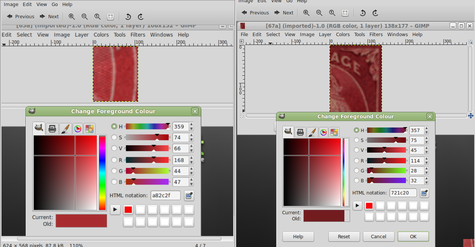
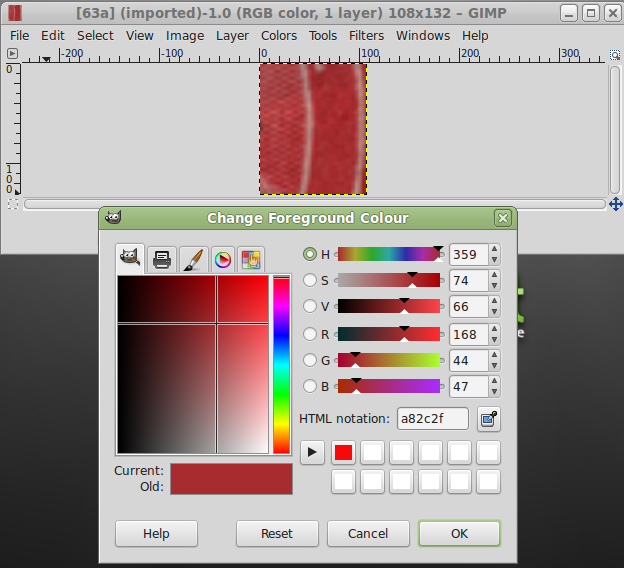
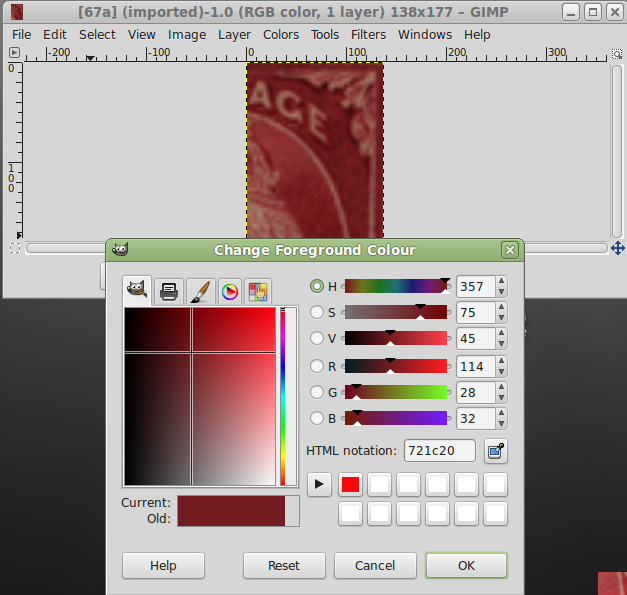
Ok Don, one last crack at it...I picked a colour off the actual stamp..the stamp on the left is the Scott #88 and the right is a Scott #61..It measured the colour spectrum and assigned an HTML notation figure that is at the bottom right of these pictures...I picked ONLY one pixel from each stamp..Cant get any more accurate than that, but as you their are so many variables to ONLY use with their equipment...Would that make more sense..?..See picture below.

Come on my old friend Don, cut me some slack...haha
Robert


Send note to Staff  Go to Top of Page
Edited by wert - 10/31/2014 4:35 pm
Pillar Of The Community
United States
4090 Posts
Posted 11/02/2014   10:41 am  Show Profile Check eyeonwall's eBay Listings Bookmark this reply Add eyeonwall to your friends list  Get a Link to this Reply
There is also the issue of the paper color - fresh or toned or faded
Send note to Staff  Go to Top of Page
Pillar Of The Community
United States
725 Posts
Posted 11/02/2014   11:06 am  Show Profile Bookmark this reply Add watermark to your friends list  Get a Link to this Reply
Not to mention each pixel of the stamp may give a slightly different reading depending on strength of printing and uniformity of ink.
Send note to Staff  Go to Top of Page
Rest in Peace
7742 Posts
Posted 11/02/2014   1:46 pm  Show Profile Bookmark this reply Add wert to your friends list  Get a Link to this Reply
Ok guys......you win.....I give up.
Send note to Staff  Go to Top of Page
  Previous TopicReplies: 10 / Views: 3,322Next Topic  
 
To participate in the forum you must log in or register.

Go to Top of Page

Disclaimer: While a tremendous amount of effort goes into ensuring the accuracy of the information contained in this site, Stamp Community assumes no liability for errors. Copyright 2005 - 2026 Stamp Community Family - All rights reserved worldwide. Use of any images or content on this website without prior written permission of Stamp Community or the original lender is strictly prohibited.
Privacy Policy / Terms of Use    Advertise Here
Stamp Community Forum © 2007 - 2026 Stamp Community Forums
It took 0.18 seconds to lick this stamp. Powered By: Snitz Forums 2000 Version 3.4.05