Before spending time on trying to sample stamp colors the first thing that needs to be remembered as that you are not sampling the stamp color, you are sampling and analyzing an IMAGE. This then begs the question of what are you actually sampling? Sorry, but you have to get into a lot of geeky stuff to understand computer graphics. Making any color claims based upon computer graphics demands that we understand this techy geeky stuff or we make a large number of incorrect assumptions and statements.
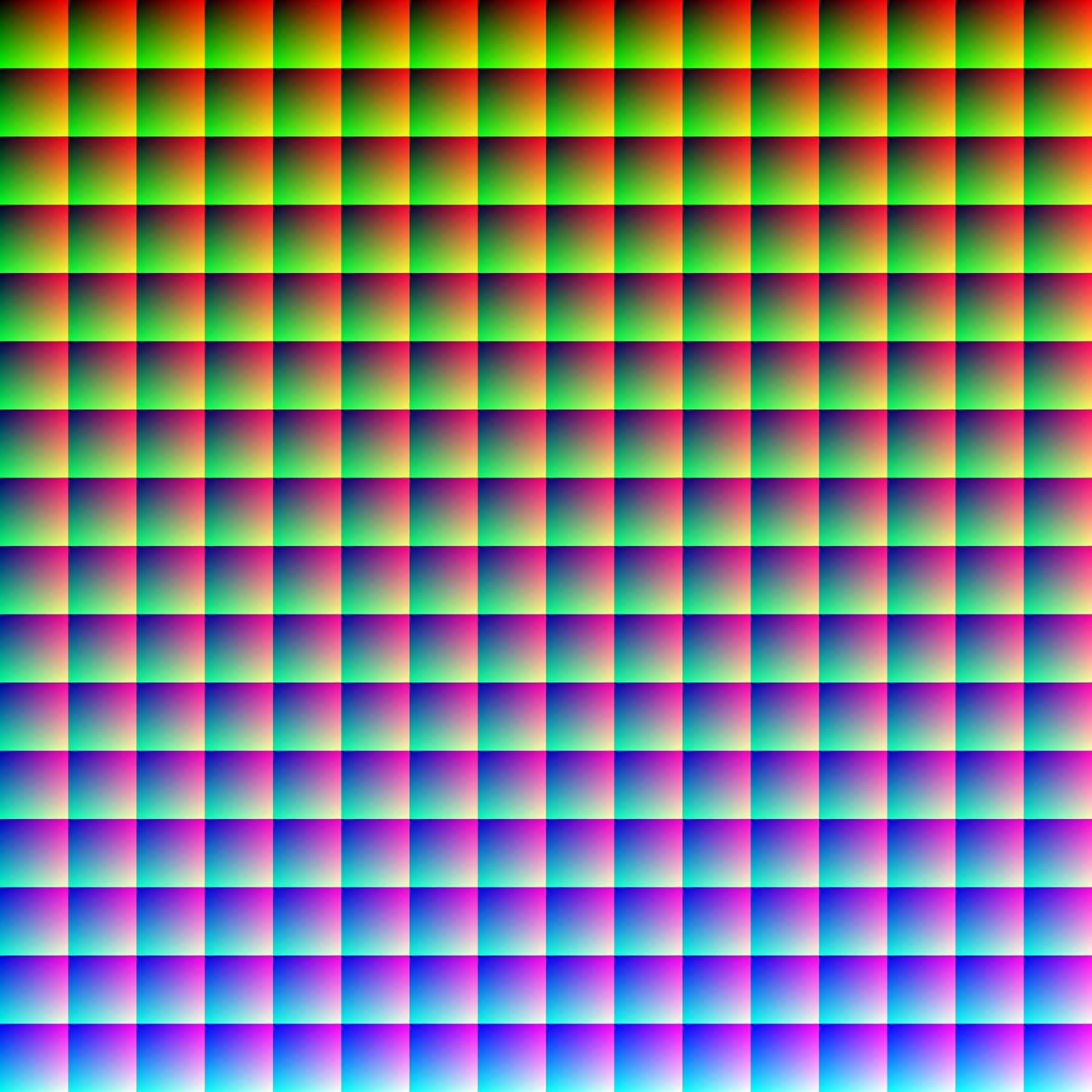
So let's start with the most simple, basic computer color understanding. Computers use pixels. A pixel is a sample of an original image; more samples typically provide more accurate representations of the original. The intensity of each pixel is variable. With computers images, a color is typically represented by three or four component intensities such as red, green, and blue, (RGB) or cyan, magenta, yellow, and black (CMYK). Computers typically work with 16 million colors. To see what 16 million colors looks like you can download this large TIFF file and open it in your graphics application
http://stampsmarter.com/webimages/RGB16Million.tif This TIFF file contains exactly one pixel of each of the 16,777,216 possible color values. The image is 4096 × 4096 = 16 million (16,777,216) pixels arranged as 256 slices of the RGB color cube. The uncompressed TIFF file is a 48 Mb.
When you save this file as a standard JPG (which is a compression algorithm) the file size drops to 29.28 Mb.
When you save this file to an optimized JPG (an even stronger compression algorithm) the file size drops even further to 3.84 Mb (shown above).
Yet if we were to display all three of this files on your screen, they would all look exactly the same. This is because the computer can 'see' far more colors then our human eyes can detect. If our eyes cannot detect the 16,777,216 possible color differences, there is little point in saving huge files on our computers. Online websites like this forum certainly do not want users to have to upload, and then consume hard drive space, huge files. This is why when you save a scanned image to a JPG the file size is reduced. This is why Bobby asks us to use the 'image optimizer' on this forum, it uses an even stronger JPG compression algorithm, making the file size even smaller than a standard JPG.
Ok, now we have a basic understanding, let's explore what the heck 'compression algorithm' means. An algorithm is simply a calculation set of rules to be followed by a computer. So it follows that a 'compression algorithm' is a set of rules which allows a computer to compress an image. The compression algorithm compresses the image using something called 'quantization'. (Is this geeky enough yet!?!)
Quantization is used in mathematics and digital signal processing and is defined as the process of mapping input values from a large set to a smaller set of output values. In other words; think rounding, averaging and truncation. So a compression algorithm reduces the image file size by using rounding, averaging and truncation on the pixels. Obviously the reduction of the file size means the image file loses data.
So what does this rounding, averaging and truncation of the image file mean if you try to sample a single spot of a stamp image? Here is a 5 x 5 pixel example of what your computer does at a pixel level when you save a uncompressed TIFF file to a compressed JPG file.
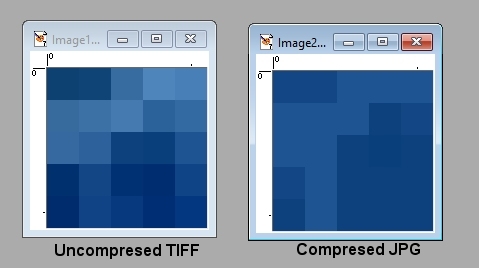
As you can see, the JPG compression algorithm as 'averaged' the pixel, reducing the number of colors. This data lose is how the image file size is made smaller. If you zoom back out and away from the pixel level, our eyes can barely detect any change in the overall image. This explains why so many people use JPG (or other) file formats.
When I scan a stamp image the computer has it in a uncompressed 16,777,216 colors on my monitor; but as soon as I save the file as a JPG (or other) file, I introduce all kinds of pixel averaging and rounding. If I run the forum image optimizer it modifies the image even more.
If I then try to detect the RGB value of either a single pixel or a group of pixels, what am I analyzing? I am analyzing some software engineers compression algorithm. Is this close to the original, actual stamp color? It is probably close but is it exact? No.
And all of the above is simply the 'input' side of computer image. If we were to then factor in the 'output' side (how the video controller, monitor, and your computer displays things) your head might explode. But it is safe to say that no two computers and monitors display the exact same image.
Knowing the geeky stuff above helpes us understand why analyzing an IMAGE color often has little to do with an actual stamp color.
Don





 Posted 08/30/2017 12:02 am