| Author |
 Replies: 10 / Views: 1,655 Replies: 10 / Views: 1,655 |
|
|
Bedrock Of The Community
12811 Posts |
|
|
|
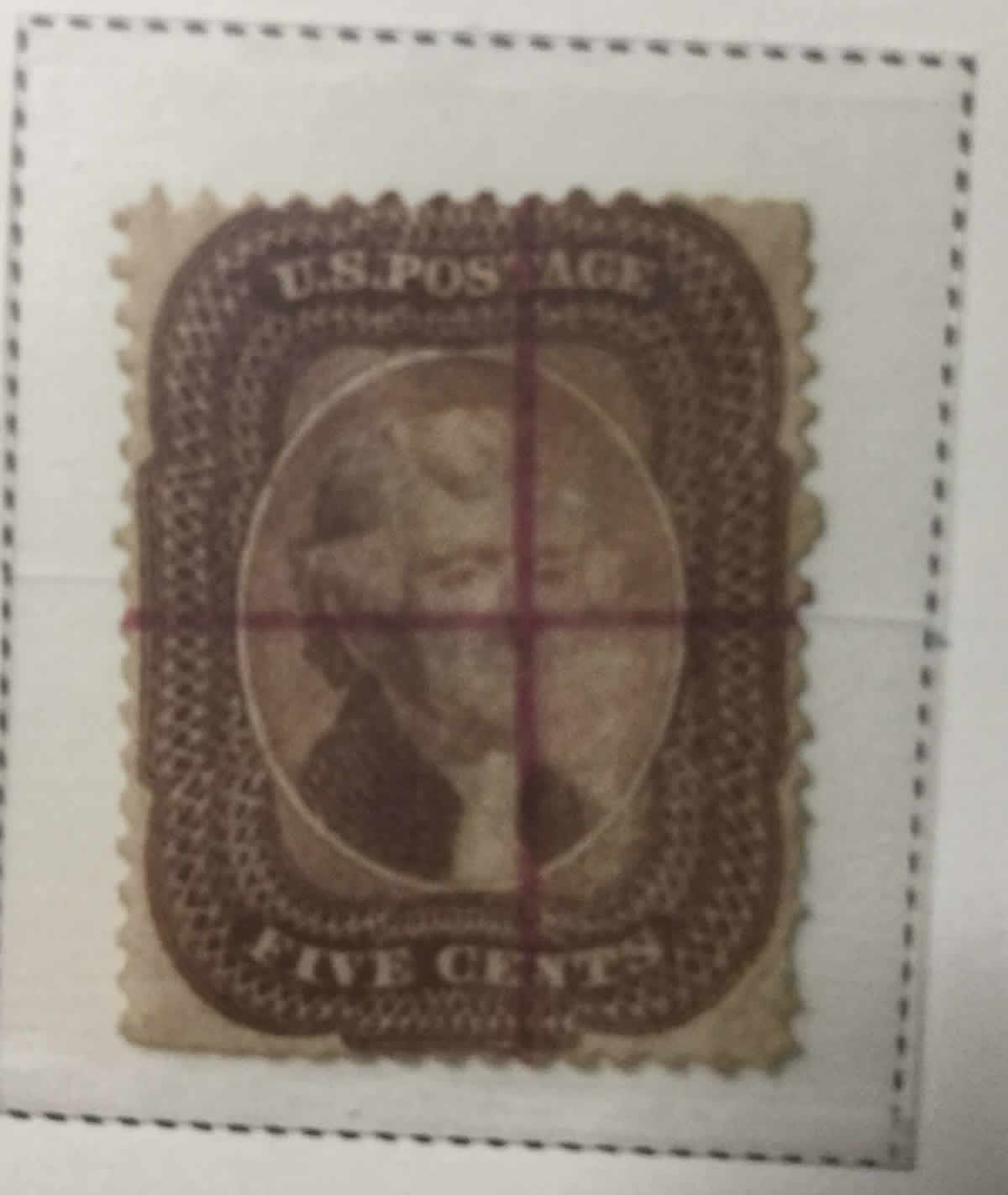
The subject line describes what I believe that I came across. I have tried to take a photo and post it using my Ipad with no success. No matter what I do I cannot resize the darn thing. Anyway, it is a 29 Jefferson that has violet/ magenta lines crossing at right angles and very well centered on the stamp. The quality of the lines is excellent but are done by hand when viewed under magnification. Very slight wavering. Period ink to my eye. I need to share this. Hopefully somebody can help me with image uploading/ resizing directions.
|
|
Send note to Staff
|
|
|
|
|
Bedrock Of The Community
12811 Posts |
|
|
I found one on Siegel Powersearch. The last one that they sold was in a 2010 sale and the stamp was ex Earl of Crawford. I just found it in a box lot from an auction. Unbelievable! |
Send note to Staff 
|
|
|
Pillar Of The Community
United States
2555 Posts |
|
|
They're usually referred to as "presentation copies". Not sure if there is proof of it but at least thought to be made from remainders found in southern post offices after the civil war. |
|
Send note to Staff
|
|
|
Bedrock Of The Community
12811 Posts |
|
|
Thank you Sinclair. I found one for sale at Stanley Pillar. A bit pricey at $750 but I have not seen very many. |
|
Send note to Staff
|
|
|
Pillar Of The Community
United States
3534 Posts |
|
|
Those presentation copies are not common at all, and quite collectible. You have a nice item. |
|
Send note to Staff
|
|
|
Valued Member
United States
112 Posts |
|
|
"at least thought to be made from remainders found in southern post offices after the civil war." If so, then why is the 5 cent a type 1 rather than a type 2? 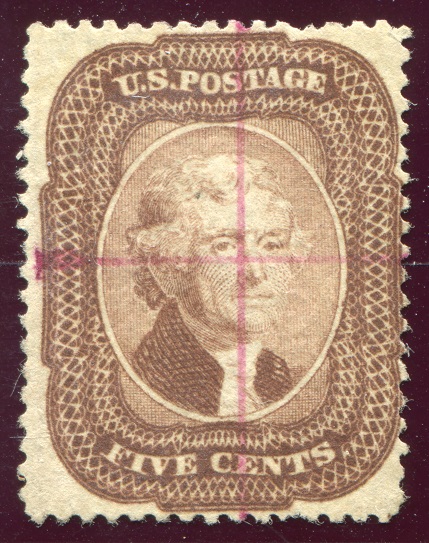 Does anyone have a figure on how many of these cir. 1860 magenta presentation cancel were produced? |
|
Send note to Staff
|
| Edited by Douglas Andrew Willinger - 09/04/2017 1:54 pm |
|
|
Bedrock Of The Community
12811 Posts |
|
|
Pillar Of The Community
United States
565 Posts |
|
|
Maybe this will help rogdcam.
In the "Free Image Optimizer"
First, crop unnecessary space from image, then hit "Apply crop" button.
Second, hit plus or minus buttons(to the right of width), to get image to under 200kb.
Third, Click save image.
Fourth, Click green arrow in thumbnail above the image to download.
Fifth, return to post to upload the optimized image. |
|
Send note to Staff
|
| Edited by Ciletaliph - 09/04/2017 3:24 pm |
|
|
Bedrock Of The Community
12811 Posts |
|
|
Ciletaliph - I can resize the images just fine using the optimizer. The problem is that there is no "save images" button and no image download arrow. Frustrating. |
|
Send note to Staff
|
|
|
Pillar Of The Community
United States
565 Posts |
|
|
Must be your browser.
Your email is not turned on,
but you can email it to me and I will post it for you.
|
|
Send note to Staff
|
|
|
Bedrock Of The Community
12811 Posts |
|
| |
Replies: 10 / Views: 1,655 |
|




 Posted 09/04/2017 09:44 am