Stamp Community Family of Web Sites
Thousands of stamps, consistently graded, competitively priced and hundreds of in-depth blog posts to read


Stamp Community Forum
 
Username:
Password:
Save Password
Forgot your Password?

This page may contain links that result in small commissions to keep this free site up and running.

Welcome Guest! Registering and/or logging in will remove the anchor (bottom) ads. It's Free!

Editing Steiner PDF Pages Using Libreoffice Draw

 
To participate in the forum you must log in or register.
Author Previous TopicReplies: 8 / Views: 3,781Next Topic  
Pillar Of The Community
Learn More...
United States
4424 Posts
Posted 04/22/2018   07:48 am  Show Profile Bookmark this topic Add angore to your friends list Get a Link to this Message
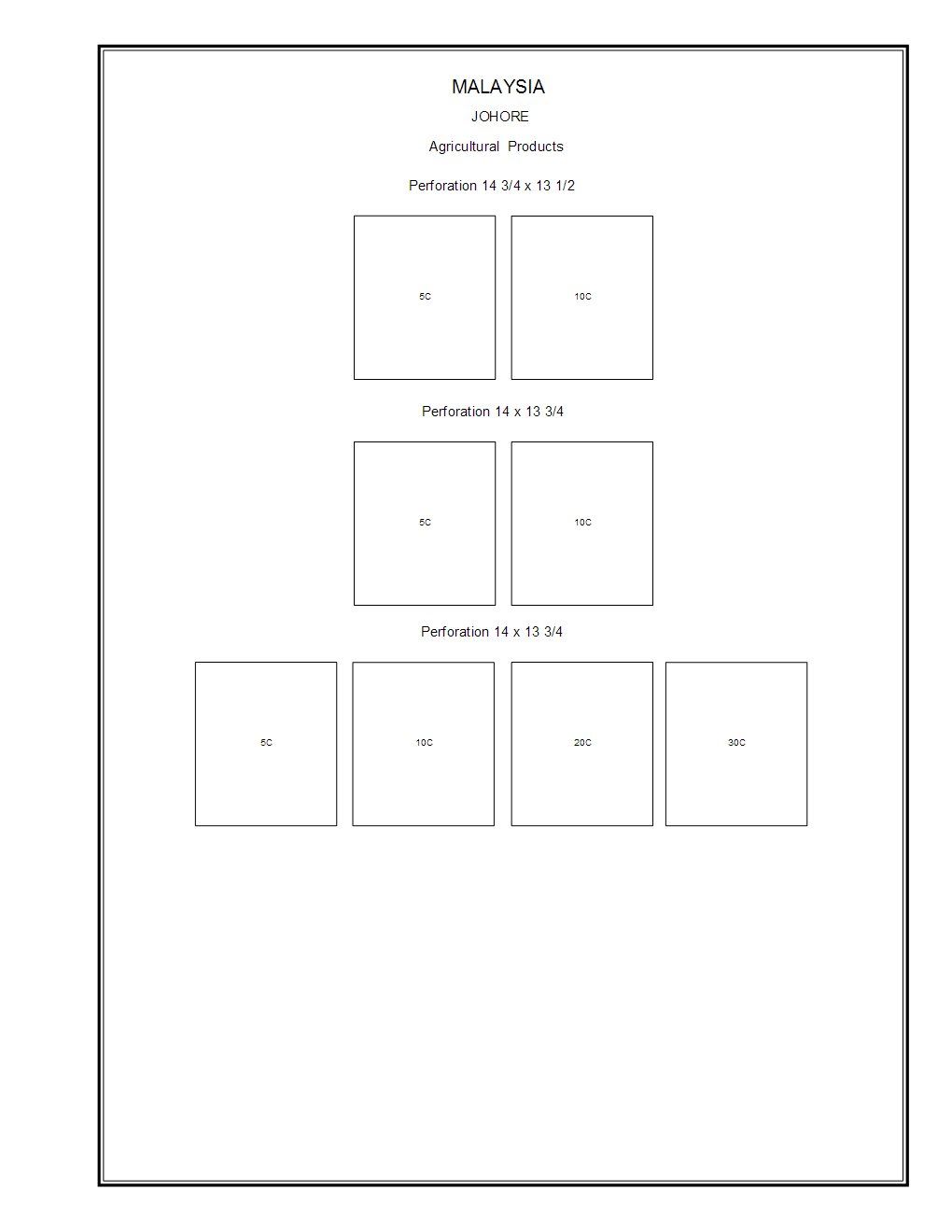
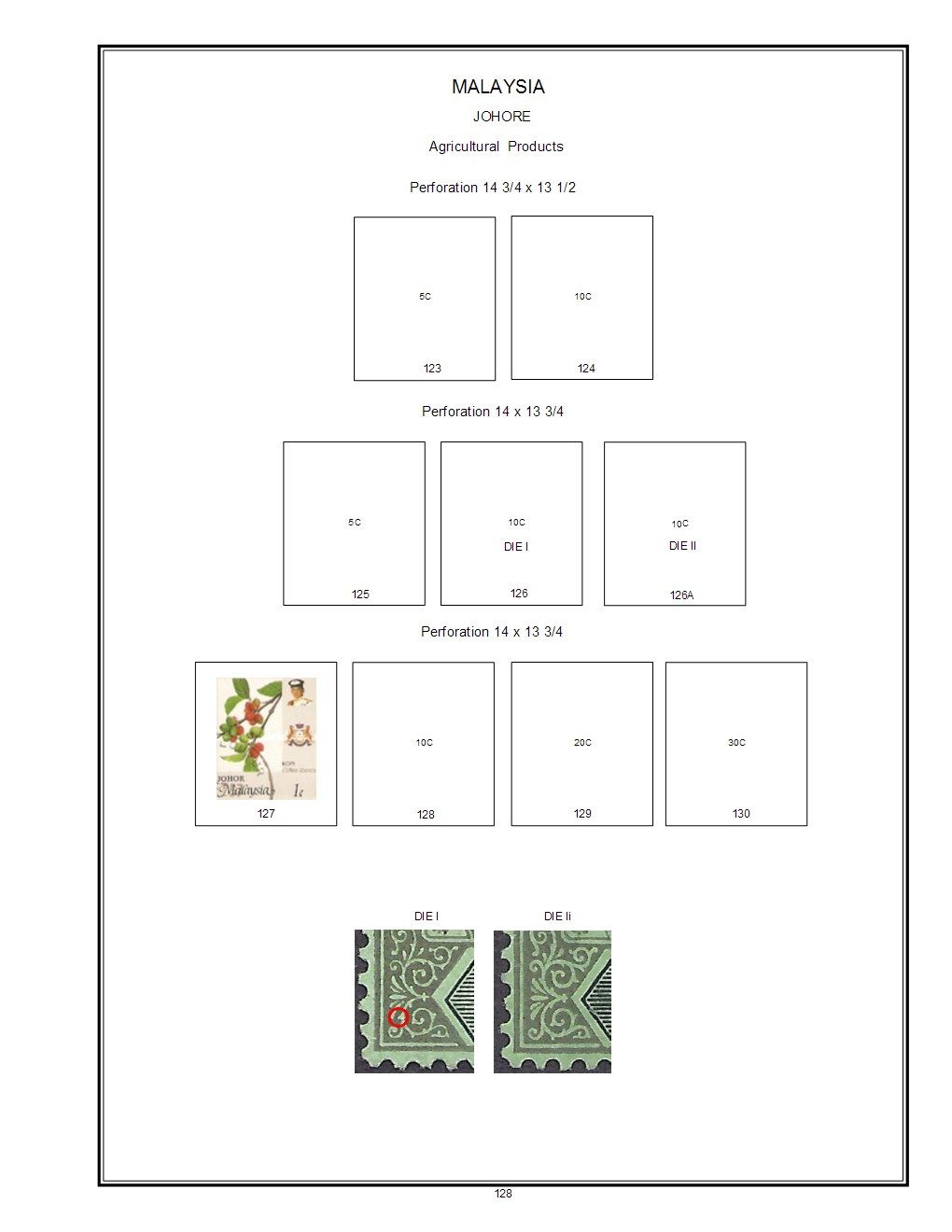
This was a test using LibreOffice Draw to edit Steiner PDFs.

I was looking at adding catalog numbers, adding new text boxes, and adding images. The text and object added were visually centered.

The Steiner page layout is a little crowded to add text below the text box.

A few observations using LibreOffice.
1. Draw opens the design while retaining an accurate layout including border. The only issue is substituting the font. Draw chooses Liberation Sans. Steiner used Helvetica font but the Arial font was encoded. Liberation Sans is closer to Helvetica than Arial.

The extension on the letter G is one key differences. I am still experimenting how to get Draw to default to Arial but also think kerning (spacing between characters) is looser on Steiner pages. You can see the text is tighter than the original page.

2. The text imports into editable groups except the demonination. It imports 10C and a text box with 10 and text box with C

Original


After modifications


Summary - very usable to create modifications of existing pages.
Send note to Staff
Al
Edited by angore - 04/22/2018 08:05 am

Moderator
Learn More...
United States
12330 Posts
Posted 04/22/2018   08:24 am  Show Profile Bookmark this reply Add 51studebaker to your friends list  Get a Link to this Reply
Hi Al,
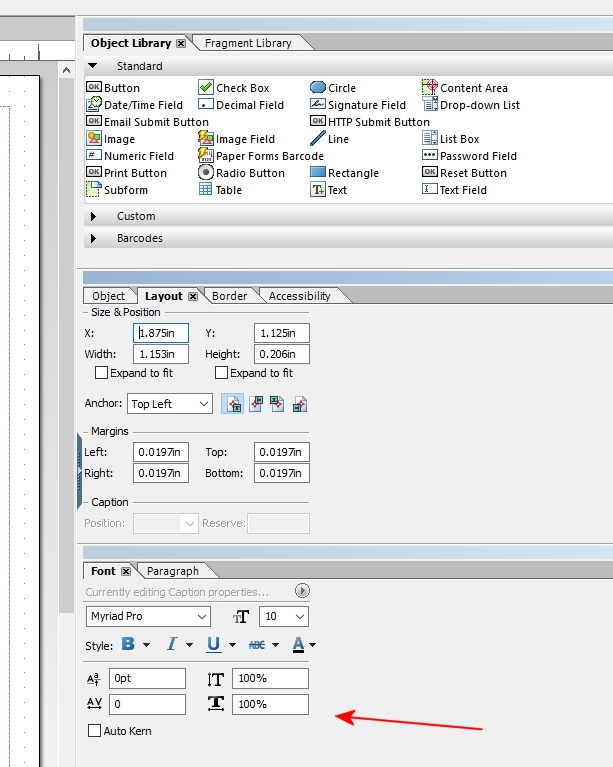
If you use Adobe LiveCycle Designer you can specify any font substitution you desire. It also supports kerning as shown here


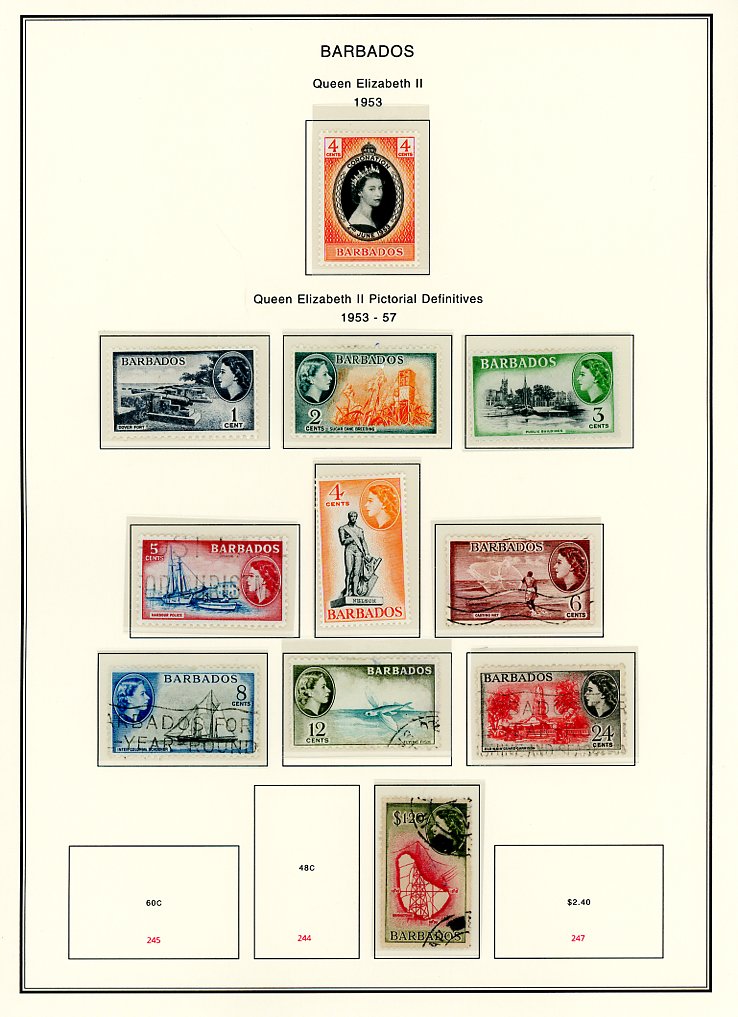
If you got motivated, your could also add data connected fields to each stamp and then auto-populate those field with catalog numbers from another file. So, for example, you could save StampManage Scott catalog numbers as an XML file and then populate the Steiner pages using the XML file each time you open the PDF file.

Why Steiner did not add this support in his PDFs is beyond me. Users could then use whatever catalog numbering they wanted without him running into copyright issues.
Don
Send note to Staff  Go to Top of Page
Pillar Of The Community
Learn More...
United States
3046 Posts
Posted 04/22/2018   10:29 am  Show Profile Bookmark this reply Add apastuszak to your friends list  Get a Link to this Reply
The problem with using LibreOffice Draw to edit the images is that the text centering gets a little funky. I've tried to do this a number of times.

A better font choice is to use Nimbus Sans L.

The font is licensed under the GPL, so can be freely downloaded and used. There are quite a number of sites that have it available for download, so I won't provide a link.

Liberation Sans is a drop in replacement for Arial, and Nimbus Sans L is a drop in replacement for Helvetica. The two fonts are close, but they are not identical.

If really want a snazzy font, Neue Haas Grotesk is a redesign of Helvetica to fix all the "errors" created in the font when it was converted to digital. It's not a cheap font, but it way more closely resembles the Helvetica used on manual letterpress machines prior to the invention of digital typography. I think it looks snazzy. I don't use it on any of my public pages, because I don't have a license to distribute it, just use it.

Send note to Staff  Go to Top of Page
Free Ukrainian Stamp Album and modified Mystic Stamp Album Pages - http://www.stamphacks.com
Ukrainian Philatelic and Numismatic Society Member #1212: http://www.upns.org
Eire Philatelic Association Member #2869: http://www.eirephilatelicassoc.org/
Pillar Of The Community
Learn More...
United States
4424 Posts
Posted 04/22/2018   5:37 pm  Show Profile Bookmark this reply Add angore to your friends list  Get a Link to this Reply
I do have Nimbus Sans installed as well but Draw chooses Liberation Sans. For simple mods from Steiner pages, it works well enough.
Send note to Staff  Go to Top of Page
Al
Edited by angore - 04/22/2018 5:43 pm
Valued Member
Canada
437 Posts
Posted 04/22/2018   9:51 pm  Show Profile Check clivel's eBay Listings Bookmark this reply Add clivel to your friends list  Get a Link to this Reply
It does seem that LibreOffice offers a practicable solution for editing Steiner pages, but not ever having tried to do so myself, I have no idea how time consuming or finicky this may or may not be.

I wondered though as an alternative, as to how easy it would be to recreate the modified page from scratch using AlbumEasy. This is what I came up with after 20 minutes.
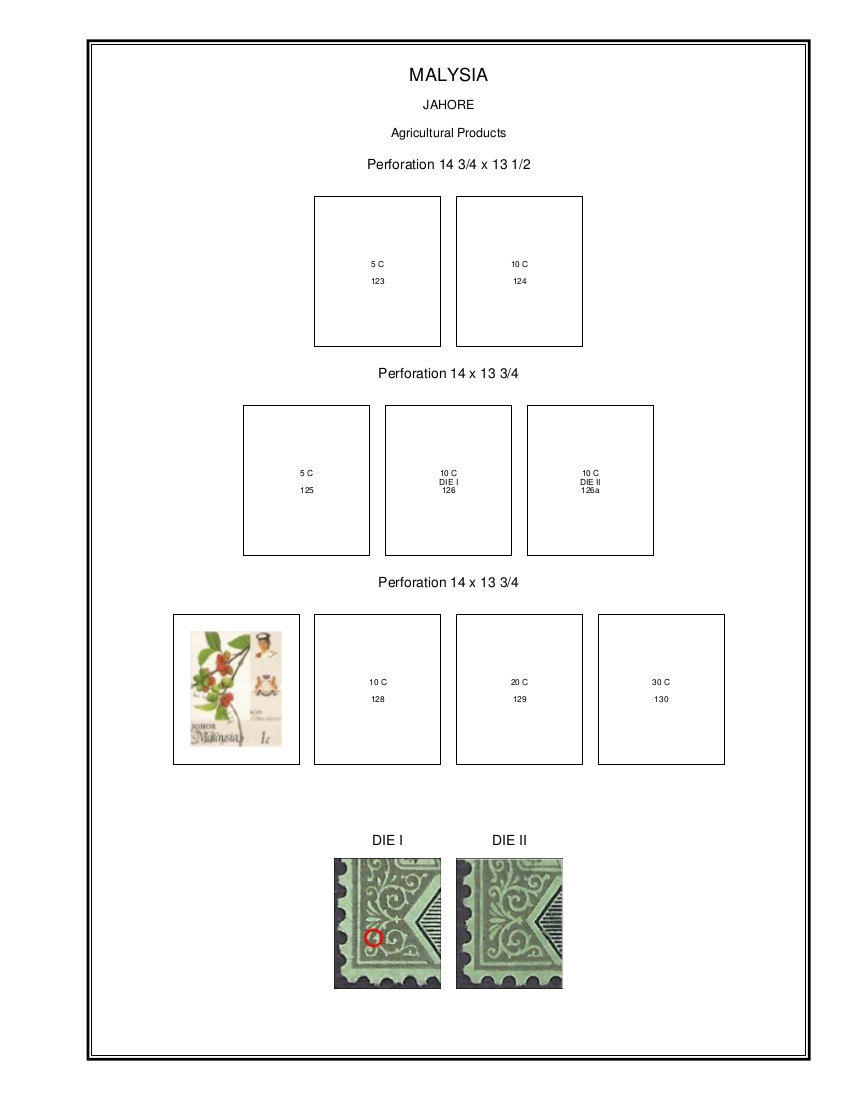


Admittedly not an exact replica - but most of the differences are inside the stamp boxes which will eventually be covered, and of course, not having access to the original page, box and font sizes are just rough guesstimates.
I do have the advantage of being more than a little familiar with AlbumEasy, but on the other hand a good part of the 20 minutes was spent "borrowing" angore's images.
Also, subsequent pages in the same album can be created far faster as much of it consists of cutting and pasting.

Here is the complete AlbumEasy file which generated the page:

Quote:
ALBUM_PAGES_SIZE (215.9 279.4) #Set the page to US Letter (8.5 x 11)
ALBUM_PAGES_MARGINS (22.0 10.0 10.0 10.0)
ALBUM_PAGES_BORDER3 (0.7 0.1 0.0 0.6)
ALBUM_PAGES_SPACING (6.0 4.0)
ALBUM_STAMP_IMG_SETTING (12.0 12.0 false)

PAGE_START
PAGE_TEXT_CENTRE (HN 13 "\nMALYSIA")
PAGE_TEXT_CENTRE (HN 9 "JAHORE")
PAGE_TEXT_CENTRE (HN 9 "Agricultural Products")

ROW_START_FS (HN 6 0.2 4.0)
STAMP_ADD (32.0 38.0 "5 C" " " "123" "" "" "")
STAMP_HEADING(HN 10 "Perforation 14 3/4 x 13 1/2\n" 18)
STAMP_ADD (32.0 38.0 "10 C" " " "124" "" "" "")

ROW_START_FS (HN 6 0.2 4.0)
STAMP_ADD (32.0 38.0 "5 C" " " "125" "" "" "")
STAMP_ADD (32.0 38.0 "10 C" "DIE I" "126" "" "" "")
STAMP_HEADING(HN 10 "Perforation 14 x 13 3/4\n")
STAMP_ADD (32.0 38.0 "10 C" "DIE II" "126a" "" "" "")

ROW_START_FS (HN 6 0.2 4.0)
STAMP_ADD_IMG (32.0 38.0 "Maylasia_127.jpg" "" "" "")
STAMP_ADD (32.0 38.0 "10 C" " " "128" "" "" "")
STAMP_HEADING(HN 10 "Perforation 14 x 13 3/4\n" 18)
STAMP_ADD (32.0 38.0 "20 C" " " "129" "" "" "")
STAMP_ADD (32.0 38.0 "30 C" " " "130" "" "" "")

PAGE_TEXT_CENTRE (HN 12 "\n")
ALBUM_STAMP_IMG_SETTING (0.0 0.0 true)

ROW_START_FS (HN 6 0.2 4.0)
STAMP_ADD_IMG (27.0 33.0 "Maylasia_DIE_I.jpg" "" "" "")
STAMP_HEADING(HN 10 "DIE I")
STAMP_ADD_IMG (27.0 33.0 "Maylasia_DIE_II.jpg" "" "" "")
STAMP_HEADING(HN 10 "DIE II")


All else being equal, I think that the AlbumEasy solution offers the advantage of much easier modifications in the future. Page sizes could be changed from Letter to A4 or to any custom size for that matter, borders could be removed or restyled and margins can be alternated left and right for double sided printing etc, All of this could be done in mere seconds whether for one page or for a whole album.
Clive
Send note to Staff  Go to Top of Page
AlbumEasy - Free software for creating custom stamp album pages
ChromaMate - Compare, match, analyse, free colour matching software
ImageSleuth - Images, hidden inside images, revealed. A retroReveal alternative
PSGSA - The Philatelic Society for Greater Southern Africa
Edited by clivel - 04/22/2018 9:55 pm
Pillar Of The Community
Learn More...
United States
4424 Posts
Posted 04/23/2018   07:06 am  Show Profile Bookmark this reply Add angore to your friends list  Get a Link to this Reply
If someone has used PowerPoint, LibreOffice Draw is similar. I did not have to fix any issues except the font. The kerning is still a little off. Everything else was just done by adding text boxes. It is easier to just make one text box and then copy/paste additional ones. You just edit text.

Actually. I found LibreOffice easier to use since PowerPoint is into smart shapes/themes so you have to tinker with default shape colors, etc. The only downside is copy/paste. In LO, the paste is on top of original and in PP it is slightly offset so you know it is a paste and can move it. Funny the LO shortcuts to not match Scribus (like grouping elements).

Now Don's idea is to use a tool to automate fields is good but doubt Steiner is going to go back and update all his files. LifeCycle designer is $299 so will pass on that. However, I do see a use for it where I work.
Send note to Staff  Go to Top of Page
Al
Moderator
Learn More...
United States
12330 Posts
Posted 04/23/2018   07:34 am  Show Profile Bookmark this reply Add 51studebaker to your friends list  Get a Link to this Reply
If someone is simply needing to modify a few pages, then sucking up the shortcomings of an app that was not intended to modify PDFs is a solution.

When I justify the cost of a piece of software I consider Total Cost of Ownership (TOC). TOC includes the amount of time that will be saved using the correct application for the job. Frankly the initial cost of the app is typically a fraction of the TOC cost. Torturing an app which was not designed for the job can often be false economy; much like using your family minivan when you really need to purchase a real delivery truck.

Working around issues for a simple job is fine, but if folks are going to invest a lot of hours in modifying a large amount of pages I recommend considering investing in tools which are designed to do the job correctly. Unless you are ok with paying yourself 50 cent an hour, the time savings will return your investment in a few weeks.
Don
Send note to Staff  Go to Top of Page
New Member
Australia
3 Posts
Posted 04/29/2018   01:00 am  Show Profile Bookmark this reply Add smuggler to your friends list  Get a Link to this Reply
I use Steiner pages printed and placed back-to-back in plastic protective sleeves in 3 ring binders. I only print the pages I require and add more as my collection grows. I suspect I am like many others and find that the Steiner pages are not exactly as I would like. Steiner seems to use a different catalog (I use SG World) to decide on how he displays his stamps. I prefer to be less detailed regarding perf varieties so at times I need to group stamps differently. That is where MS Word comes in handy. I find that it does the job for me quiet easily. I can complete a page setup in a couple of minutes and most importantly it is to my liking. Just my 2 bobs worth.
Send note to Staff  Go to Top of Page
Pillar Of The Community
Learn More...
United States
4424 Posts
Posted 06/22/2018   11:31 am  Show Profile Bookmark this reply Add angore to your friends list  Get a Link to this Reply
I started adding Scott cat numbers to my pages as I print them. I learned you can modify the PDF's using the Acrobat Reader so quick to initiate the edit, add, and then save. This avoids need any other program to open, etc.

In this example, I used an online tool and used the "text box" feature so default color but Acrobat works better although red is an interesting touch.


Send note to Staff  Go to Top of Page
Al
Edited by angore - 06/22/2018 11:31 am
  Previous TopicReplies: 8 / Views: 3,781Next Topic  
 
To participate in the forum you must log in or register.

Go to Top of Page

Disclaimer: While a tremendous amount of effort goes into ensuring the accuracy of the information contained in this site, Stamp Community assumes no liability for errors. Copyright 2005 - 2026 Stamp Community Family - All rights reserved worldwide. Use of any images or content on this website without prior written permission of Stamp Community or the original lender is strictly prohibited.
Privacy Policy / Terms of Use    Advertise Here
Stamp Community Forum © 2007 - 2026 Stamp Community Forums
It took 0.2 seconds to lick this stamp. Powered By: Snitz Forums 2000 Version 3.4.05