| Author |
 Replies: 17 / Views: 2,082 Replies: 17 / Views: 2,082 |
|
Pillar Of The Community
United States
1510 Posts |
|
|
I am using the 2010 version of the Steiner Album Pages The File is changing fonts by it's self  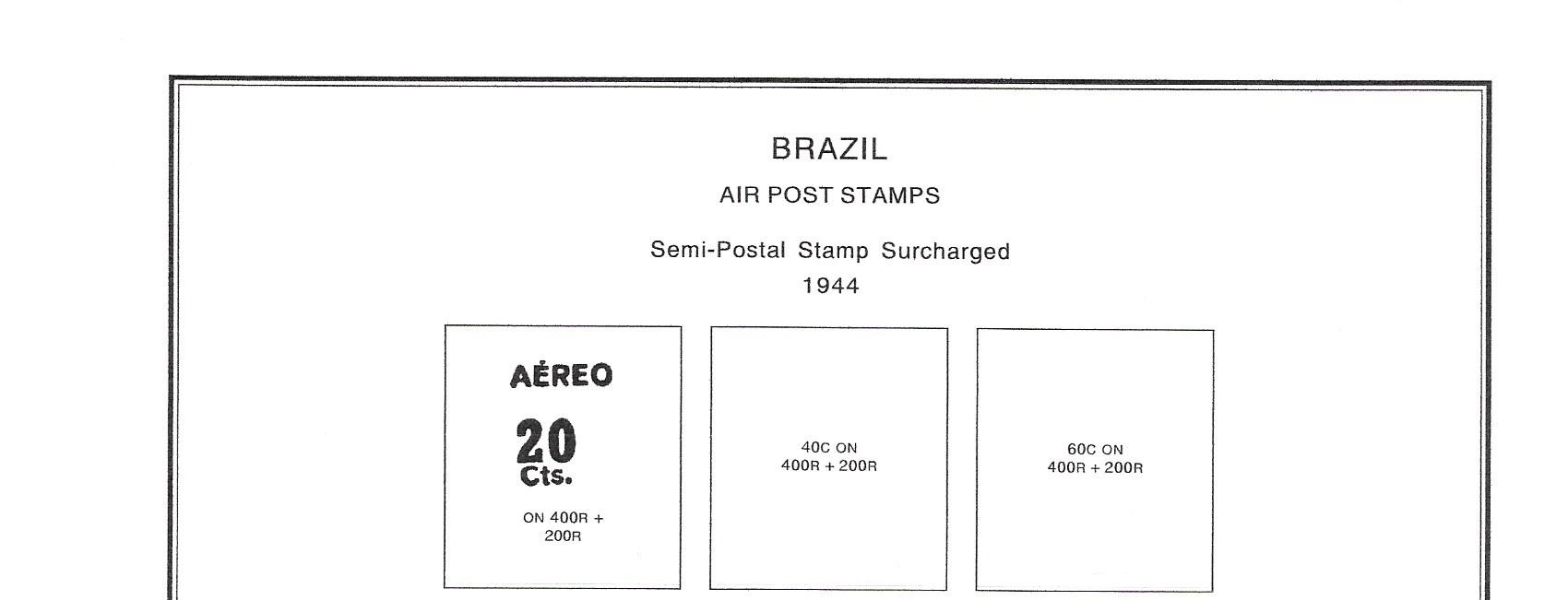 They are changing fonts from this which was printed a week ago 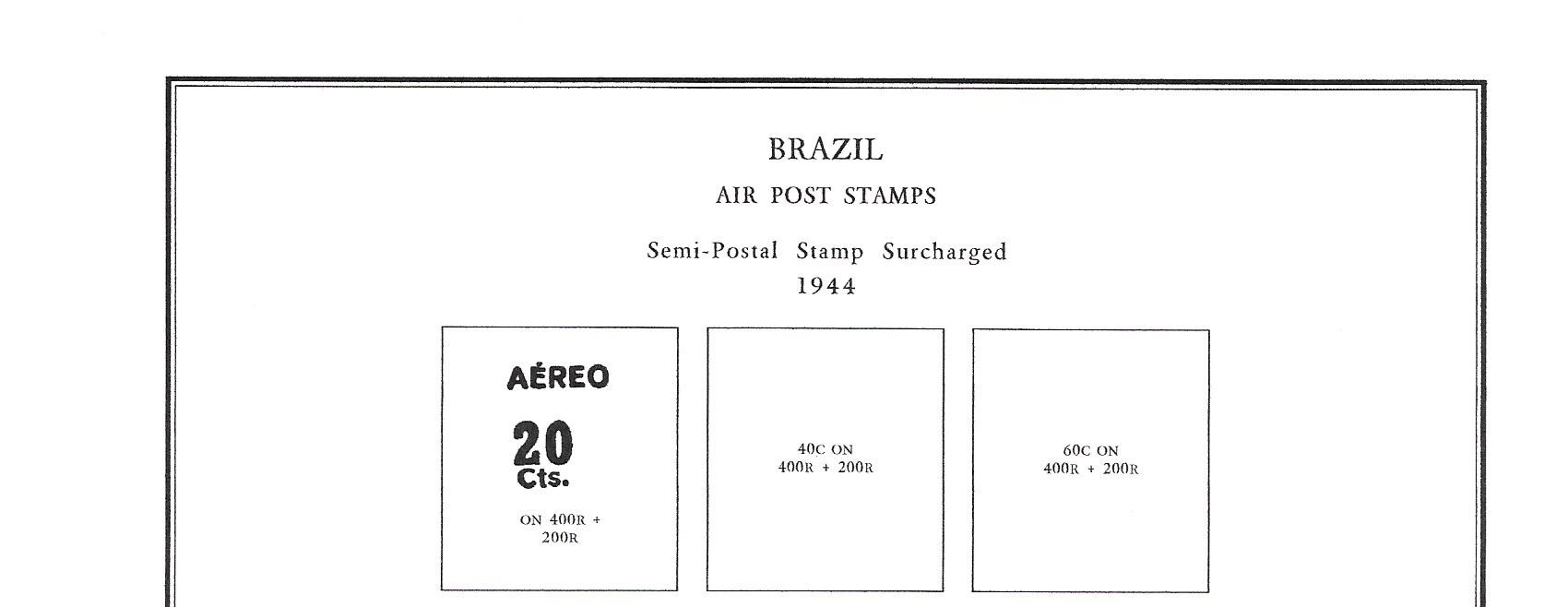 To this which was printed today How is this happening??? How do I correct it??? |
|
Send note to Staff
|
|
|
|
|
Valued Member
United States
319 Posts |
|
|
My first thought would be that you are pointing to a different default printer/device than you were on the first printing and the two don't support all the same fonts. If one isn't supported, the printer has not choice but to default to something else. |
Send note to Staff 
|
|
|
Pillar Of The Community
United Kingdom
584 Posts |
|
|
It could happen if the original was in some non standard font which is now not on your computer and the computer had to make a substitution but I would not have expected the change from sans serif to serif fonts.
Have you changed your system of installed any new programs. What program did yu use to print these pages ? A few more details would be useful
AQ |
|
Send note to Staff
|
|
|
Pillar Of The Community
United Kingdom
8637 Posts |
|
|
Pillar Of The Community
United States
1510 Posts |
|
|
Pillar Of The Community
United States
713 Posts |
|
|
Moderator

United States
12330 Posts |
|
|
Software code runs the same way every time. As others have indicated, PDFs dynamically fetch fonts and if it cannot find the font used originally in the doc it will use 'best match'. The font are common files on your computer used by every application.
Typically the PDF reader will tell you if it cannot find the font when you first open the file but I am unsure if every PDF reader does this. As james said, fonts are also dictated by the default printer configuration. It has to be something with the file, it looks like Arial. Do you recall the font name you used and have you looked to see if that font file is still located on your computer? (C:\Windows\Fonts folder)
Don |
|
Send note to Staff
|
|
|
Pillar Of The Community

United States
3046 Posts |
|
|
Steiner pages use Helvetica as their font, and the font is not embedded in the PDF. According to his website, he uses a really old computer and Pagemaker to make these files. PDFs have progressed a LOT since PageMaker was discontinued. Did you make any changes to the fonts on your computer? What operating system? |
|
Send note to Staff
|
|
|
|
Pillar Of The Community
United States
3046 Posts |
|
|
Valued Member
Canada
440 Posts |
|
|
Hi Timm, You don't mention whether the problem only manifests when the file is printed or also when it is viewed. Either way, as far as I am aware, the Steiner pages have the fonts embedded in the PDF file, therefore, it is not necessary for the fonts to be installed on the user's computer. Assuming that it is only when printed, it is probably that a setting has changed as a result of an operating system or printer driver update. When ready to print your PDF, in the printer dialogue box select the printer properties. You should see something similar to this, but it is very much printer dependent as to the exact layout.  Under that advanced tab, there is a "Specify Font" button, pressing this displays the "Specify Font" dialogue box which is shown open in the image. You want to select: "Always Use TrueType Fonts" rather than the "Substitute TrueType Fonts with Printer Fonts" which is currently selected in the image. Unfortunately, this only gives the general idea, as the location and the exact wording of the buttons, tabs and options will depend on your printer and operating system version. Hopefully, this helps in getting your problem solved, Clive |
|
Send note to Staff
|
AlbumEasy - Free software for creating custom stamp album pages ChromaMate - Compare, match, analyse, free colour matching software ImageSleuth - Images, hidden inside images, revealed. A retroReveal alternative PSGSA - The Philatelic Society for Greater Southern Africa |
|
|
Valued Member
Canada
440 Posts |
|
|
apastuszak wrote: Quote:
Steiner pages use Helvetica as their font, and the font is not embedded in the PDF. clivel wrote: Quote:
as far as I am aware, the Steiner pages have the fonts embedded in the PDF file It turns out that we are both right, some albums have the fonts embedded, others not. I guess that he must have changed at some point. Clive |
|
Send note to Staff
|
AlbumEasy - Free software for creating custom stamp album pages ChromaMate - Compare, match, analyse, free colour matching software ImageSleuth - Images, hidden inside images, revealed. A retroReveal alternative PSGSA - The Philatelic Society for Greater Southern Africa |
|
|
Pillar Of The Community
1369 Posts |
|
|
"Steiner pages use Helvetica as their font."
I just checked my saved Steiner files, and the font used is Arial. Did Bill Steiner change it recently? |
|
Send note to Staff
|
|
|
Pillar Of The Community
United States
1510 Posts |
|
|
It happens when viewed and printed.
I always thought Steiner pages were done in Arial??? |
|
Send note to Staff
|
|
|
Valued Member
Canada
440 Posts |
|
|
Does the problem occur with only one album or have you tried a few Steiner albums? What are you using to view the file, if it is, for example, Microsoft Edge, have you tried installing Adobe Reader https://get.adobe.com/reader/ instead? Have you tried any other PDFs - not from Steiner to see if they have the same issue? All the Steiner albums I have seen use Helvetica, not Arial, depending on the PDF viewer you are using, there should be a menu option to view the file properties, one of the properties is the font, it will also show if the font is embedded or not. Sorry for so many questions, but it would help to try and narrow down the problem. Clive |
|
Send note to Staff
|
AlbumEasy - Free software for creating custom stamp album pages ChromaMate - Compare, match, analyse, free colour matching software ImageSleuth - Images, hidden inside images, revealed. A retroReveal alternative PSGSA - The Philatelic Society for Greater Southern Africa |
|
|
Pillar Of The Community
United States
4523 Posts |
|
|
Pillar Of The Community
United States
1510 Posts |
|
|
I've always used Adobe. I use Google Chrome.
I've checked the file again this morning and it is back to normal.
I've done nothing to accomplish this.
I'm just wondering what's next?
|
|
Send note to Staff
|
|
|
Replies: 17 / Views: 2,082 |
|



 Posted 07/14/2020 12:04 pm


