| Author |
 Replies: 28 / Views: 3,465 Replies: 28 / Views: 3,465 |
|
|
|
Valued Member
260 Posts |
|
|
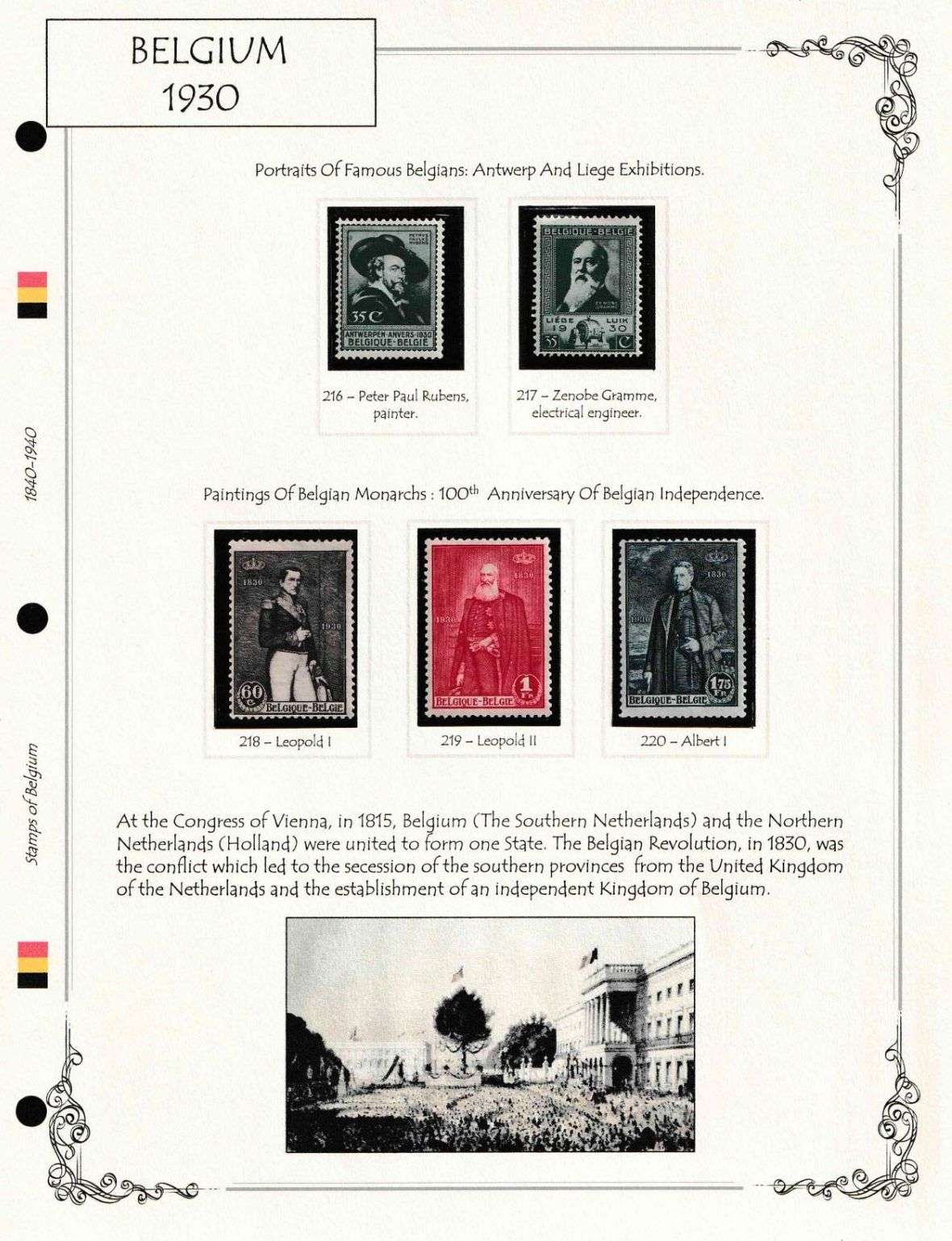
As a big blue collector, all of these pages look incredibly impressive to me. What sort of software does someone use to put something like together? And how much work is involved?
|
Send note to Staff 
|
|
|
Pillar Of The Community
United States
8956 Posts |
|
|
Valued Member
Canada
440 Posts |
|
|
tsmatx,
classic_era_noob hasn't yet replied, so it is hard to know what software was used, but the pages can easily be reproduced using the free AlbumEasy software which can be found at the link Petert4522 posted or in my signature.
Given the dimension of the boxes, I could recreate the page in example 2 in about 15 to 20 minutes using AlbumEasy. This is possible as the example 2 border is one of the borders included with the program. the other borders would take longer.
Admittedly I am extremely familiar with AlbumEasy, and, also, it should be noted that the method used for describing albums in AlbumEasy does not appeal to everyone,
Clive
|
|
Send note to Staff
|
AlbumEasy - Free software for creating custom stamp album pages ChromaMate - Compare, match, analyse, free colour matching software ImageSleuth - Images, hidden inside images, revealed. A retroReveal alternative PSGSA - The Philatelic Society for Greater Southern Africa |
|
|
Valued Member
United States
14 Posts |
|
|
Hi everyone, Sorry for my late reply. I tried to take in everyone's advice and here are the new pages. Please let me know what you guys think. As per how I drew these pages, I used Powerpoint and added the borders to the Master Slide. I downloaded the border corner images from free sources on the internet and added the lines for styling. Also I have a subscription to the Steiner pages which I converted to powerpoint to have access to the stamp boxes (correct sizes). One can very well achieve this by using AlbumEasy by specifying the stamp sizes. The font I have used is available in Powerpoint and is called Tempus Sans ITC. If anyone would like the powerpoint file (without the stamp boxes, for copyright issues) I can provide the same here. I do not know if I can upload PPT files to SCF. May have to email them. I very much liked the idea of a borderless page and think that it looks great. Maybe I will go with that in the end? I am planning to use black mounts for the stamps. 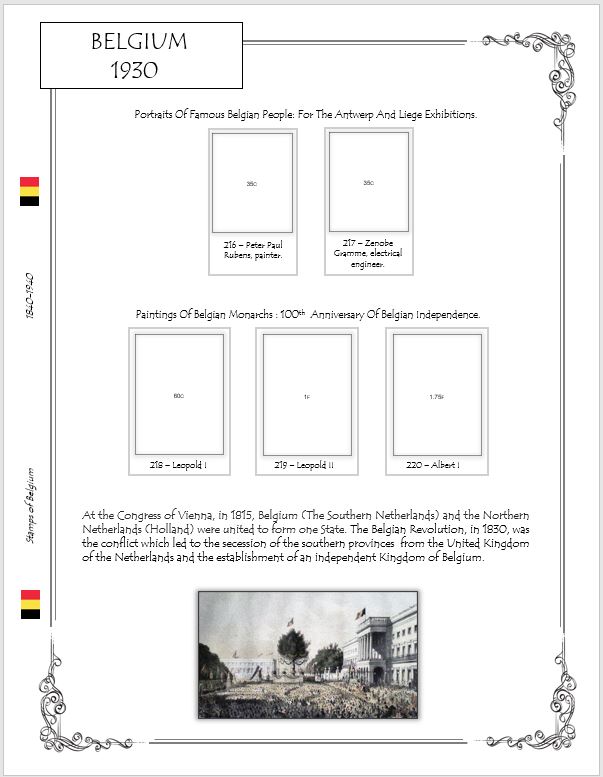 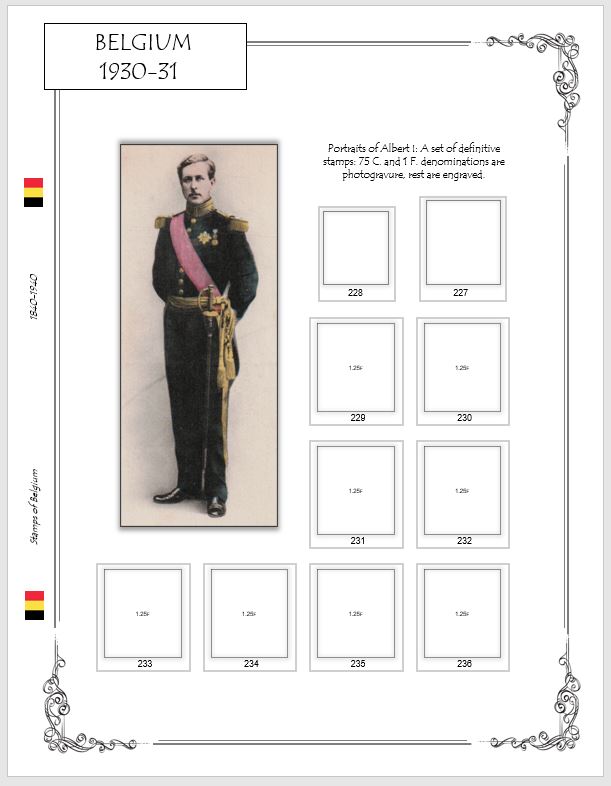 |
|
Send note to Staff
|
|
|
Valued Member
United States
14 Posts |
|
|
Thanks tsmatx,
As I have said here I have used a combination of Powerpoint and Steiner pages. You can use AlbumEasy with powerpoint. Once you are decided on the design and layout, creating a new page will take 5 - 10 mins. The borders are automatically copied on to each page if you use the master slide option. |
|
Send note to Staff
|
|
|
Pillar Of The Community
United States
7111 Posts |
|
|
You've received lots of good input, and you're pages are looking good. If you have experience with black mounts and like the look, stop reading. Otherwise, I'd print up a few pages and set them up with clear and black mounts, stick stamps in them, flip the pages back and forth several times in an album, and see if that changes your idea of what you want to see. I like black mounts, when everything is perfectly cut and the stamps are perfectly centered. I think clear mounts offer more room for slight variations that don't stick out. With extreme care, you can fit black mounts exactly into your framing. You have a harder time stopping the stamps from shifting as pages get turned. (Unless you hinge them to the mount.  ) |
|
Send note to Staff
|
|
|
Valued Member
United States
14 Posts |
|
|
Thanks cjd. I might try that out. I do not have clear mounts at the moment. TBH I am a bit unsure of whether to use black or clear mounts. ['You've received lots of good input, and you're pages are looking good.'] -- Everyone here has been very helpful and insightful. I am really impressed and grateful. This was my first post on any stamp forum and the response has been far above my expectations!  |
|
Send note to Staff
|
|
|
Pillar Of The Community
United States
1162 Posts |
|
|
I never thought about using 2 softwares - I can see how that may open up possibilities. Powerpoint for the basic page could make things easy - I can see that. Thank you for the idea! |
|
Send note to Staff
|
|
|
Pillar Of The Community
United States
3224 Posts |
|
|
Elegant page design! Absolutely top notch. Don't forget to show off a page with mounts and stamps in place. |
|
Send note to Staff
|
|
|
Bedrock Of The Community
12796 Posts |
|
|
Yes indeed, the pages look amazing. So much life to them. A bit of narrative or contextual information/illustration goes a long way and you hit a home run. The layout, border and font components are also most excellent.
You have inspired me! |
|
Send note to Staff
|
|
|
Valued Member
United States
14 Posts |
|
|
Thanks a lot rogdcam and hy-brasil. I have simply put together most of the advice I have found here. Also I am fairly conversant with powerpoint which helped. I will upload some pictures with mounted stamps on the pages. The resolution I am getting is not great. I might add a link to the actual image for better viewing. |
|
Send note to Staff
|
|
|
Valued Member
United States
14 Posts |
|
|
Pillar Of The Community
United Kingdom
8637 Posts |
|
|
Replies: 28 / Views: 3,465 |
|




 Posted 03/12/2021 10:01 am