| Author |
 Replies: 58 / Views: 19,870 Replies: 58 / Views: 19,870 |
|
|
|
Bedrock Of The Community
Australia
38679 Posts |
|
|
Thank you very much. 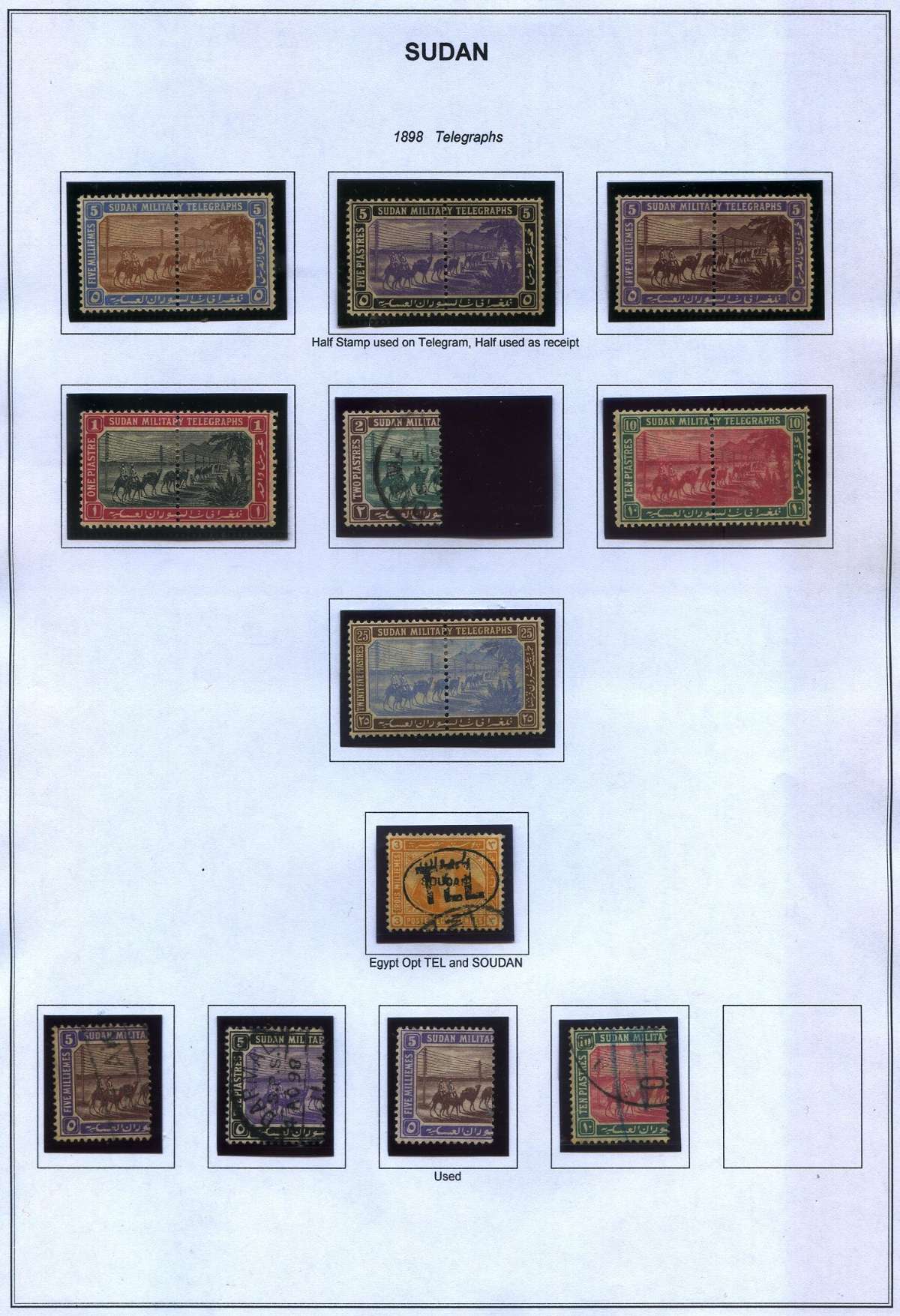 Member Plateflaw images compromised by image host. I repeat them here 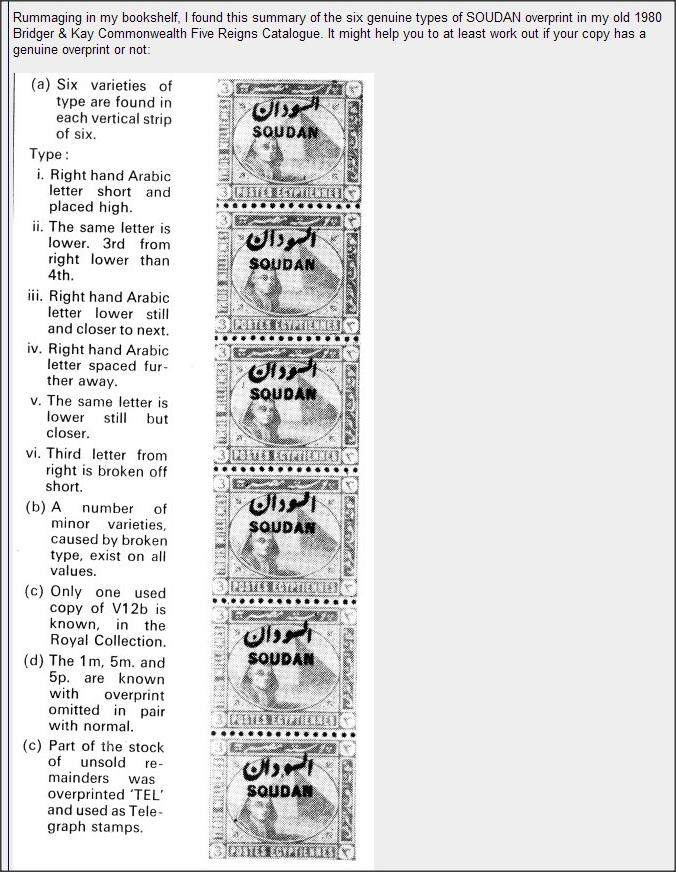 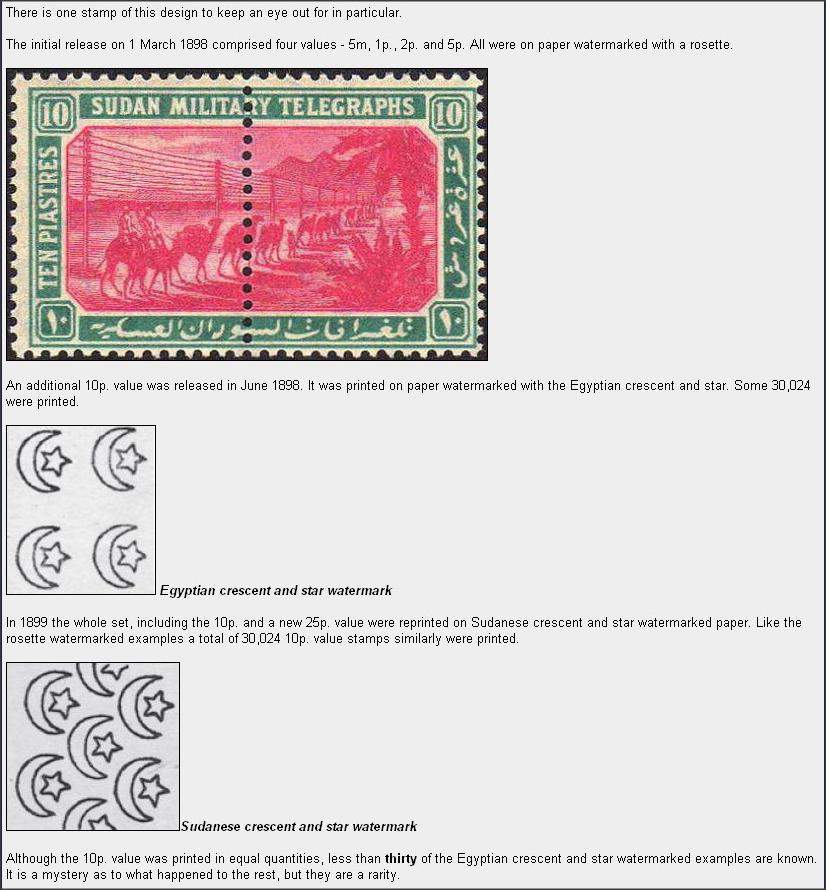 |
Send note to Staff 
|
|
|
Valued Member
United States
21 Posts |
|
|
I wish to respond to something rod222 posted above. Can someone advise me how to make a link between rod222's post and my response?
Thanks
|
|
Send note to Staff
|
|
|
Valued Member
United States
21 Posts |
|
|
Some of the earlier stamps used for Telegraphic purposes were identified by the ARMY TELEGRAPH cancellation. The Letters indicate from which town or garrison the telegram originated. These cancellations were applied to both Provisional Egyptian overprints and the new Camel Post stamps.  |
|
Send note to Staff
|
|
|
Valued Member
United States
21 Posts |
|
|
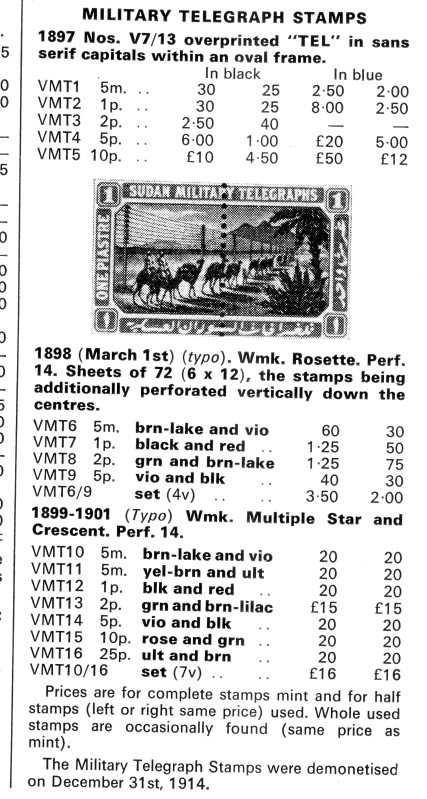
Here is a good illustration of how the bi-sected Sudan Telegraph stamps were used. The Top half would have been detached and given to the SENDER, while the bottom half would have been retained by the Telegraph Office for purposes of sending and record.  |
|
Send note to Staff
|
|
|
Valued Member
United States
21 Posts |
|
|
Pillar Of The Community
Australia
967 Posts |
|
|
lovely pages wlbarclay, I'll find my Soudan stamps and post them up here, I don't have many unfortunately.
However I do have a lot of Egypt! |
|
Send note to Staff
|
|
|
Bedrock Of The Community
Australia
38679 Posts |
|
|
Yes indeed, Lovely pages. Quote:
I wish to respond to something rod222 posted above. Can someone advise me how to make a link between rod222's post and my response?
Thanks 1. left click and move cursor over text you need to copy, right click "copy" click the page with the red arrow and paste your copied text. 2. to highlight a particular post, go to the desired post, click the button that says "make a link to this post" Click button "insert hyperlink" and paste your link Hope that works for you |
|
Send note to Staff
|
|
|
Bedrock Of The Community
Australia
38679 Posts |
|
|
Pillar Of The Community
Australia
967 Posts |
|
|
I found them! I'm not too sure if they are genuine, I have my doubts about 2. 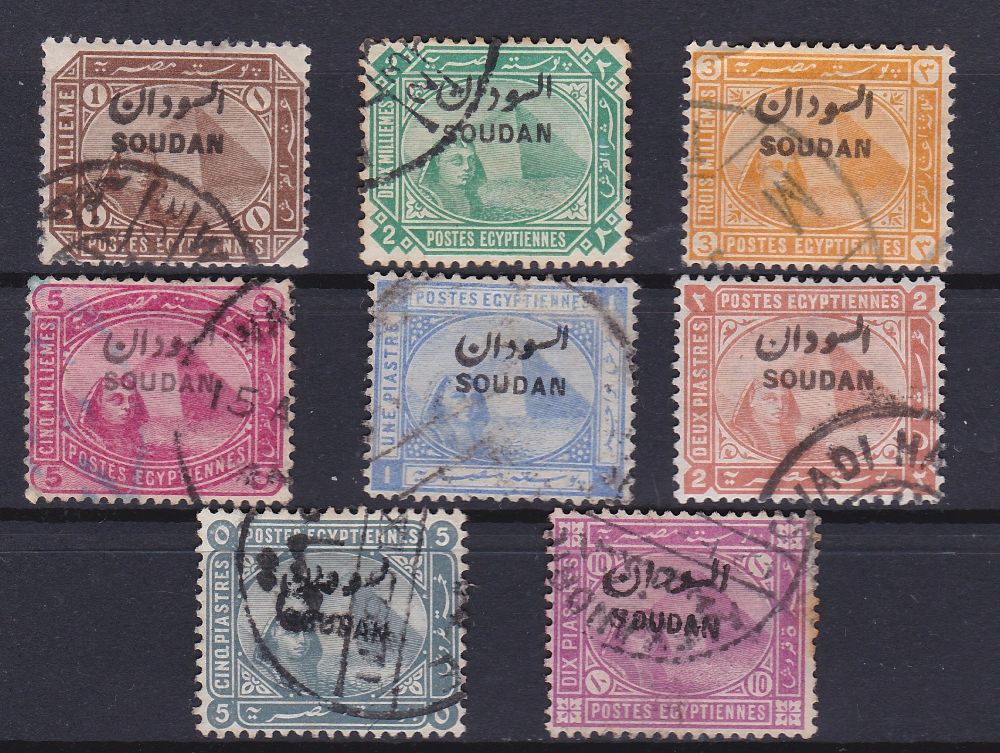 |
|
Send note to Staff
|
|
|
Valued Member
United States
21 Posts |
|
|
1. left click and move cursor over text you need to copy, right click "copy"
click the page with the red arrow and paste your copied text.
I AM NOT SEEING A "PAGE WITH A RED ARROW"
2. to highlight a particular post, go to the desired post, click the button that says
"make a link to this post" I ONLY SEE "GET A LINK TO THIS REPLY", OR AM I LOOKING IN THE WRONG PLACE?
Click button "insert hyperlink" and paste your link
I AM NOT FINDING "INSERT HYPERLINK".
SORRY, BUT I'M TOTALLY DYSLEXIC WHEN IT COMES TO THIS STUFF, BUT I'D LIKE TO FIGURE IT OUT.
|
|
Send note to Staff
|
|
|
Valued Member
United States
21 Posts |
|
|
Pyramid & Sphinx Egyptian stamps were used provisionally in the early days of the Anglo-Egyptian Condominium period of Sudan. They were overprinted SOUDAN in Arabic and English in order to distinguish them from their counterpart in Egypt. At the time, stamp collecting, particularly among the British, was at its heyday and everyone seemed to be collecting stamps. As a consequence, small time printers in Egypt were churning out fake SOUDAN overprints to meet the demand of collectors and tourists. There are numerous types and they make an interesting collection in their own pitiful right. Most are quite easy to identify as efforts to make an exact copy of the genuine overprint are quite rare. Most also have Egyptian cancellations which immediately tell you that it is not Sudanese. There are also fake 'Sudan' cancellations. The most difficult forgeries are those which used the original printing dies (apparently by some unscrupulous postal worker). However, these were overprinted on later issues of the Pyramid & Sphinx stamp that was by now printed on chalk-surfaced paper. You can identify the chalk surface by using a jeweler's glass.  |
|
Send note to Staff
|
|
|
Valued Member
United States
21 Posts |
|
|
Bedrock Of The Community
Australia
38679 Posts |
|
|
Quote:
1. left click and move cursor over text you need to copy, right click "copy"
click the page with the red arrow and paste your copied text.
I AM NOT SEEING A "PAGE WITH A RED ARROW" OK no need to panic, we can sort it.  (Polite advice here) Capitals are considered to be "Shouting" and best avoided. 1. Inserting text. I have left clicked the text I want to copy, drawn the cursor over the text and then right clicked "copy" The text is now saved to your clipboard. 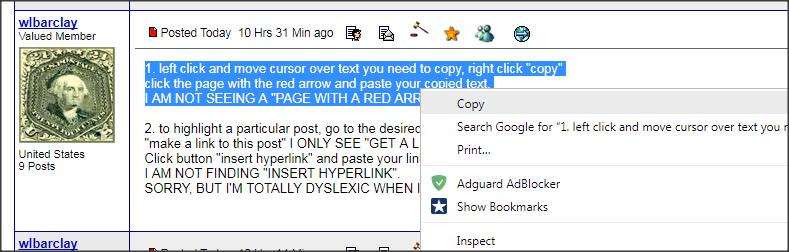 2. I am wanting this text to be added to my response, so opening a "reply to thread / post" I can suddenly see the pic with the red arrow.......... "Insert quote" click this, put your cursor between the "quotes" and paste your text  The text now is copied to your new post, you can now add your response by typing your commentary. Have a play around............. 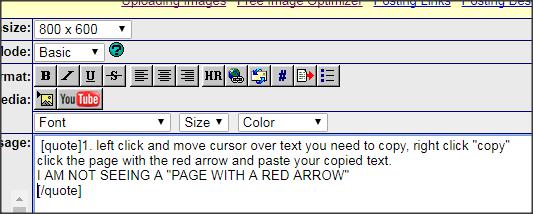 |
|
Send note to Staff
|
|
|
Bedrock Of The Community
Australia
38679 Posts |
|
|
Valued Member
United States
21 Posts |
|
|
Quote:
OK no need to panic, we can sort it.
(Polite advice here) Capitals are considered to be "Shouting" and best avoided.
1. Inserting text.
I have left clicked the text I want to copy, drawn the cursor over the text and then right clicked "copy"
The text is now saved to your clipboard. I think I've got it. Sorry about the SHOUTING. I was just trying to distinguish my question from your advice. ;-) |
|
Send note to Staff
|
|
|
Replies: 58 / Views: 19,870 |
|




 Posted 09/11/2017 4:19 pm