| Author |
 Replies: 36 / Views: 8,154 Replies: 36 / Views: 8,154 |
|
Pillar Of The Community

United States
1837 Posts |
|
|
|
(If there is a better place for this question, please let me know.)
I have a good all-in-one printer/scanner that scans at a max of 600 dpi. There are times when I'd really like to get a higher resolution. Any suggestions? I'm seeing some inexpensive scanners that say they scan up to 4800 dpi but some reviews seem to indicate that they over-process the images and lose the original colors. e.g., Canon CanoScan LiDE220 that sells for about $80 bucks.
If that would really improve my stamp scans a lot it seems a pretty cheap way to go.
Thanks in advance.
*** Moved by Staff to a more appropriate forum. ***
|
|
Send note to Staff
|
|
|
|
|
Pillar Of The Community
United States
3305 Posts |
|
|
Hi, I bought an Epson V37 last year for around $50 on ebay that will scan at 4800 DPI. This year I think its V39 for the same. Great scanners. Below is a Trial Color card proof, of the 90 cent Justice U.S. Scott # O34TCP4c. This is an Atlanta Trial Color. One of 5 colors. This one had a double transfer of the bottom of the portrait oval and the top to the 90. This is 10% of a 4800DPI scan. The detail is 4800DPI  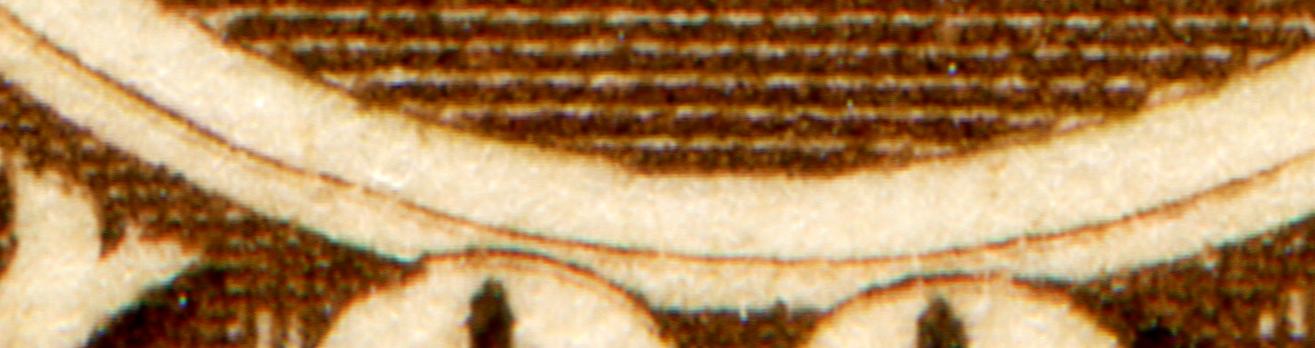 |
Send note to Staff 
|
| Edited by littleriverphil - 09/18/2017 4:17 pm |
|
|
Pillar Of The Community
United States
6469 Posts |
|
|
Yup. Epson, Epson, Epson.
I prefer the V500/V550 higher tier of Epson scanners, personally, but you won't go wrong with the consumer line either.
Regardless if the actual scanner model you get, I reommend spending the $79 for Hamrick VueScan. It allows you to fine tune things much more so than most bundled software. Many bundled scanner software packages automaticaly ratchet up sharpening, brightness, and descreening out of the box, which can introduce all sorts of artifacts. |
|
Send note to Staff
|
|
|
|
Moderator

United States
12330 Posts |
|
|
Make sure you only consider the 'optical' resolution of any scanner. This is the maximum resolution that a scanner can achieve without the 'help' of software. Scanner manufacturers will advertise much higher resolutions where they simply have the software enlarge the image. You can learn more about resolution here http://www.stampsmarter.com/feature..._Images.htmlI am interested in a flatbed scanner which also can do UV scanning. This one look interesting but cannot find a price (read as expensive) http://www.chemeurope.com/en/produc...r2i-tlc.htmlI may have to just rip apart an old consumer scanner and build my own UV flatbed. Don |
|
Send note to Staff
|
|
|
Pillar Of The Community
1151 Posts |
|
|
@LITTLERIVERPHIL, does the Epson v37 and v39 use optical resolution instead of software?
Your example of 10% seems a little blurred, is this normal? Is there any way to remove the blur?
Stampmaster |
|
Send note to Staff
|
|
|
Pillar Of The Community
United States
2782 Posts |
|
|
Like revenuecollector said - Epson. I have a V500 type and it's completed 10's of thousands of scans without issue. I had an older Canon CanoScan LiDE while back and hated it. It was too lightweight and would slide around at the lightest touch. It was a pain to use. I gave the thing away. |
|
Send note to Staff
|
|
|
Pillar Of The Community
United States
4513 Posts |
|
|
Pillar Of The Community
669 Posts |
|
|
I've been using Epson scanners for years...i currently own the V500...highly recommended! |
|
Send note to Staff
|
|
|
Bedrock Of The Community
12758 Posts |
|
|
Pillar Of The Community
United States
1837 Posts |
|
|
Pillar Of The Community
United States
4183 Posts |
|
|
Quote:
does the Epson v37 and v39 use optical resolution instead of software?
Your example of 10% seems a little blurred, is this normal? Is there any way to remove the blur? All scanners have an optical resolution. Optical resolution is a description of how well an optical instrument can resolve small details. If you have something that is printed with a 400 Dots Per Inch (DPI) screen and your scanner only has 100 DPI resolution, it can not resolve the printing dots (they will blurr together). To my eyes his "10%" scan is not blurry, rather it it the printing that is a little fuzzy. Another issue you can get with poor quality optics is something caller chromatic aberration, which can cause false clors to appear at the edges of a feature) |
|
Send note to Staff
|
|
|
Pillar Of The Community
United States
2230 Posts |
|
|
Quote:
Yup. Epson, Epson, Epson. I'll second that! I've used Canon and Epson scanners over the decades, and I've found Epson to be far better. Here is a scan of Austria #1057 acquired with an Epson Perfection V370 Photo scanner at 1200 DPI:  |
|
Send note to Staff
|
| Edited by Classic Coins - 09/18/2017 10:22 pm |
|
|
Pillar Of The Community
United States
3224 Posts |
|
|
Rather than upgrade a scanner, you might investigate the USB microscopes that have been shown and used on SCF. There are ones cheaper than a better scanner and the results shown on the board here are impressive.
One problem I have just discovered with scanners, at least the one I have, is that there is enough UV output to cause tagged US stamps of the 1960s-1970s to glow with the tagging covering the stamp design in the scan. |
|
Send note to Staff
|
|
|
Forum Dad
USA
2059 Posts |
|
|
Quote:
The detail is 4800DPI Not unless you have a 4800 DPI monitor. DPI means nothing online. DPI is for printing. Bet the house I can get just as good an image in a post here with my Canon camera in about 45 seconds. I sold sports cards for years and scanned them. Anything over 600 DPI showed print dots not even visible to the naked eye. Why would you even want that? I got my camera and a few months later my scanner went in the trash, I was tired of it being in my way. 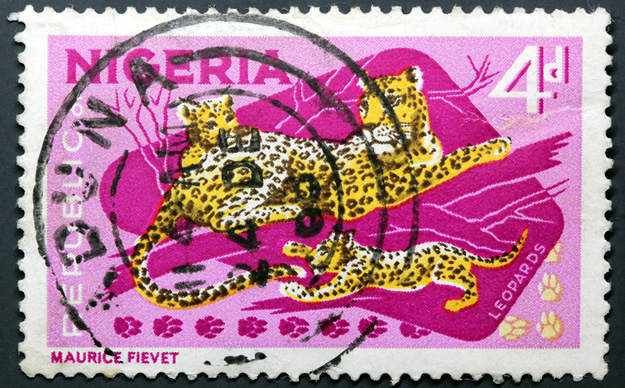 |
|
Send note to Staff
|
|
|
|
Pillar Of The Community
Canada
877 Posts |
|
|
Of course, the scanner resolution is only half of the story. The other is the degree to which the image file is compressed. Images should be scanned at "best quality" or no compression, particularly if saving as a JPEG file. Then, at least, you will be able to see the maximum detail on your home computer or on any computer, using this file. When uploading, you are limited to a file size of 200kb and this may your file to be compressed, with resulting artifacts and fuzziness of the image as seen in your post. TINSTAAFL.
Another thing to a void is changing the resolution of an image file to reduce image size. This is another source of artifacts and fuzziness. It is far better to rescan the original at a lower resolution.
As for scanner type, I have had products from four brands. To my mind, Epson is head and shoulders above the others for reasonably priced products.
|
|
Send note to Staff
|
|
|
Forum Dad
USA
2059 Posts |
|
|
Quote:
Of course, the scanner resolution is only half of the story. The other is the degree to which the image file is compressed. Images should be scanned at "best quality" or no compression, particularly if saving as a JPEG file. Then, at least, you will be able to see the maximum detail on your home computer or on any computer, using this file. When uploading, you are limited to a file size of 200kb and this may your file to be compressed, with resulting artifacts and fuzziness of the image as seen in your post. TINSTAAFL.
Another thing to a void is changing the resolution of an image file to reduce image size. This is another source of artifacts and fuzziness. It is far better to rescan the original at a lower resolution. You're way over-analyzing this. Tell me, is thee anything wrong with this image? Can you see everything you need to see for the purposes of grading or anything else on this forum? 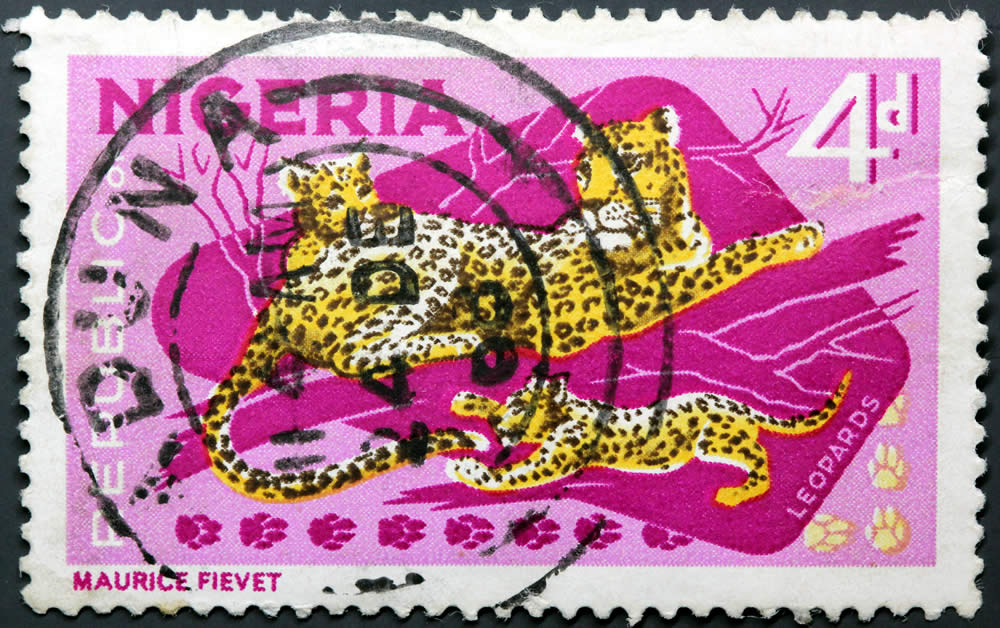 |
|
Send note to Staff
|
|
|
|
Replies: 36 / Views: 8,154 |
|




 Posted 09/18/2017 3:41 pm





