| Author |
 Replies: 36 / Views: 8,152 Replies: 36 / Views: 8,152 |
|
|
|
Pillar Of The Community
United States
6469 Posts |
|
|
Since you asked...  The highlights are a bit blown out and you lose the paper surface texture. Remember, different people have different quality thresholds. You should do what you find the most convenient for YOUR needs and workflow, but I would never ever recommend a camera for imaging stamps and covers. I just wouldn't. Also, lest people think I don't have experience using a camera and just prefer flatbed scanner by default, I did professional coin photography for a period of time: https://numismotography.com/pages/NEW.shtmlThe coins shown there are not mine, but all of the images are ones I took with a camera, macro lenses, copystand, and lighting. |
Send note to Staff 
|
|
| Edited by revenuecollector - 09/20/2017 11:07 am |
|
|
Forum Dad

USA
2059 Posts |
|
|
Pillar Of The Community
United States
6469 Posts |
|
|
Sigh. Quote:
Tell me, is thee anything wrong with this image? Can you see everything you need to see for the purposes of grading or anything else on this forum? My response: Quote:
The highlights are a bit blown out and you lose the paper surface texture. Those images may meet your quality needs, but they would not meet mine. Like I said, different people have different quality thresholds. |
|
Send note to Staff
|
|
|
|
Forum Dad
USA
2059 Posts |
|
|
That image can be easily graded and scrutinized.
So you're telling me that you need a better image to evaluate that stamp? |
|
Send note to Staff
|
|
|
|
Pillar Of The Community
United States
6469 Posts |
|
|
Bobby, are you deliberately wanting to argue just for the sake of arguing? You asked: "Can you see everything you need to see for the purposes of grading or anything else on this forum?" Emphasis added. I repeat: That quality may be PERFECTLY acceptable for you. That's great. Fine. Dandy. Spiffy! It wouldn't meet my needs. I repeat: MY needs. Which is what you asked. It doesn't have to be one size fits all. Enjoy your camera. Use what works for you. |
|
Send note to Staff
|
|
| Edited by revenuecollector - 09/20/2017 11:53 am |
|
|
Forum Dad
USA
2059 Posts |
|
|
So you're indeed saying you can't give me an evaluation of that stamp based on my image. Wow, not good enough.... 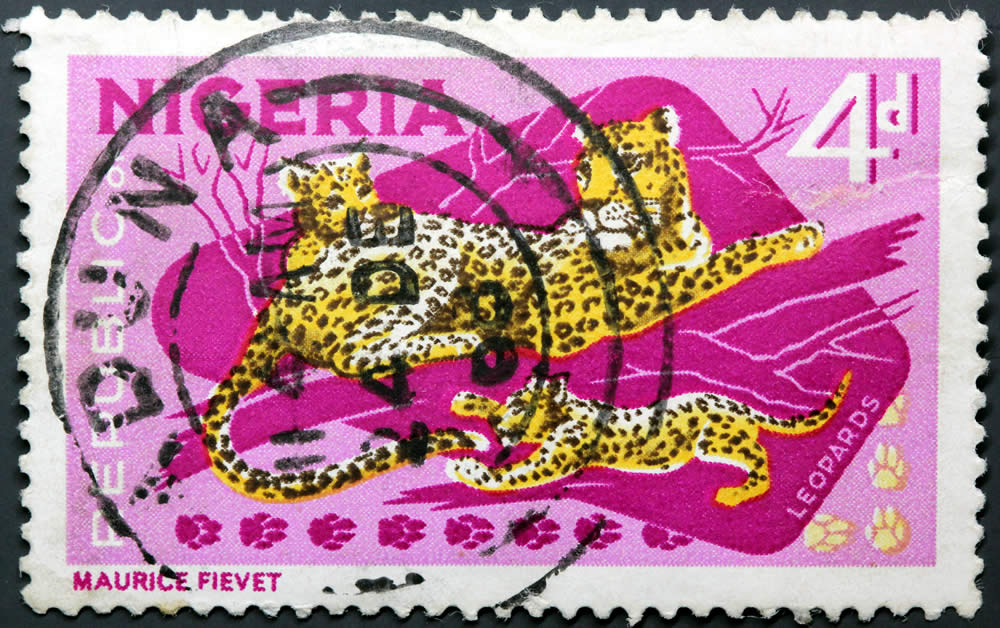 |
|
Send note to Staff
|
|
|
|
Pillar Of The Community
United States
6469 Posts |
|
|
If you are wanting an assessment of centering then the image is definitely of sufficient quality.
If, however, you are also wanting assessment of paper characteristics or type, ink anomalies, printing impression, etc. (which we frequently do with classic material, but generally are not discussed with respect to modern stamps), then my contention stands.
If you are asking what I think of the stamp, I think the centering is XF+, but it has a crease at upper right below the 4d and a small toning spot at bottom left. |
|
Send note to Staff
|
|
|
|
Pillar Of The Community
Canada
877 Posts |
|
|
Quote:
"You're way over analyzing"
My wife keeps telling me this, but then, I used to be an engineer.
My main area of interest is early Australia with all the plate and one-off flaws. Size change and compression of the file can cause artifacts the look just like reentries, and very thin plate scratches can almost disappear.
As for your image, I can't see anything wrong with it, but then I am not sure what, if anything other than the complete stamp, I should be looking for you. Whether revenuecollector is right about losing surface texture is something I couldn't say as, perhaps, it is on a very smooth surface without any noticeable texture. I also collect Canada and texture is vey important over a wide range of dates.
|
|
Send note to Staff
|
|
|
Forum Dad
USA
2059 Posts |
|
|
Well that image came out of the camera at 95% compression and over 5,000 pixels across. I cropped and resized to 1000 pixels across and resaved at 70% compression. It's 160KB and some act like it's horrifying that I limit images to 200KB. My entire point is 200KB is plenty for the purposes of this forum. |
|
Send note to Staff
|
|
|
|
Pillar Of The Community

United States
1837 Posts |
|
|
I haven't followed this topic since I got my answer, but I thought I'd drop back in to say thanks for the suggestions. I decided to spring to the V600 and I'm loving it. In addition to the stamps it is quite remarkable at slides and negatives. So this post is just to say thanks, and so to do that, here's one old photo I scanned in. I took this when I was a kid at UC Irvine where they were filming Mel Brooks' Silent Movie. Our campus was the insane asylum in the movie where they chased each other around on motorized wheelchairs. You can see one of the wheelchairs in the background. 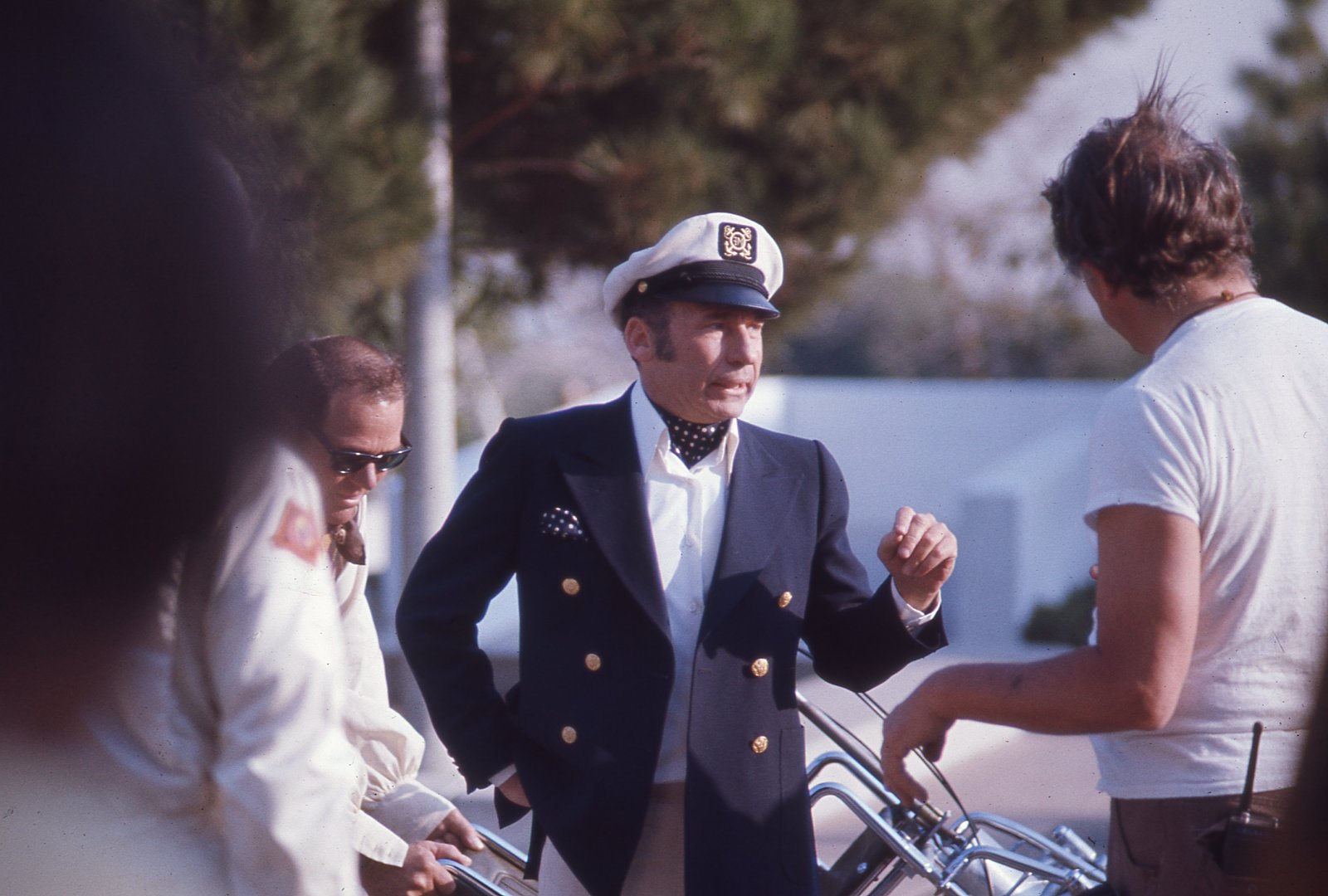 |
|
Send note to Staff
|
|
|
Pillar Of The Community
United States
3046 Posts |
|
|
Last year, I decided that I wanted to have my wedding photo negatives scanned and digitized. A friend shot my wedding, so I had all the original medium format negatives. The price to get the negatives canned in were absolutely insane, because they were medium format. I think it was almost $400 to have them all negatives scanned in. So I emailed one of the recommended companies and asked what equipment they used to scan their negatives and they told me they used the Canon 9000 Mark II scanner. I bought one off of Amazon for $189 and just scanned them myself. If you need something that will scan stamps, as well as photos and negatives, I think this is a great scanner. If you have no need for negative scanning, the Epson Perfection v19 or v39 are great scanners. They're USB powered, so no need to plug them in the wall, and they have a kickstand, so you can stand them on their side. If you wanted to, you can easily take it to someone's house or a stamp dealer with a laptop and scan a stamp and then zoom in the image to see fine details of the stamp. |
|
Send note to Staff
|
|
|
|
Pillar Of The Community
1151 Posts |
|
|
Hi all, do I dare ask a question, and will I get many different recommendations on which brand or model number of scanner I need?
I'm very confused, I'm an old guy and do not understand everything presented here. No offense to you 51Studebaker, your link to that stampsmarter information was interesting, but I can't make sense out of it.
I'm looking for a scanner that I can use for plate varieties, show enlarged without distortion, blurred, or fuzzy images, up close that shows what I trying to show, usually about 1/4 of the stamp detail. I used windows7, and do not want to store the images outside my house, like the cloud. Want to keep the images only on my computer (working on a book).
Telling me I need a new computer does not help. Giving me all the technical details confuses me.
Bottom line, I need a recommendation that is easy to use, not full of technical details. The computer store in town, I go there and the clerk (in his 20s) shoots off a lot of technical stuff and talks so fast I just leave more confused than ever.
Stampmaster |
|
Send note to Staff
|
|
|
Pillar Of The Community
United States
6469 Posts |
|
|
Stampmaster, any of the Epson scanners recommended in this thread will do the job nicely. If you don't like overly technical software, then ignore my recommendation for Vuescan and just use the software that comes with the scanner. |
|
Send note to Staff
|
|
|
|
Pillar Of The Community
1151 Posts |
|
|
@revenuecollector, thanks and will investigate Epson. At lease now I have a good easy to understand starting place. I thought you link to the coins was very interesting. Are you still selling on ebay? Stampmaster |
|
Send note to Staff
|
|
|
Pillar Of The Community
United States
7105 Posts |
|
|
Can anyone comment on whether the 600 can easily take an entire Vario page without lifting an edge slightly, creating a bit of "fuzz" in the image? |
|
Send note to Staff
|
|
|
Replies: 36 / Views: 8,152 |
|




 Posted 09/20/2017 11:02 am





