| Author |
 Replies: 101 / Views: 41,908 Replies: 101 / Views: 41,908 |
|
|
|
Pillar Of The Community
Canada
879 Posts |
|
|
Ricky93: Quote:
I would like to learn it myself I'm not sure I understand what you mean here. Do you mean you would like to be able to develop your own pages? If so, Then you will first have to decide which software package you will use. If you choose CorelDraw (either the full or Home&Student version) then I can provide a copy of the CDR file as illustrated below but with the quadrille added and you can make whatever modifications you wish. If you need some help with this, I can probably help. Otherwise, I can provide, as mentioned a few posts ago, a PDF file as per the image below with: 1. Country/Countries you need. 2. A light grey quadrille in all of the space within the inner border line.  In either case, you will need to specify paper size - either A4 or US Letter. Frank. |
Send note to Staff 
|
|
|
Valued Member
Canada
440 Posts |
|
|
Hi uboatnut and DJCMHOH,
Great that you are finding AlbumEasy useful, please shout if you have any questions.
I am hoping to put out a new release in the next few weeks, I keep a mailing list that is solely used two or three times a year for announcing new releases. If either of you, or anyone else for that matter, would like to be added to the list please send me a message via the forum or via the contact form on theStampWeb website.
Clive
|
|
Send note to Staff
|
AlbumEasy - Free software for creating custom stamp album pages ChromaMate - Compare, match, analyse, free colour matching software ImageSleuth - Images, hidden inside images, revealed. A retroReveal alternative PSGSA - The Philatelic Society for Greater Southern Africa |
|
|
Valued Member
Netherlands
230 Posts |
|
|
I would like to develop them myself in PowerPoint.
I already received some pages from Blaamand, so I can work with those.
I don't know how to use CorelDraw, so please in PowerPoint.
One little thing, at my screen your last image looks skewed/not right lined out.
Greetings, Rik |
|
Send note to Staff
|
|
|
Pillar Of The Community
Canada
879 Posts |
|
|
OK, Ricky. Thanks for your reply. I'm sorry that I have no real experience with PowerPoint, so I'll have to pass on this one.
Frank. |
|
Send note to Staff
|
|
|
Pillar Of The Community
United States
628 Posts |
|
|
If anyone is interested in some PowerPoint slides to use as templates, email me and I can provide a few of my pages. |
|
Send note to Staff
|
|
|
New Member
Puerto Rico
2 Posts |
|
|
For the stamp album pages made with PowerPoint, how do you get the Scott album style page borders? 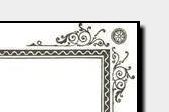 |
|
Send note to Staff
|
|
|
Pillar Of The Community
United States
4531 Posts |
|
|
You could have to scan it if you want to match exactly and then put it on a master page (so background on every page). Under view, Master Pages. All your page adds would sit on top of it so to speak. |
|
Send note to Staff
|
Al |
| Edited by angore - 05/02/2018 8:09 pm |
|
|
Valued Member
Netherlands
230 Posts |
|
|
Sorry for the bump.
I've began to learn the commands of AlbumEasy, and it is now really easy.
Only time consuming.
I have made now 20 pages, data typed over from my SG catalogue.
I am making it for my United Kingdom collection.
But one question, if I want to edit data i.e. the prices are typed wrong, or I made an other typo whereby I need to alter every single line, that's a lot of work.
How do you guys do that??
I am now working the txt files in Notepad++, because that piece of software has line numbers and other handy stuff.
But when I need to "mass" alter something, I use the Find&Replace (CTRL+H) function, but that works not always.
Do you guys still understand my story?
Hope someone has one or more tips for me. |
|
Send note to Staff
|
|
|
Pillar Of The Community
United States
8956 Posts |
|
|
Ricky, the developer of Album Easy is a member of this forum. His name here is Clivel - find him through the search function and send him an Email
Peter |
|
Send note to Staff
|
|
|
Valued Member
Netherlands
230 Posts |
|
|
Valued Member
South Africa
229 Posts |
|
|
Hello Ricky im using Notepad++ it is a really powerful text editor which you can enhance with addons there are a few that do enhance the find/and replace function, I will try this evening (local time South africa) to get a list and instructions how to add the add ins in. Clive is very helpful when it comes to Albumeasy.
I have made a PDF user manual for Albumeasy and I made it available on this site. I have also made some snippet files for notepad++ to help with entering commands for albumeasy but you need the snippet add in. will post the links here later today. (at work at the moment) |
|
Send note to Staff
|
|
|
Valued Member
South Africa
229 Posts |
|
|
Valued Member
Netherlands
230 Posts |
|
|
Thanks @Perfin_RK, I've been using Notepad++ for all my album pages.
But I didn't knew that you've made some snippets for Notepad++.
I am going to try the snippets!!!
Thanks again.
--Rik
PS. Isn't there a faster way to create album pages.
I need to do about 2000 stamps... |
|
Send note to Staff
|
|
|
Valued Member
South Africa
229 Posts |
|
|
I think any way or program you use its going to take a while to do 2000 stamps unless you can write a macro |
|
Send note to Staff
|
|
|
Valued Member
South Africa
229 Posts |
|
|
Hello Ricky check out this thread, Iit uses a spread sheet for the data but you need to know stamp sizes ext.
new learning curve, I haven't used it so cant really help, might help you. My biggest problem with doing my own album pages is the stamp sizes for the places im interested in, plus for topic albums I think it would be a nightmare if you don't own the stamp. |
|
Send note to Staff
|
|
|
Replies: 101 / Views: 41,908 |
|




 Posted 11/19/2017 12:11 pm


