| Author |
 Replies: 72 / Views: 13,102 Replies: 72 / Views: 13,102 |
|
|
|
Pillar Of The Community
United States
746 Posts |
|
|
There are always cachets available on ebay. For example, I'm certain there are more nations than the ones I have that used the purple Queen cachet. How many is unknown, but one could conceivably collect one all of them. Note that for nations (like Australia with 3, New Zealand with 5, Great Britain with 4) which issued more than a single stamp, you can find covers with one or more stamps on the same cachet. Blocks of four are fairly common on cachets as well. |
Send note to Staff 
|
| Edited by uboatnut - 03/14/2018 10:36 pm |
|
|
Valued Member
Canada
440 Posts |
|
|
@Petert4522 Quote:
I love your Canal Zone pages. I have been using Album Easy ever since the start and have printed a few thousand pages up until today. My collection is consisting of only about 85 stamps; the Transportation Coils of the 80's and 90's, and I found that the Album Easy pages are very easy to design, manage and change. They are also without a bunch of unnecessary clutter. Unfortunately I received an email from Amos (the Scott publishers) earlier this week advising me to remove all material that used Scott numbers. As a result I have had to pull a few albums including the Canal Zone pages from the AlbumEasy website. Some of the smaller albums have already been restored sans Scott numbers, but unfortunately removing the Scott numbers from some of the larger albums would just be too much work so they are unlikely to be redone any time soon. Clive |
|
Send note to Staff
|
AlbumEasy - Free software for creating custom stamp album pages ChromaMate - Compare, match, analyse, free colour matching software ImageSleuth - Images, hidden inside images, revealed. A retroReveal alternative PSGSA - The Philatelic Society for Greater Southern Africa |
|
|
Pillar Of The Community
United States
2941 Posts |
|
|
Quote:
Unfortunately I received an email from Amos (the Scott publishers) earlier this week advising me to remove all material that used Scott numbers. I really wish someone with the financial means to do so would call Scott's bluff. In the US, the law is not on their side WRT third party use of their numbering system (prices, yes -- but catalog numbers, no). |
|
Send note to Staff
|
|
|
|
Pillar Of The Community
United States
4516 Posts |
|
|
Krause tried and got a compromise without going for a decision. As I understand it, they were required to be more uniform in licensing of their numbers. I am somewhat sympathetic to them since they have invested a lot in it and maintain it.
|
|
Send note to Staff
|
Al |
|
|
Valued Member
Belgium
71 Posts |
|
|
This are the pages I started making:  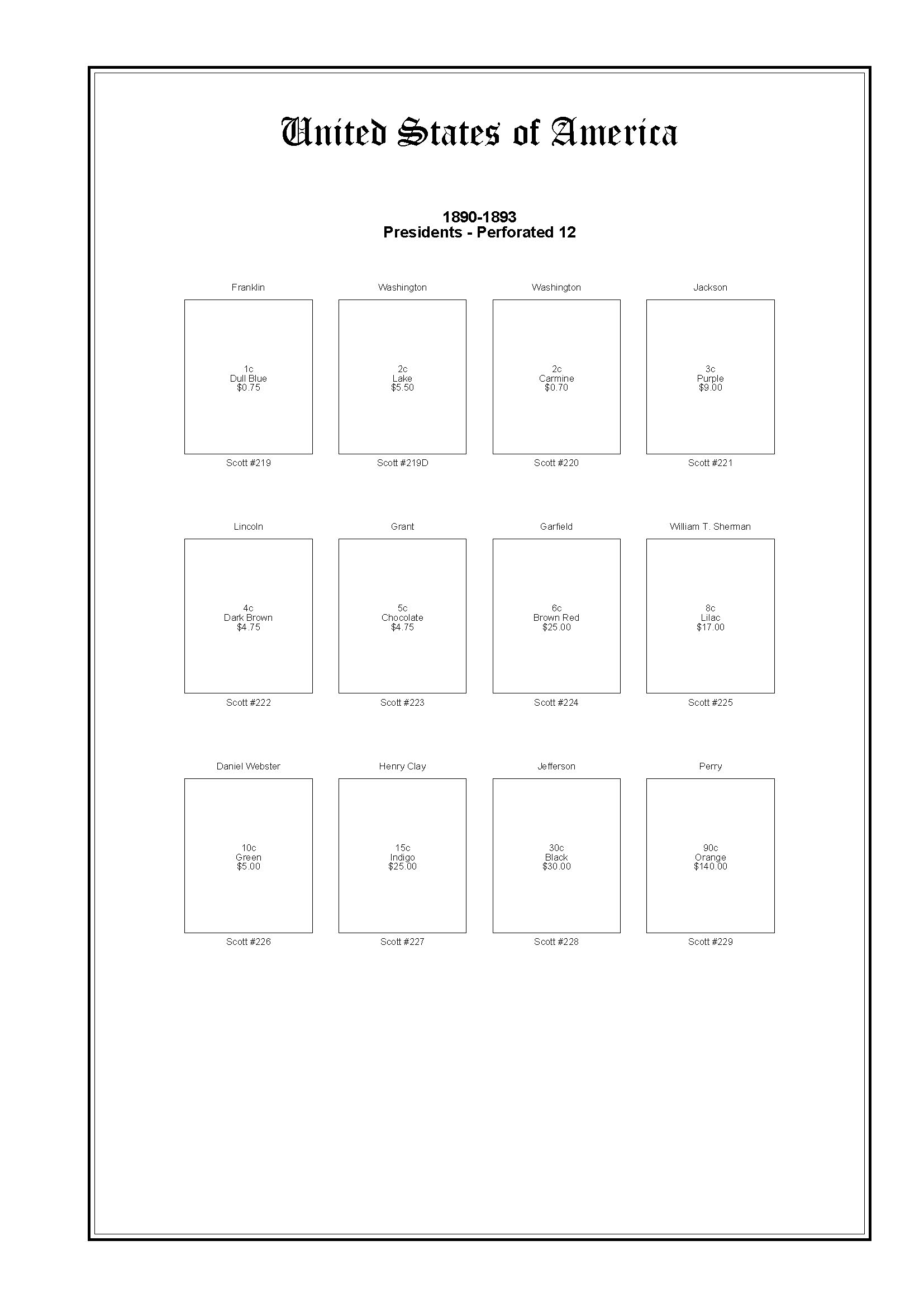 I'm still experimenting with the design so all suggestions are welcome. |
|
Send note to Staff
|
|
|
Valued Member
United States
363 Posts |
|
|
I really like your design overall. You have the obvious info visible on front of stamp asxwhat will be covered by the stamp when mounted. I hate that my album has Scott numbers covered up and I always need to flip the stamp up.
Why do you have USA across the top of second page? Is that useful beyond the first page or binder label? |
|
Send note to Staff
|
|
|
Valued Member
Belgium
71 Posts |
|
|
For the USA it is probably not usefull because they will all be binded together with a comb. But it can be easy for other countries in the classic era that have not much stamps and will be binded together. So because it can be usefull for the other countries, I also put it on the USA so all the pages look the same. |
|
Send note to Staff
|
|
|
Pillar Of The Community
United States
746 Posts |
|
|
I like to put images of the stamps - or most of them if the designs are different - into the frames on my AlbumEasy pages. I also add the Scott numbers below the frames to make inventorying easier; after all, these are my personal pages. 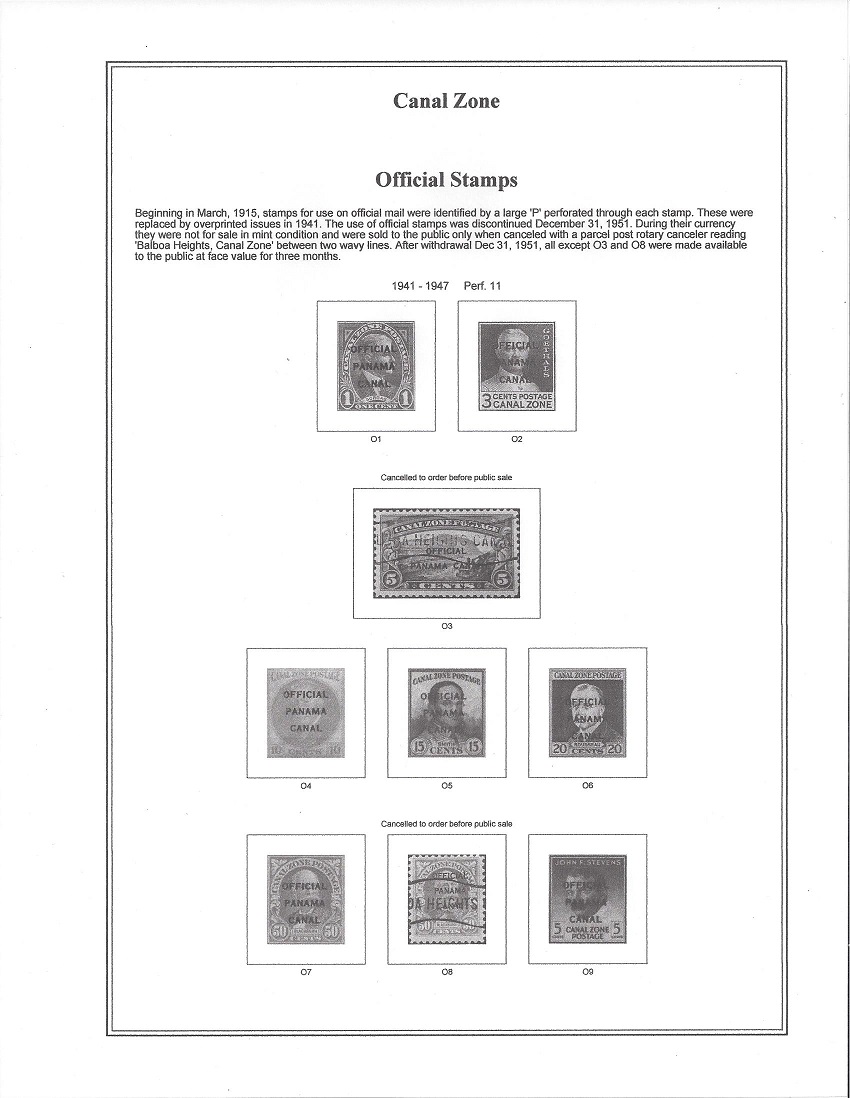 I get the full-color images off the internet, usually from ebay. It is time-consuming (my QE2 Coronation series pages required 106 images), but I think the results are worthwhile. I prefer to print my pages in greyscale rather than in color for two reasons: (1) to save my colored inks and (2) because grey images make it easy to see which stamps I still need - colored images can make it appear the page is already filled when it is not. |
|
Send note to Staff
|
|
|
Valued Member
Belgium
71 Posts |
|
|
That's indeed a lot of work but I'm unable to find out how to make a white margin around the stamps in AlbumEasy... If I try it, the stamp ends up against the frame.
I'm also trying to figure out what to do with pages for stamps I don't have because making a lot of pages for stamps I don't have seems like a waste of time (the first USA stamp I have is Scott 235 or something like that) but I also want to avoid that when I do have the stamps later, I don't end up with for example only number 234 on an empty page and 235 and further on an older page... |
|
Send note to Staff
|
|
|
Pillar Of The Community
United States
746 Posts |
|
|
Vincent:
Use the ALBUM_STAMP_IMG_SETTING command line. The following is quoted from the AlbumEasy COMMANDS section of the manual. Access it by clicking on the HELP button in the upper right corner of the AE screen.
"ALBUM_STAMP_IMG_SETTING (horizontal vertical stretch)
Optional command that affects the placement of images inside stamp boxes.
The horizontal and vertical values are the width of the border between the stamp frame and the image. The stretch parameter which can have a value of true or false only effects images that are smaller than the stamp drawing area. When stretch is set to true the images will be stretched to fill the box, if it is false then images will be drawn actual size centred within the stamp box.
eg
ALBUM_STAMP_IMG_SETTING (3.0 3.0 false) or
ALBUM_STAMP_IMG_SETTING (2.0 2.0 true)
Note, the default settings which is the equivalent of ALBUM_STAMP_IMG_SETTING (2.0 2.0 false) will be used if this command is not given.
The album file Images.txt which can be found in the AlbumEasy examples directory illustrates the usage of this command."
==================================================
Note that you can set this command once in the ALBUM_STAMP commands at the front of the album file, and all images will use this setting. If you need to adjust either the vertical or horizontal for a single or series of stamp frames, simply copy the ALBUM_STAMP_IMG_SETTING (X.0 Y.0 false) line you used, paste it into the appropriate page file, and change the X or Y values as needed. NOTE - All images from this point on will follow this new spacing command. When you want to return to the original settings (or need to change them again), you'll need to copy and paste the line into the page file.
For your first try, I suggest you use ALBUM_STAMP_IMG_SETTING (15.0 15.0 false). That's what I use for my US stamps - both commemorative and definitive. Some stamps are just oddly shaped and you'll want to vary X or Y to make them display properly within the frame. Since the images will soon (hopefully) be covered by the stamp, I don't try to make every image display perfectly centered; a little stretch one way or the other doesn't bother me. |
|
Send note to Staff
|
| Edited by uboatnut - 04/05/2018 3:54 pm |
|
|
Valued Member
Belgium
71 Posts |
|
|
Uboatnut, thanks for the info, I will try this one of the days for the pages I have stamps of and I want to print... I already printed the previous page I posted but the frames are anoyingly big so I need to make some adjustments on the size too. |
|
Send note to Staff
|
|
|
Pillar Of The Community
United States
772 Posts |
|
|
Not actually album pages but inserts I put in between the Vario pages for my Albums. This is p. 29 for Australia (already done 34 pages, covering the 1902-1910 Dues and the issues of 1913-1918) 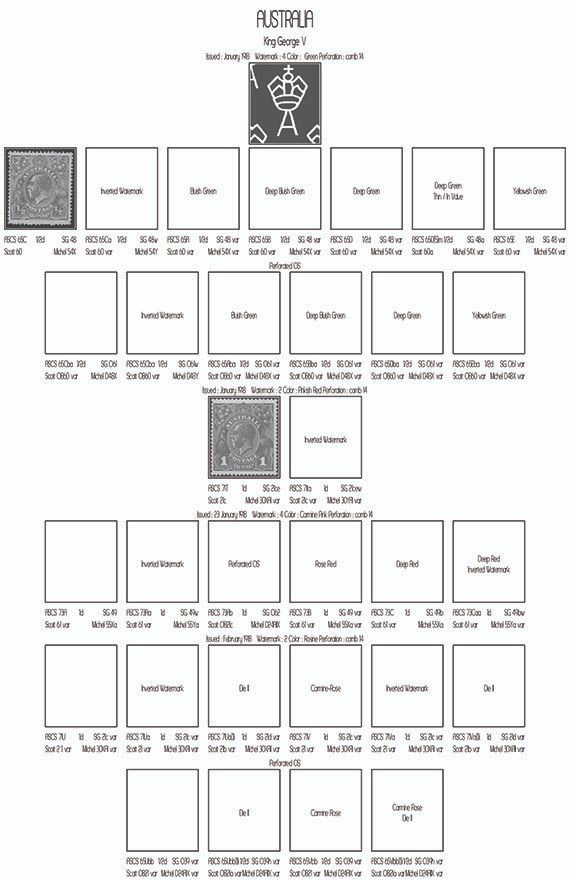 |
|
Send note to Staff
|
APS #173088
|
|
|
Replies: 72 / Views: 13,102 |
|



 Posted 03/14/2018 10:35 pm


