Stamp Community Family of Web Sites
Thousands of stamps, consistently graded, competitively priced and hundreds of in-depth blog posts to read


Stamp Community Forum
 
Username:
Password:
Save Password
Forgot your Password?

This page may contain links that result in small commissions to keep this free site up and running.

Welcome Guest! Registering and/or logging in will remove the anchor (bottom) ads. It's Free!

Australia In Custom Digital Album.

 
To participate in the forum you must log in or register.
Author Previous TopicReplies: 9 / Views: 790Next Topic  
Pillar Of The Community

United States
729 Posts
Posted 06/06/2019   3:06 pm  Show Profile Bookmark this topic Add danko to your friends list Get a Link to this Message
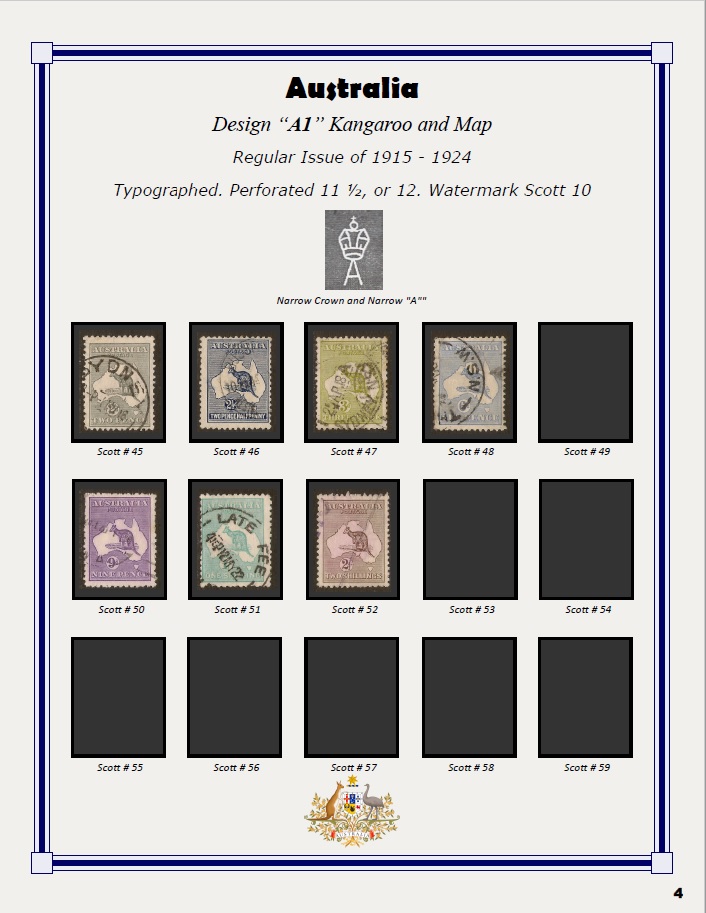
Here you go. After 10 years of stamp hoarding, and 2 years of sorting, I'm finally getting to the point where I can start assembling stamp albums for my World Wide collection. I'm storing my stamps in binders with 9 pocket pages. It's a great way to store stamps, especially mints and valuables, as they are safe from creasing, moisture, and does not require hinging, but a poor way yo present your stamps.
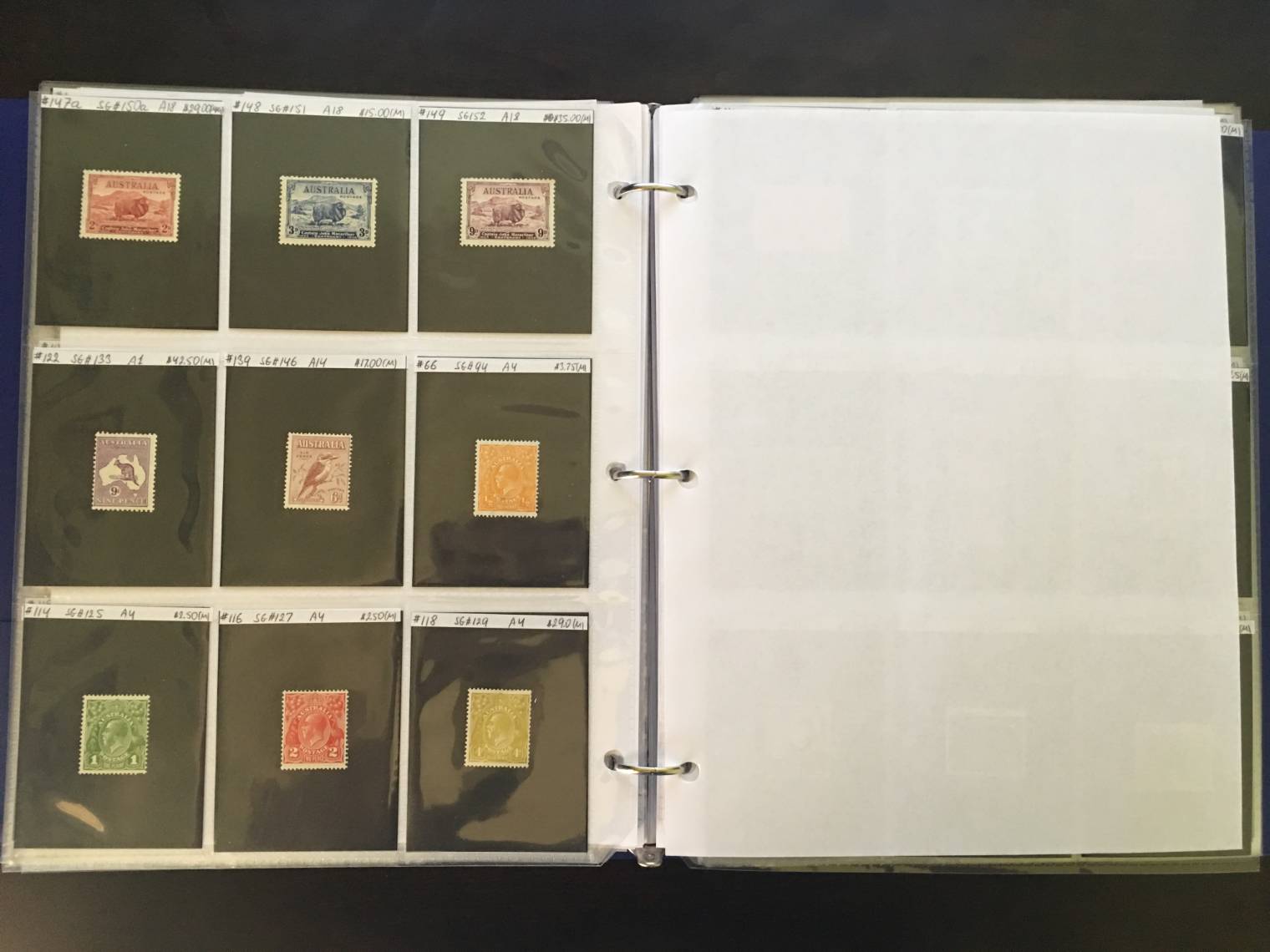


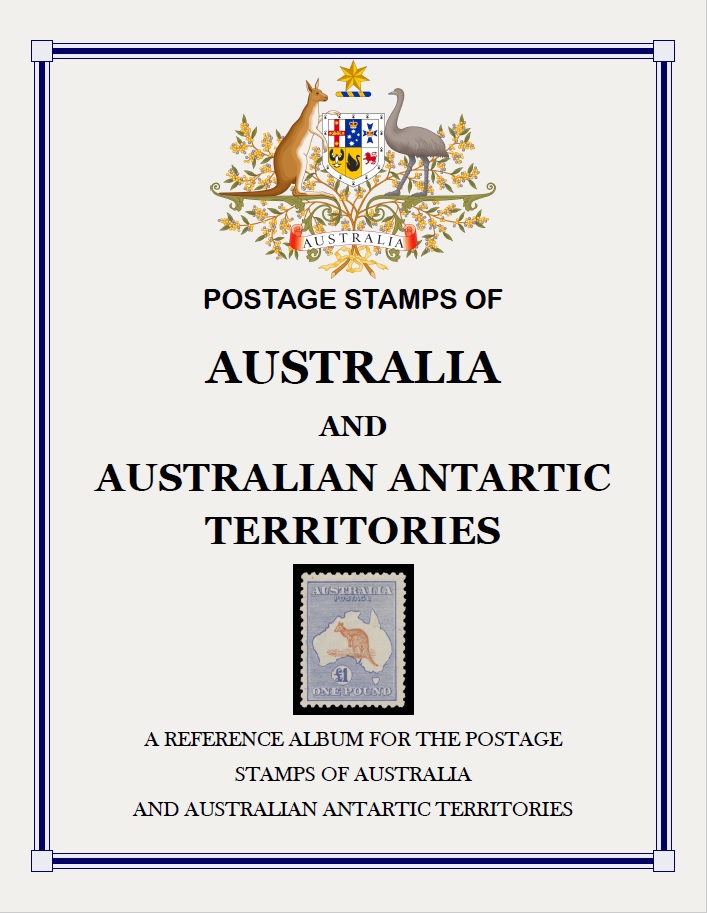
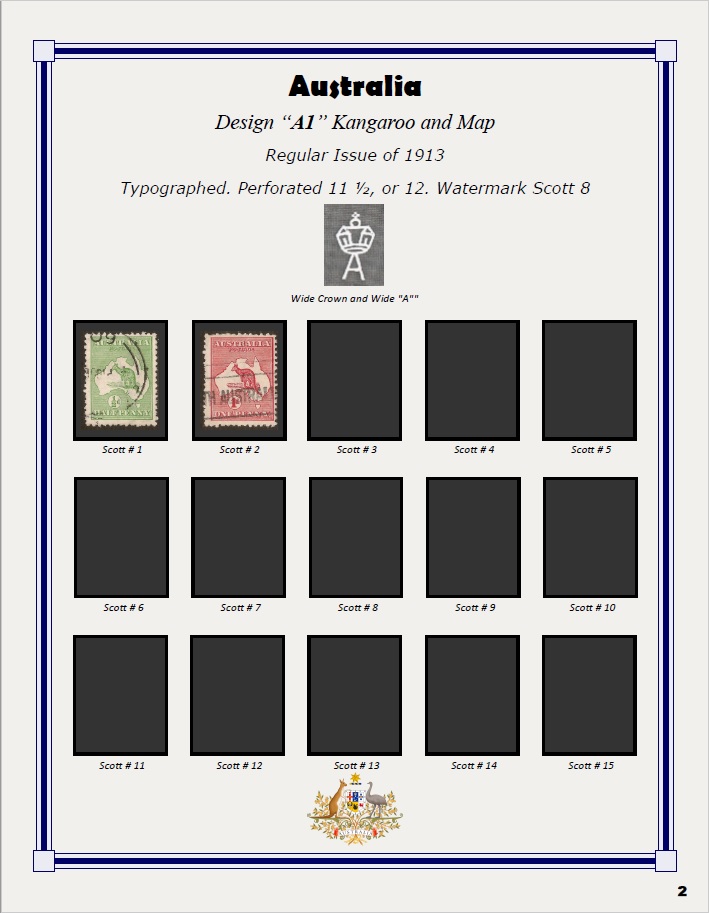
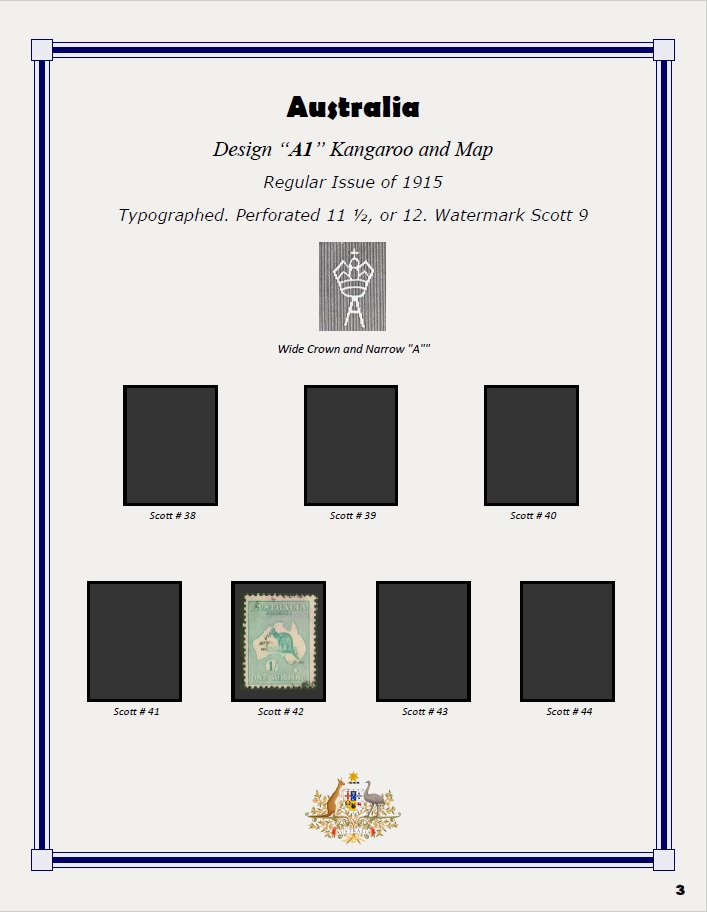
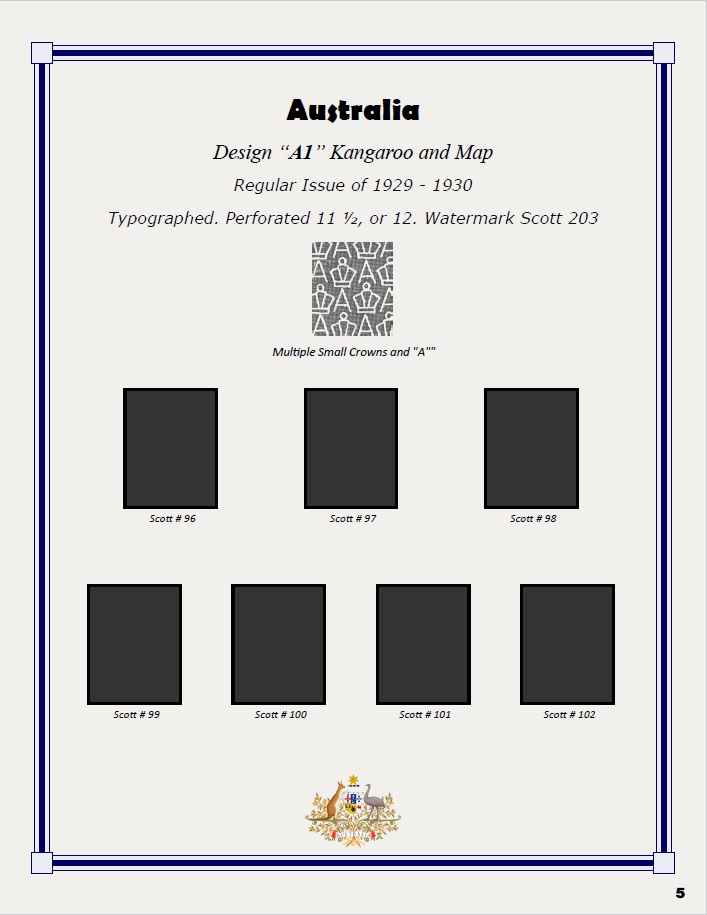
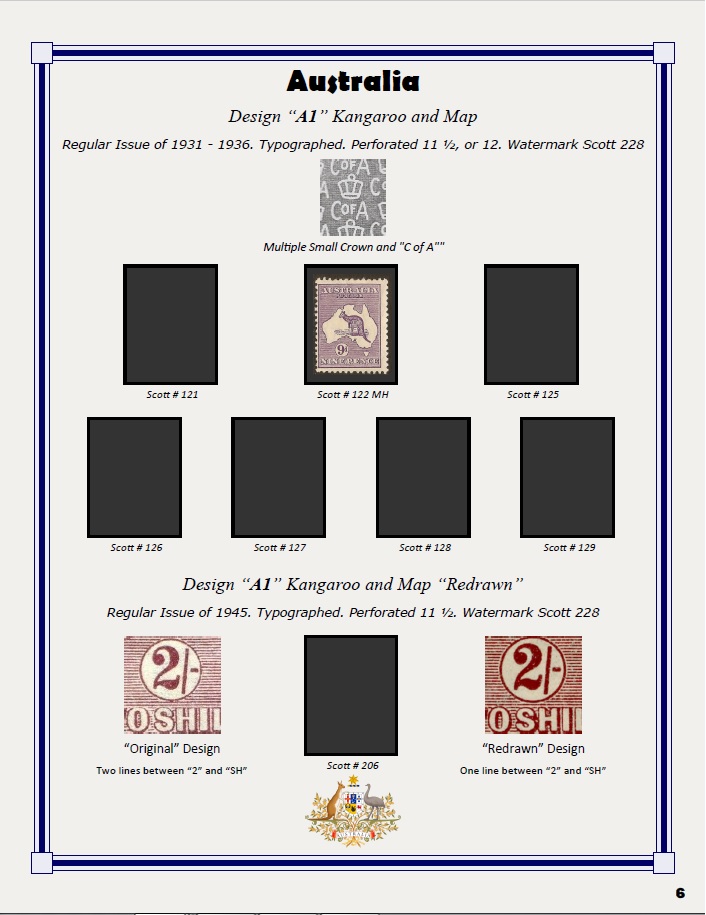
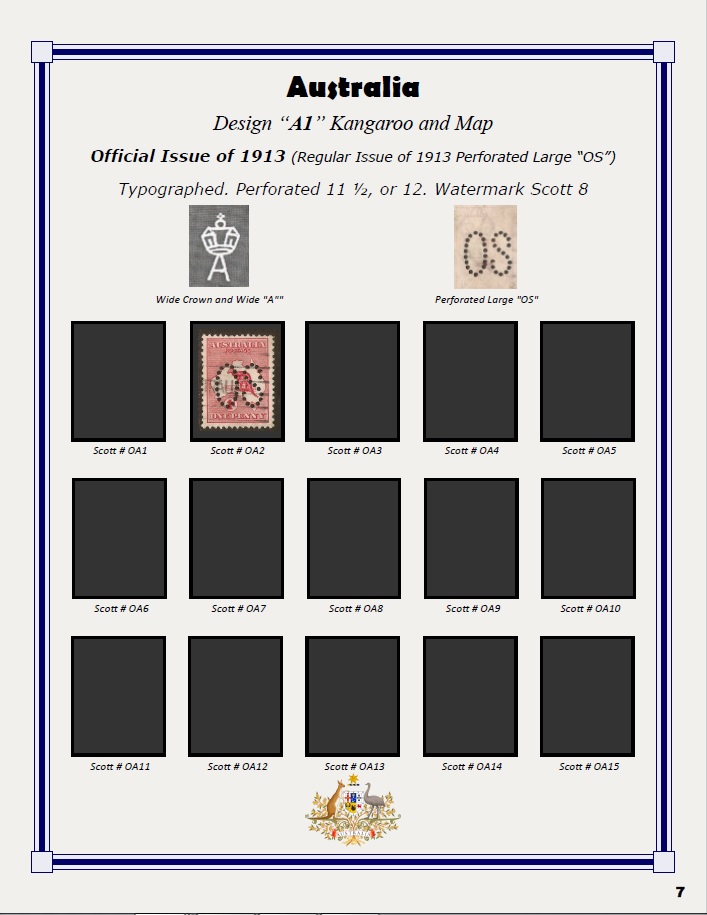
I considered many different album pages for presentation, but decided to create my own, as I want to present stamps by designs, as constantly flipping through album back and forth comparing variations of the same design is really, really annoying, and confusing. So I think grouping stamps by their design number is the best way to present them. So I'm starting to create my own digital album pages using Publisher. Publisher files then exported as PDF album.

Digital pages allows me to create a "clickable" album. I store images on my wordpress website, and PDF album contains hyperlinks to those images. So basically anyone who looks at the album can click on any image to see large details of the stamp, or support materials.

Here is the link to the album in PDF format. I recommend opening stamp images in new tab, as clicking back button will bring you back to the first page of the album.

https://danielsstampcollection.word...1/12/albums/

I just started working on it, and only finished my first design Roo and Map. Not much to brag about there, as it is mostly empty spots, but it is a good starting point.

Here are the pages themselves. These are jpegs and are not clickable. I don't think there is way here to include PDF file in the post.

Send note to Staff
Edited by danko - 06/06/2019 3:09 pm

Pillar Of The Community
Learn More...
United States
4415 Posts
Posted 06/06/2019   4:17 pm  Show Profile Bookmark this reply Add angore to your friends list  Get a Link to this Reply
Looks great!
Send note to Staff  Go to Top of Page
Al
Moderator
Learn More...
United States
5094 Posts
Posted 06/06/2019   8:09 pm  Show Profile Bookmark this reply Add Partime to your friends list  Get a Link to this Reply


I may do something similar with my fly specking items.
Send note to Staff  Go to Top of Page
Valued Member
United States
341 Posts
Posted 06/07/2019   02:21 am  Show Profile Bookmark this reply Add Coastwatcher to your friends list  Get a Link to this Reply
Impressive pages!
Send note to Staff  Go to Top of Page
Pillar Of The Community
United States
729 Posts
Posted 06/07/2019   10:37 pm  Show Profile Bookmark this reply Add danko to your friends list  Get a Link to this Reply
Thanks for looking. I guess this is the case where pages are more impressive than stamps. More will be coming.
Send note to Staff  Go to Top of Page
Pillar Of The Community
United Kingdom
895 Posts
Posted 06/08/2019   06:28 am  Show Profile Bookmark this reply Add Ringo to your friends list  Get a Link to this Reply
I've thought of doing this, but also using software (which is easy to come by) which turns the pages into a 'book' - you click the corner of the page, and it animates a page turn, to display the next one.
Send note to Staff  Go to Top of Page
Moderator
Learn More...
United States
12330 Posts
Posted 06/08/2019   07:00 am  Show Profile Bookmark this reply Add 51studebaker to your friends list  Get a Link to this Reply
Ringo,
The best solution is not PDF format (which is not responsive and will not render well on anything except a desktop display) but instead to use something like 'WOW jQuery Slider'. WOW has a free version which you can download and it does exactly what you describe. Here is an example that I just did for La Posta website http://www.lapostapub.com/articles/LP278K.html

Clicking on a page allows you to open a higher resolution image of whatever you would like. It also is totally responsive, so unlike PDF format the book displays well on any size screen including smart phones and tablets. The WOW slider tool is simply an 'friendly' interface to a javascript image carousel, allowing non-coders to develop nice looking online presentations.
http://wowslider.com/

Don

Send note to Staff  Go to Top of Page
Valued Member
United States
413 Posts
Posted 06/08/2019   07:33 am  Show Profile Bookmark this reply Add StatesmanStamper to your friends list  Get a Link to this Reply
danko,

I really like the look of your pages. This is the sort of work I'd try if I were to ever restrict my focus to a country or two. As a general worldwide collector, I'm not sure I'd have the will to embark on such a project. So many countries, so little time.

Don - Thanks for sharing the link. That article displays very well on my iPad. I had not heard of this jQuery tool before. I use a little jQuery at work, so it's always good to see new examples of its use.

Dale
Send note to Staff  Go to Top of Page
Moderator
Learn More...
United States
12330 Posts
Posted 06/08/2019   07:39 am  Show Profile Bookmark this reply Add 51studebaker to your friends list  Get a Link to this Reply
Hi Dale,
I have used WOW slider for the last 5 years, I have at least 40 of these presentations on Stamp Smarter like this
http://www.stampsmarter.com/learnin...arks740.html
I can put a 40 page presentation together in a less than 10 minutes.

There are also a number of other JavaScript based presentation solutions, most of them free, but require you to do a bit coding. I mentioned WOW since it isolates users from the code and is less intimidating.
Don
Send note to Staff  Go to Top of Page
Pillar Of The Community
United States
729 Posts
Posted 06/09/2019   01:01 am  Show Profile Bookmark this reply Add danko to your friends list  Get a Link to this Reply
Don.

Thank you very much for the tip. I like the "book" look of your presentations. I'll need to see how easy it would be to update digital album when I will need to update pages with new stamps.
Additional big, big thank you for creating and running such a great website. I use it quite often, and find it quite amazing. Thank you.

Dale.

I know exactly what you are talking about, as I'm Worldwide collector myself. The thing with worldwide collecting is that it is a never ending journey. You will never reach the end of the road in your lifetime, and even in the next one. So you can rush and cover as much of the distance of you can, or you can go slow enjoying the view and smelling the roses. Also, some people can afford to impress people with the stamps they have. I cannot, so I have to try and impress people with the presentation.
Send note to Staff  Go to Top of Page
  Previous TopicReplies: 9 / Views: 790Next Topic  
 
To participate in the forum you must log in or register.

Go to Top of Page

Disclaimer: While a tremendous amount of effort goes into ensuring the accuracy of the information contained in this site, Stamp Community assumes no liability for errors. Copyright 2005 - 2026 Stamp Community Family - All rights reserved worldwide. Use of any images or content on this website without prior written permission of Stamp Community or the original lender is strictly prohibited.
Privacy Policy / Terms of Use    Advertise Here
Stamp Community Forum © 2007 - 2026 Stamp Community Forums
It took 0.19 seconds to lick this stamp. Powered By: Snitz Forums 2000 Version 3.4.05
