Stamp Community Family of Web Sites
Thousands of stamps, consistently graded, competitively priced and hundreds of in-depth blog posts to read


Stamp Community Forum
 
Username:
Password:
Save Password
Forgot your Password?

This page may contain links that result in small commissions to keep this free site up and running.

Welcome Guest! Registering and/or logging in will remove the anchor (bottom) ads. It's Free!

Image Editing Software For Black Backgrounds.

 
To participate in the forum you must log in or register.
Author Previous TopicReplies: 6 / Views: 763Next Topic  
Pillar Of The Community
Learn More...
United States
4415 Posts
Posted 03/05/2022   07:50 am  Show Profile Bookmark this topic Add angore to your friends list Get a Link to this Message
What is the best (meaning quickest to accomplish the task) software that can take take a stamp (stamp is on a contrasting background) and modify to have a solid black background?
Send note to Staff
Al

Pillar Of The Community
Canada
877 Posts
Posted 03/05/2022   12:23 pm  Show Profile Bookmark this reply Add itma to your friends list  Get a Link to this Reply
From past experience, Photo-Paint (part of CorelDraw) and Photoshop both do this. The main caveat is that results can be very disappointing if you have a nice clean stamp on a white background, making it difficult for the software to track the interface.

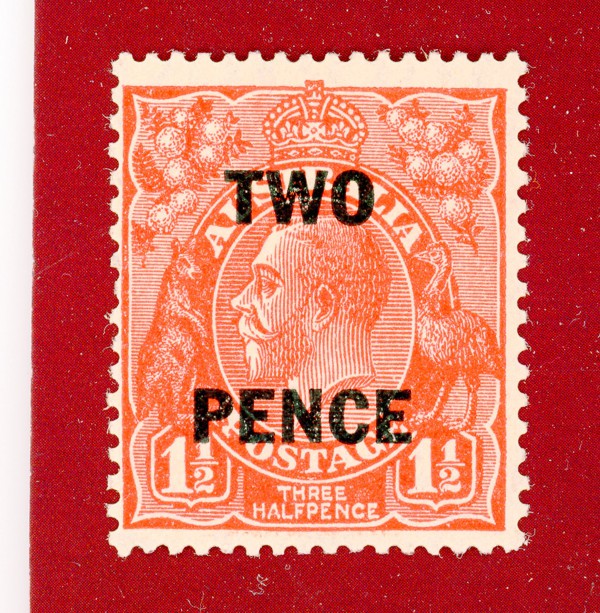
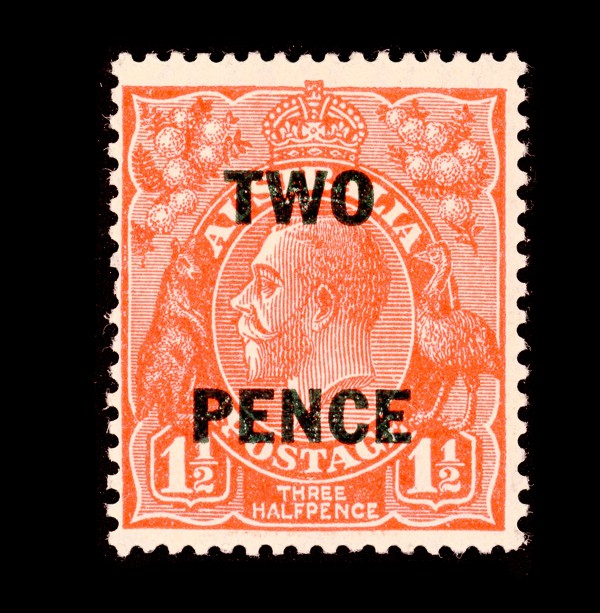
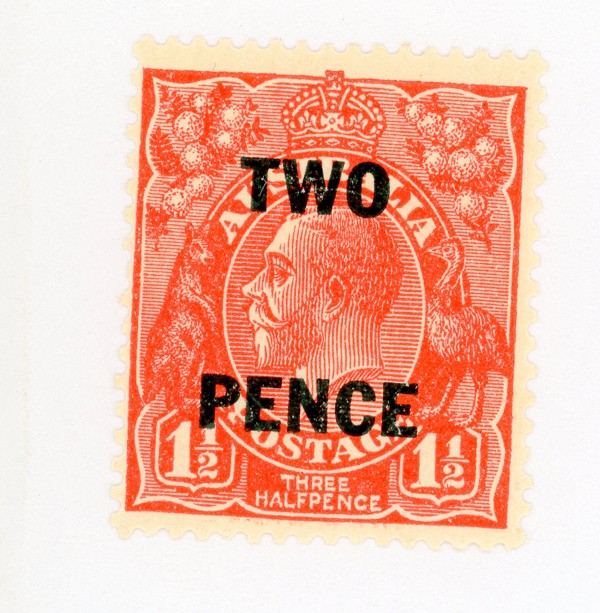
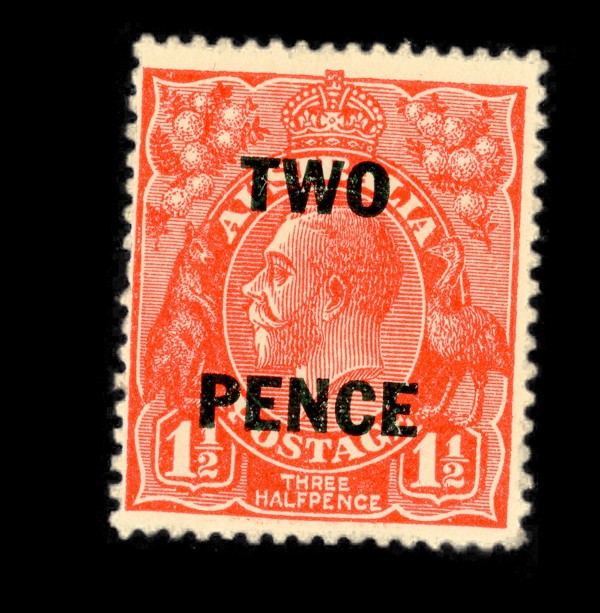
Here are two examples I ran off this morning. One is replacing a deep coloured background with black and the other starts with a somewhat toned stamp on a white background.

1 - Before:

1 - After:


2 - Before:

2 - After:


As you can see, The transfer from a dark background even allows individual fibres to be see around the edges, while transfer from a white background results in fuzziness around the perfs.

I don't have Photoshop anymore - it's a bit too pricey for me - but from memory, it is the easier and quicker to use as you just trace a line outside the stamp's image. Corel used to have a plug-in called Knock Out which was similar to Photoshop but now you trace a wide line which includes the border between the stamp and the unwanted background. In one try, I drifted into the coloured printing and the result was that the incursions into the printed area became semi-transparent.

I have not tried this process on a stamp where the perfs dig into the printed design but I would expect it to work OK.
Send note to Staff  Go to Top of Page
Moderator
Learn More...
United States
12330 Posts
Posted 03/05/2022   1:07 pm  Show Profile Bookmark this reply Add 51studebaker to your friends list  Get a Link to this Reply
Almost any good graphics application will do this by using a masking tool. Once you have masked the stamp (you can adjust the masking tolerance), you can even 'contract' the masking around the perfs by pixel count. For example, shrink the masking by 1 pixel if desired. Once masked, simply 'cut' the stamp, add whatever background color you desire, then 'paste' back in your stamp as a new layer.

Pro Tip: once you have done editing like this, try resizing your image by 101% or 99%. Any pixelation done by the masking will blend in perfectly as the resizing algorithm will average the pixels around the masking 'paste'.

This process takes me about 35 seconds per stamp.
Don
Send note to Staff  Go to Top of Page
Pillar Of The Community
501 Posts
Posted 03/05/2022   3:18 pm  Show Profile Bookmark this reply Add Casey Magoo to your friends list  Get a Link to this Reply
Start your search for a nice thin piece of flat black cardboard. Cuts the amount of digital trickery down to size.

Send note to Staff  Go to Top of Page
Moderator
Learn More...
United States
12330 Posts
Posted 03/05/2022   3:26 pm  Show Profile Bookmark this reply Add 51studebaker to your friends list  Get a Link to this Reply
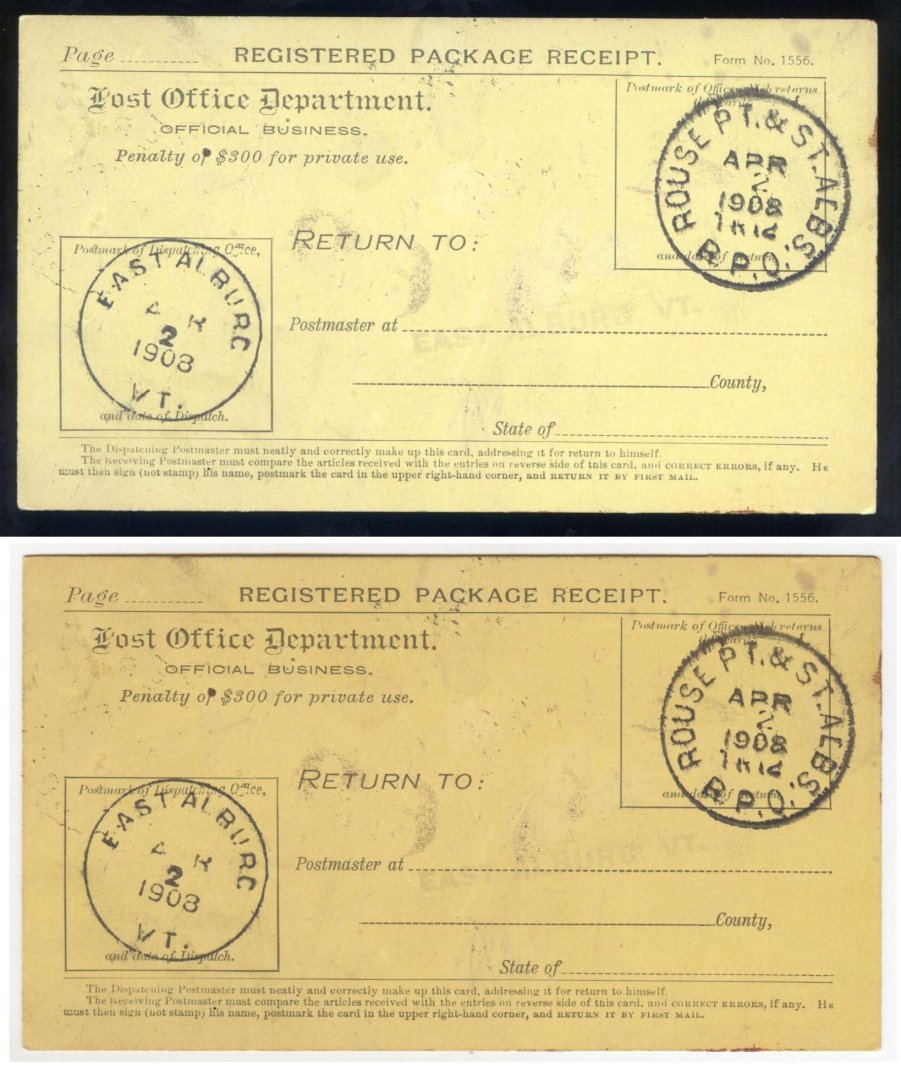
Except you have to recalibrate your scanner for the black background (it comes from the factory calibrated for white background) if you want close color reproduction.

Here is the same card scanned on black and white backgrounds, same scanner, same settings; only difference is the background color. The CCD in the scanner sees the background color and the firmware then tries to compensate for the background and this changes how it renders the all the colors.

Don
Send note to Staff  Go to Top of Page
Pillar Of The Community
Canada
877 Posts
Posted 03/10/2022   5:32 pm  Show Profile Bookmark this reply Add itma to your friends list  Get a Link to this Reply
Don:

I've finally taken a serious look at Magic Wand masking in Corel Photo Paint.

This this starting point:

  • image loaded

  • Magic Wand option selected as the mask tool

  • the desired background colour selected for the flood fill tool


From here, only four mouse clicks are needed, as follows:

  • select magic wand tool

  • click in undesired background area

  • select flood fill tool

  • click in background area


My shaky 83-year-old hand can do this in 5 seconds. A young-un should be able to do it in 2 seconds.
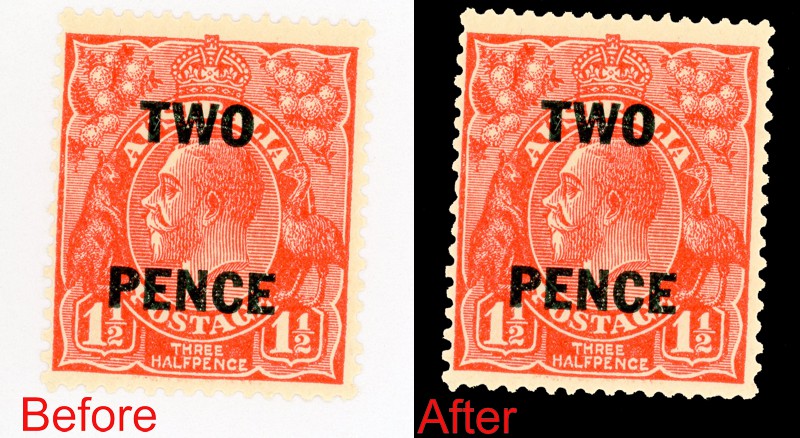


I use Photo-Paint 2017. I tried it in a trial version of the latest Photo-Paint but the process was identical. It probably works with any Photo-Paint version that has the Magic Wand feature.

(ps: Photo-Paint 2017 seems to work fine in Windows 11 so an up-to-date version is certainly not needed. (I have used CorelDraw, which includes Photo-Paint, since it was sold on floppy disks. It's a great low-cost alternative to the Adobe CS suite of similar programmes.)

In the example above, the stamp border was far from white. This process is very iffy if image has a white background and the stamp has a truly white border.

Send note to Staff  Go to Top of Page
Pillar Of The Community
Learn More...
United States
4415 Posts
Posted 03/11/2022   06:53 am  Show Profile Bookmark this reply Add angore to your friends list  Get a Link to this Reply
Thanks for the replies. I do have a black background card for scanning stamps but I want to deal with stamps I did not scan. After I got a new laptop, I never did install a separate image program other Adobe Lighthouse. My choice is to reinstall Corel Paint Shop (and the constant nagging on asking me to upgrade) or GINP. I do not this capability in the Win 10 built in tools. The ancient Microsoft Paint does a few things quickly compared to the more task driven modern software.
Send note to Staff  Go to Top of Page
Al
Edited by angore - 03/11/2022 06:58 am
  Previous TopicReplies: 6 / Views: 763Next Topic  
 
To participate in the forum you must log in or register.

Go to Top of Page

Disclaimer: While a tremendous amount of effort goes into ensuring the accuracy of the information contained in this site, Stamp Community assumes no liability for errors. Copyright 2005 - 2026 Stamp Community Family - All rights reserved worldwide. Use of any images or content on this website without prior written permission of Stamp Community or the original lender is strictly prohibited.
Privacy Policy / Terms of Use    Advertise Here
Stamp Community Forum © 2007 - 2026 Stamp Community Forums
It took 0.16 seconds to lick this stamp. Powered By: Snitz Forums 2000 Version 3.4.05