| Author |
 Replies: 28 / Views: 3,871 Replies: 28 / Views: 3,871 |
|
Valued Member
139 Posts |
|
|
Online Measurement ToolThere are a lot of these but one I like is calipers from Iconico (free with some minor limitations) Very handy for measuring features like overprints. Simple to use regardless of stamp resolution (although bigger is better). You just need to know 1 measurement such as the frame width. Measures to as many decimal places as you want. Some that go by DPI simply do not work. Here are some examples of the 1928 France airmail An ebay forgery - (there are other forgery traits)- distance 5.1mm =FAKE 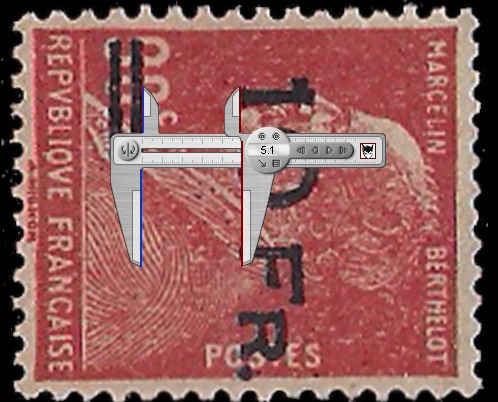 A P.F. Certified example - correct 4.5mm 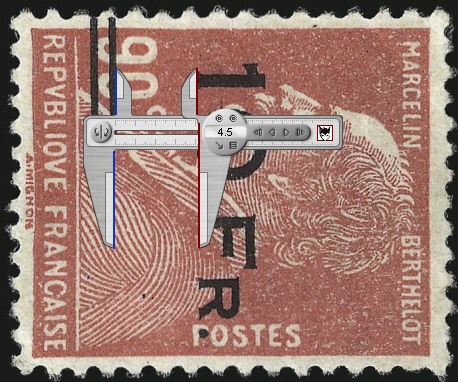
|
|
Send note to Staff
|
| Edited by nl1947 - 01/27/2015 2:15 pm |
|
|
|
|
Rest in Peace
United States
4052 Posts |
|
|
Well-spotted, nl1947!
Thank you for the pointer.
If you are in regular contact with them, please suggest that they auto-recognize a second reference object in the image, such as the smallest coin in general circulation of each country in which they would like to show respect to their customers, so as to speed dimensioning.
Including a known reference object is, BTW, how we do it in science/engineering photography.
Cheers,
/s/ ikeyPikey (who is not beyond suggesting things for other people to do with their time) |
Send note to Staff 
|
|
|
Rest in Peace
Canada
5701 Posts |
|
|
nl1947, I do not have a clue what ikeypickey is saying, but I use that caliper tool also, and it works great. I even use it for measuring tough perforations like on the small queens of Canada. |
|
Send note to Staff
|
|
|
|
Valued Member
139 Posts |
|
|
Pillar Of The Community
Canada
5821 Posts |
|
|
Pillar Of The Community
United States
7106 Posts |
|
|
To borrow a turn of phrase from Barbara Billingsley, I speak Pikey, and I can translate...the software engineer could write a feature into the program that would auto-calibrate if an object of a known size was included in the picture, such as a coin. This would certainly be speedy for those times where an object of a known size was included in the image (e.g., your own scans, if you started this practice), but not much help when you are working off of an ebay image. I typically scan Vario pages, so laying a coin on the glass would take up a space, and it would lift the page off of the glass a bit. I suppose I could photocopy a coin to get rid of the thickness...  Neat tool, nl; thanks for sharing. |
|
Send note to Staff
|
|
|
Pillar Of The Community
United States
526 Posts |
|
|
Bee See and others, perhaps the problem is that Ikey Pikey is so Picky?? ('  ') |
|
Send note to Staff
|
| Edited by Hieronymus - 01/27/2015 7:08 pm |
|
|
Rest in Peace
United States
4052 Posts |
|
|
I am accustomed to creating photographic records of things that have not been cataloged and, therefor, have no known dimension to act as a reference. Sticking something in the field-of-view that is known (or readily knowable) to the viewer becomes a habit.
Admittedly, for an application like validating overprints on stamps, known dimensions are easy to come by, so adding this feature to the Iconico system may seem like overkill. To be fair to me, Iconico is marketing a general, not a philatelic, tool ...
Frankly, scanners offer a limited range of spatial resolutions and, better yet, this information is often to be found in the file header.
Iconico could build an even better mousetrap by analyzing scanner images for major features, and overlaying dimensional information on the image, before they even show it on the screen.
Or they could wait for some hungry competitor to show them how its done ;)
Cheers,
/s/ ikeyPikey |
|
Send note to Staff
|
|
|
Valued Member
139 Posts |
|
|
The engineer would not know what resolution or dpi your scan would be in, so adding something would be useless.
The user however could add an exact size item to the scan and make the job of calibration easier.
However this program works even if you take a picture off the web.
That's what I did with the pics I included, I simply had the non overprint variety to measure one side of the stamp. This measuremen is then calibrated based on the pixel size of the image on my screen regardless of how big I make it.
This tool was not made for stamp collectors, it is made specifically for scaled diagrams (CAD, blueprints, plans and architectural drawings , maps etc)
It's just useful for stamps also.
ENOUGH - time to move on - use it or leave it. don't beat it.
|
|
Send note to Staff
|
| Edited by nl1947 - 01/27/2015 8:33 pm |
|
|
Rest in Peace
Canada
5701 Posts |
|
|
Thank you (and cjd) for translating your previous post ickeypickey  I actually often scan a small, thin, accurate engineering scale with stamps, and calibrate the on-screen calipers with that. |
|
Send note to Staff
|
|
| Edited by BeeSee - 01/28/2015 12:05 am |
|
|
Rest in Peace
United States
4052 Posts |
|
|
Quote:
... The engineer would not know what resolution or dpi your scan would be in ... Unless, of course, the engineer: a) [Right-Clicked] the image, selected [Properties], selected [Details], and l-o-o-k-e-d for [Horizontal resolution] and [Vertical resolution], or b) Learned how to read JPG file headers which, my having 'cracked' the WAV header format myself (on behalf of a team developing a 'smart' electronic stethoscope), I would suggest can't be that hard. Note that, for the file you uploaded, both Hres & Vres are 96 dpi, which my limited experience leads me to suspect is an artifact rather than a true value ... but I have not done any real work to nail this down. Quote:
... pickey ... I don't get it. I think ghat all SCFers have better things to do than delve into a catalog to retrieve a value for keying into a piece of software when that value might be derived from the image (by the software) or read from the header (by the software). That might be delusory - after all, many of us have time to worry about Original Gum - and it might be partisan - boldly advocating for people who would *rather* be flipping pages for design dimensions and keying that minutae into their computer - but I don't see 'picky'. Cheers, /s/ ikeyPikey |
|
Send note to Staff
|
|
|
Valued Member
United States
396 Posts |
|
|
Pillar Of The Community
United States
7106 Posts |
|
|
"IkeyPikey" was misspelled in one of the early replies, no doubt unintentionally. I smiled when I saw it.
I downloaded and opened up Iconico, and it looks interesting. Unfortunately, I might have to read a manual in order to sort out the calibration. I really should get around to doing that before I forget I downloaded the program. |
|
Send note to Staff
|
|
|
Rest in Peace
Canada
5701 Posts |
|
|
Quote:
Thank you (and cjd) for translating your previous post ickeypickey Oops, sorry ikeyPikey! I cannot edit my post anymore. |
|
Send note to Staff
|
|
|
|
Rest in Peace
7742 Posts |
|
|
ikeyPikey...Are you suggesting that manufacturers read the pixel of the picture involved as shown below. 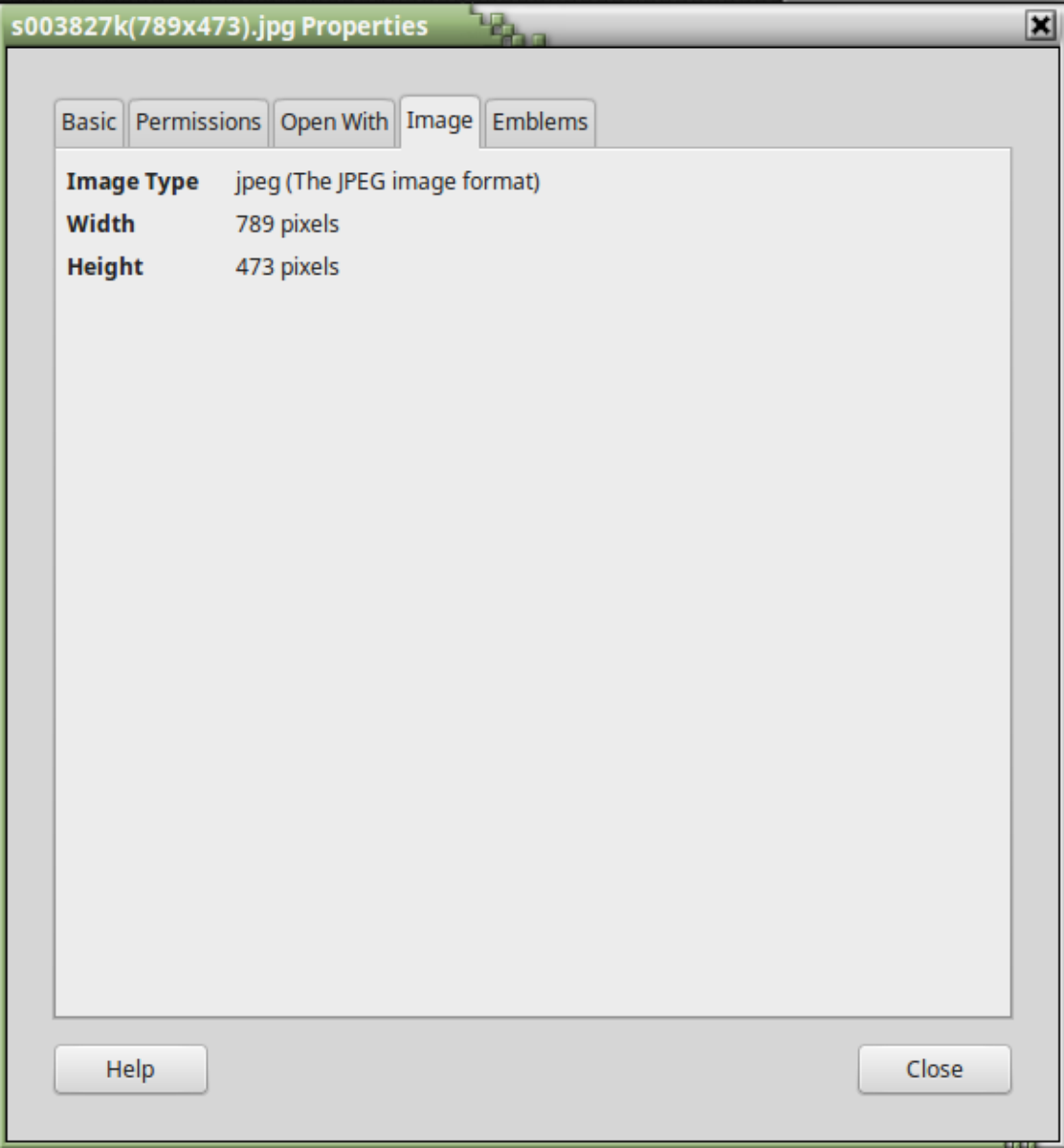 |
|
Send note to Staff
|
|
|
Rest in Peace
United States
4052 Posts |
|
|
wert, Greetings:
Certain file formats contain headers, and those headers are composed of fields, and those fields contain data.
For sound files, for example, the header might contain a sampling rate, so that the song can be played properly.
For image files, the header might contain Horizontal & Vertical pixel counts (as in your example, above) or resolution (dpi) or bit depth or GPS location of the camera that took the picture or ...
I would suggest that, in your example, the software read the jpeg file header.
Cheers,
/s/ ikeyPikey |
|
Send note to Staff
|
|
|
Replies: 28 / Views: 3,871 |
|




 Posted 01/27/2015 2:05 pm


